Download the
Paisabazaar app Today!
Paisabazaar app Today!
Get instant access to loans, credit cards, and financial tools — all in one place

Win Assured Cashback

Our Advisors are available 7 days a week, 9:30 am - 6:30 pm to assist you with the best offers or help resolve any queries.


Get instant access to loans, credit cards, and financial tools — all in one place

Scan to download on



 Personal Loan
 Business Loan
 Home Loan
 Other Loans


Our Advisors are available 7 days a week, 9:30 am - 6:30 pm to assist you with the best offers or help resolve any queries.
SBI net banking allows accountholders to avail banking facilities online through the OnlineSBI portal. However, you have to do SBI net banking registration to start using these facilities. Read to understand different ways on how to register for SBI net banking.
600 or 750? What's your credit
score? Check for FREE.


Let’s Get Started
 +91
+91
The entered number doesn't seem to be correct
One has to activate SBI net banking to avail services online such as money transfer, opening accounts, paying bills, booking tickets, shopping online, demand draft creation, generating statements, investment, cheque-book requests, passbook printing, etc.
SBI netbanking is secured with your debit card credentials and OTP (One Time Password) to protect your money. Let us understand how to activate net banking in SBI to perform several tasks online.
Now Get your Credit Score and Credit Report for FREELifetime FREE |
* Terms and conditions apply
Once you have opened the bank account, you can proceed for self-registration of net banking facility in case of single account holders with SBI ATM card. In case of joint accounts, you will have to contact your bank to complete the formalities.
Follow the steps mentioned below for SBI net banking registration online:
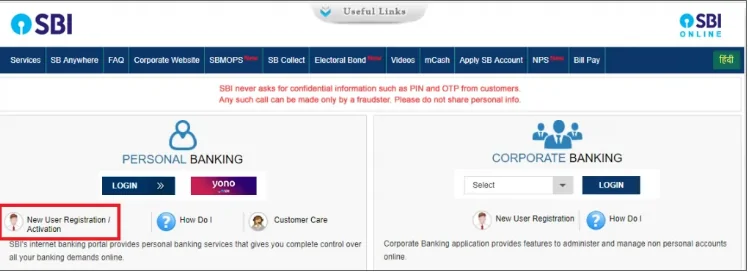
Please note if you have already obtained Pre-printed Kit from the branch for activating INB facility, you should not proceed with this link. You can input user id and password given in PPK on the normal login screen.
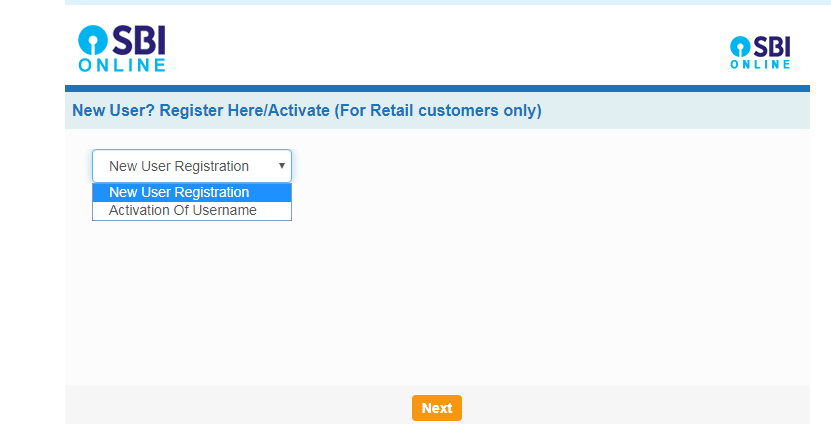
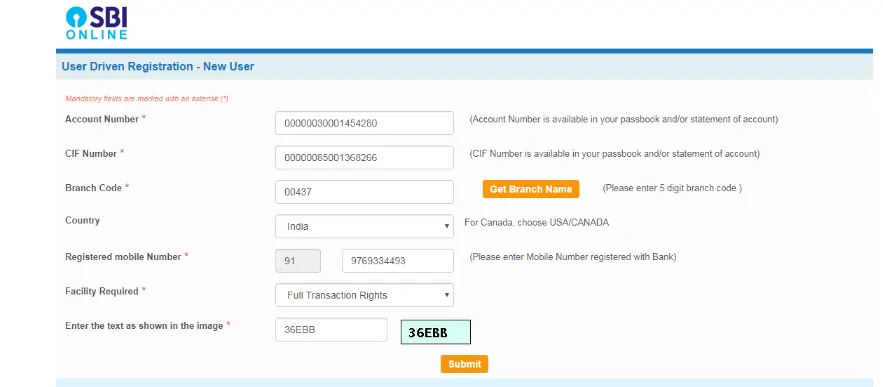
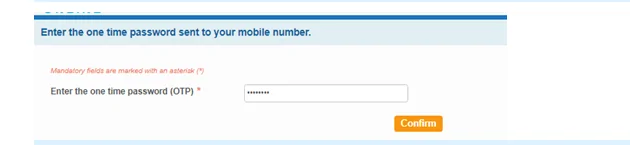
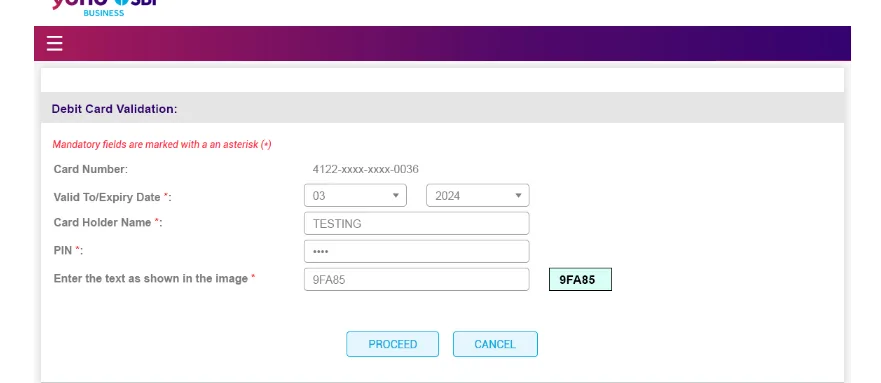
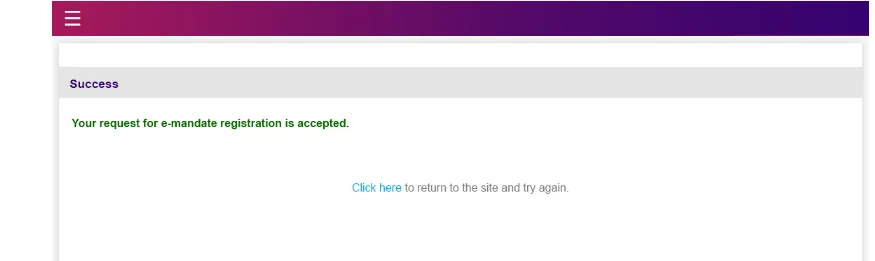
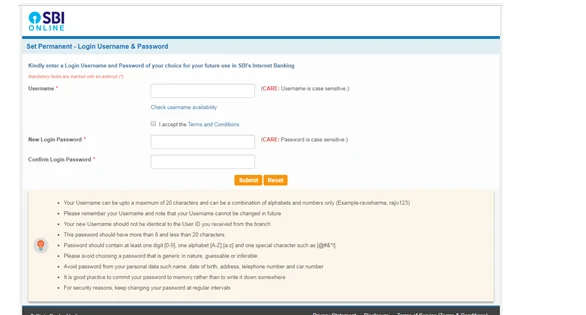
If you have an ATM card, you can complete the registration and activate SBI netbanking services for your account#
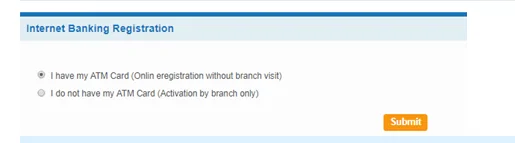
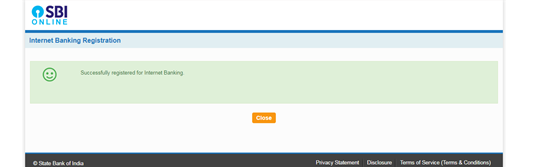
#If you do not have an ATM card, internet banking services will be activated by the branch.

Get Free Credit Score with monthly updates Check Now
If you want to activate SBI net banking offline, you need to visit the nearest SBI branch and fill in the net banking registration form.
You can activate SBI net banking instantly if you are a single account holder with an ATM card and your mobile number is registered with the bank.
If in case you are a joint account holder then you need to produce the required credentials at the bank branch.
To activate SBI net banking using SBI YONO app, you need to follow the below-mentioned steps:
Step 1: Visit the SBI Internet banking portal or click here
Step 2: Select the ‘Personal Banking Login’ and click on ‘New User Registration’
Step 3: Enter the required details, such as your account number, CIF number, branch code, country, registered mobile number, etc.
Step 4: Enter the captcha and click on ‘Confirm’ to receive an OTP on your registered mobile number to further click on ‘Submit’
Step 5: Choose that you have an ATM card option click ‘Submit’ and verify your ATM credentials
Step 6: Create your permanent username and password
Also Read: SBI Balance Check Number
Find below various steps for SBI net banking registration using your debit card:
Step 1: Visit the SBI’s net banking registration portal
Step 2: Select – Register with a debit card and enter details, such as account number, date of birth, or PAN, and select the type of registration
Step 3: Click on ‘Submit’ to receive an OTP sent to your registered mobile number
Step 4: Choose your debit card and enter the details
Step 5: Set your IPIN
Step 6: Login to net banking using your Customer ID and IPIN
Suggested Read – SBI Mini Statement
If in case your SBI username has been deactivated, follow the below-stated simple steps to reactivate it online:
Step 1: Visit the SBI’s official website and go to the net banking section
Step 2: Select the ‘Personal Banking’ section and login using your login details
Step 3: Select the New User Registration/Activate option and enter your account number, CIF number, branch code, country, and registered mobile number
Step 4: Generate and enter the received OTP
Step 5: Select you have an ATM card and enter your ATM card details
Step 6: Click on ‘Submit’ to see your temporary username
Step 7: Create a login password and login into your account to further complete the registration process
Step 8: Activate your SBI account, which was deactivated
Also Know: How to Generate SBI ATM PIN
Details required for activating SBI net banking include the following:
Know About: SBI Savings Account
Find your Credit Score if planning for a Home Loan Check Now
Ans. To activate your SBI net banking, you’ll need the following documents or information, such as your registered mobile number and email address, SBI account number, SBI branch code, CIF number, SBI ATM card information, and specific country name of residence.
Ans. If your registered mobile number is not active or has changed, you can visit the nearest SBI ATM, swipe your debit card, and enter your ATM PIN. Click on update your mobile number option, enter your registered mobile number, and then enter your changed mobile number and click on submit.
Ans. Yes, you can use SBI net banking services from your smartphone by downloading the YONO app or the YONO lite app from the Google Play Store for Android users and the App Store for IOS users online.
Ans. To activate your joint account for SBI net banking services, you need to visit the nearest bank branch and fill in the application form, and submit all the required documents.
Ans. To register for SBI online banking, you can either go to your home branch and fill the net-banking application form. After submitting your form along with the required documents, you will be provided with a net banking kit which consists of your user ID and password for login.
You can also register online for SBI netbanking. Steps on how to activate SBI net banking online:
Ans. Yes, it is compulsory to change your username and password after you have logged-in to SBI netbanking for the first time. And later at any point of time, you can change your password but not the username.
Ans. If you forget your SBI internet banking user name, contact your branch and re-register yourself.
Ans. For any queries or complaints related to SBI online banking, please call on the toll-free number 1800-112-211
Ans. If you are a single account holder having your ATM card and registered mobile number, you can register immediately and activate SBI netbanking account when you follow the above process.
In case of joint account holders, you have to approach the branch to create credentials for you.
Ans. The bank uses the most advanced technology to secure your information and money. From customer part, basic precautions like secrecy of user id, password, OTP and other details will ensure the security of your account.
Ans. If you have an ATM card, you can reset the password online.
When you activate SBI netbanking, you are required to set a hint/security question that helps at the time of account recovery. You may be asked a hint question. Answer it correctly and enter OTP (One Time Password) received on your registered mobile number. You will be able to reset your password instantly.
In case you forgot some details asked, you can approach the bank to reset the password.