Download the
Paisabazaar app Today!
Paisabazaar app Today!
Get instant access to loans, credit cards, and financial tools — all in one place

Win Assured Cashback

Our Advisors are available 7 days a week, 9:30 am - 6:30 pm to assist you with the best offers or help resolve any queries.


Get instant access to loans, credit cards, and financial tools — all in one place

Scan to download on



 Personal Loan
 Business Loan
 Home Loan
 Other Loans


Our Advisors are available 7 days a week, 9:30 am - 6:30 pm to assist you with the best offers or help resolve any queries.
600 or 750? What's your credit
score? Check for FREE.


Let’s Get Started
 +91
+91
The entered number doesn't seem to be correct
Account holders can check the RBL Bank Mini Statement and enquire about account balance without visiting the bank branch. In order to allow easy access to accounts, the bank provides the RBL Mini Statement and balance enquiry facility. To check the RBL bank mini statement, account holders can simply give a missed call from your registered mobile number and get instant information. They can also get information related to their mini statement via Toll free number, SMS banking, net banking, RBL MoBank 2.0 and by visiting bank branches.
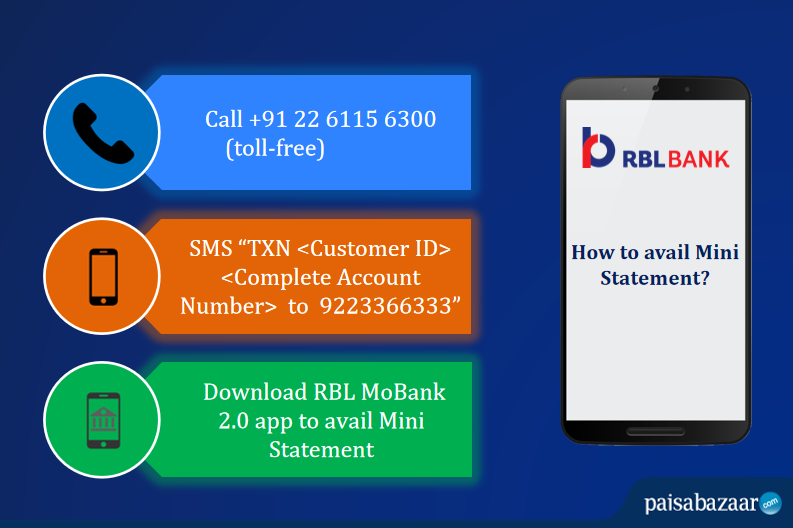
The best option is to register the mobile number while opening the account. The mobile number can also be registered later following the below-mentioned steps:
With the SMS Banking service provided by the bank, the users can avail a range of services at their fingertips. The users can make avail mini statement by SMS. The user needs to just send an SMS to the below-mentioned number:
To get RBL Mini Statement by SMS, send
TXN <Customer ID> <Complete Account Number>
to
9223366333
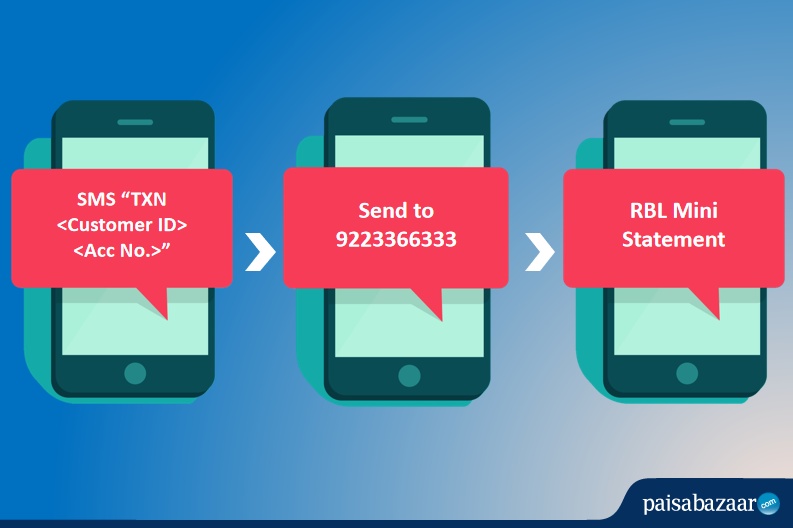
The details of the last 5 transactions will be sent to the registered mobile number of the customer. For RBL Bank balance enquiry via SMS, send
BAL <Customer ID> <Complete Account Number>
to
9223366333
REG <Customer ID> <Complete Account Number>
to
9223366333
Once registered, the customer will receive a notification through SMS.
Unstructured Supplementary Service Data (USSD) based mobile banking is available with the RBL Bank. Customers can use the USSD payment service and avail RBL Mini Statement by USSD without connecting to the Internet.
To get RBL Mini Statement by USSD Channel,
The user will be able to see the mini statement with the last 3 transactions on the screen of the device. This service does not require a smartphone and can be used even on featured mobile phones, making it truly accessible to everyone.
Customers can make use of the e-banking portal of RBL Bank to get their mini statement. This option gives them the best in terms of technology and provides access to any account 24×7. With RBL Bank, customers can register for internet banking online through the RBL website using RBL Bank Credit Card or Debit Card details, customer ID or loan account number.
For RBL Mini Statement via Internet Banking, follow the below-mentioned steps:
Step 1: Visit the online net banking portal of RBL Bank.
Step 2: Login using Customer ID and Password.
Step 3: On the Dashboard, click on the “Account Statement” option to get details of the recent transactions.
RBL Bank has come up with the enhanced banking app for the convenience of the customers. Follow the below-listed steps to get Mini Statement via RBL MoBank 2.0 app:
Step 1: Download the app from the Google Play Store or the Apple App Store.
Step 2: Login using the User ID and Password.
Step 3: On the homepage, click on the “Transaction History” option.
Step 4: Get the details of the recent transactions.
This is a service that is offered free of cost to all RBL Bank account holders. The service does not require customers to have any access to the internet. The user needs to just call on the below mentioned RBL Bank Customer Care number (toll-free).
To get RBL Mini Statement by customer care number, dial
+91 22 6115 6300
An SMS with the latest transactions in the account will be sent to the registered number. This service can be enabled for both current accounts as well as savings accounts. Since this service is available 24×7, customers have access to their accounts at all times.
Q. How do I get my RBL Bank mini statement?
Ans. You can get your RBL bank mini statement by various methods, such as toll free number, SMS banking, net banking, giving a missed call from your registered mobile number, via MoBank 2.0 service and lastly by visiting RBL bank branch.
Q. How can I open my RBL Bank statement PDF?
Ans. You can open your RBL bank statement pdf by entering the password in a format that is first 4 letters of your name in upper case followed by your date of birth in DDMMYY format. For example: If your name is Rahul, and Date of birth is 22 Nov 1989, then your password will be ‘RAHU221189’
Q. What is the WhatsApp number to get your RBL statement?
Ans. To get your RBL statement via WhatsApp, you just need to save the RBL Bank official WhatsApp number ‘84335 98888’ to your mobile and WhatsApp ‘Hi RBL’ from your registered mobile number.
Q. How do I get the last 3 transactions via RBL USSD Banking?
Ans. You need to ‘Dial *99*79*2#’ from a registered mobile number and enter the last 4 digits of your account number to get a mini statement via USSD.
Q. How to get RBL Mini Statement via toll-free number?
Ans. Dial +91 22 6115 6300 from the registered mobile number and get the details of recent transactions.
Q. How to register for RBL Bank Mobile Banking?
Ans. Send an SMS “REG <Customer ID> <Complete Account Number>” to 9223366333.
Q. What is RBL Customer Care Number?
Ans. RBL Bank 24-hours Customer Care Number is 1800-121-9050.