Download the
Paisabazaar app Today!
Paisabazaar app Today!
Get instant access to loans, credit cards, and financial tools — all in one place

Win Assured Cashback

Our Advisors are available 7 days a week, 9:30 am - 6:30 pm to assist you with the best offers or help resolve any queries.


Get instant access to loans, credit cards, and financial tools — all in one place

Scan to download on



 Personal Loan
 Business Loan
 Home Loan
 Other Loans


Our Advisors are available 7 days a week, 9:30 am - 6:30 pm to assist you with the best offers or help resolve any queries.
600 or 750? What's your credit
score? Check for FREE.


Let’s Get Started
 +91
+91
The entered number doesn't seem to be correct
Karur Vysya Bank (KVB) has been providing banking services to customers across India for the last 100 years. The bank has come up with modern technology banking solutions giving customers easy access to any information about their accounts and about different products offered by the bank. The users can easily keep a track of their account and all the financial activities by the KVB Mini Statement.
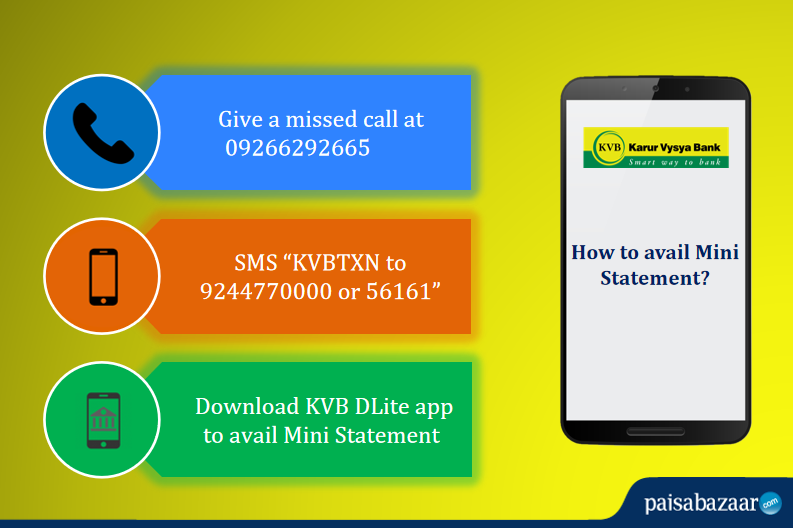
With a missed call, customers can access up to the last 8 transactions in their account. This is one of the most widely used online services as it is free of cost and does not require any access to the internet. This service is available to customers on-the-go and at any given time. The customer needs to just give a missed call on the below-mentioned number using their registered mobile number.
For KVB Mini Statement via Missed Call, dial:
09266292665
The call will be disconnected after a few rings. The users will receive an SMS showing the last 8 transactions in the account.
Customers can get access to the mini statement and know about all the recent transactions in the account using the SMS Banking service. The customer needs to just send an SMS to the below-mentioned number.
To get KVB Mini Statement by SMS, send:
KVBTXN
to
9244770000 / 56161
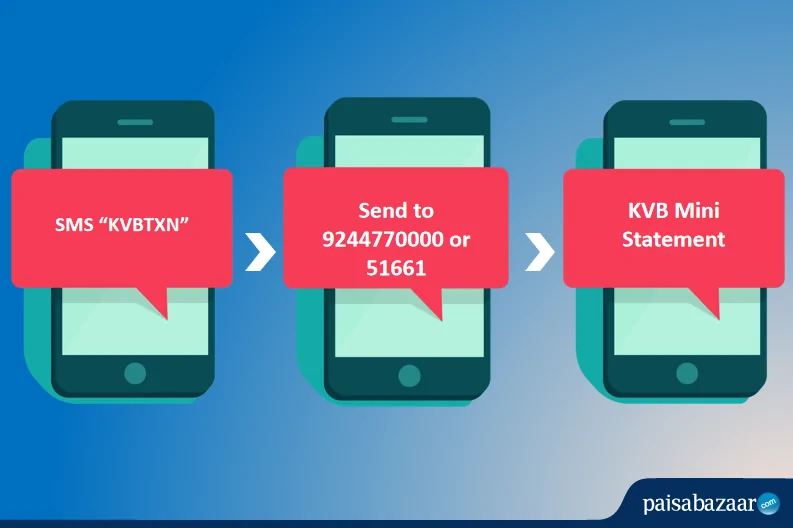
To view the recent transactions, the message should be sent in the predefined format to the above-mentioned number. The customer will receive an SMS from the bank with the information requested.
For KVB Balance Check by SMS, send:
KVBBAL
to
9244770000 / 56161
To register for KVB Mobile Banking via SMS, send:
KVBREG
to
9244770000 / 56161
Karur Vysya Bank offers the most secure internet banking option. With each internet banking account, customers will get a 4 digit PIN. Follow the below-mentioned steps for getting KVB Mini Statement via net banking:
Step 1: Visit the online portal of Karur Vysya Bank Net banking.
Step 2: Login using the User ID and password.
Step 3: Click on the “Accounts” option available at the header.
Step 4: Go to the “Account Summary” option and click on “View Mini Statement” to get the details of the latest transactions.
Like most modern banks, Karur Vysya Bank also provides customers with mobile banking services to avail banking services and facilities on-the-go. The KVB DLite App is specially designed for user convenience and is available for all users. KVB Mobile Banking is one of the easiest options available for anyone to manage their bank account remotely. KVB also have enriched security features to ensure that the banking information remains confidential.
Follow the below-mentioned steps to get KVB Mini Statement by mobile banking app:
Step 1: Download the KVB DLite App from Google Play Store or from the App Store.
Step 2: Once the app has been installed, click on the “Register for Mobile Banking” option.
Step 3: Provide the customer ID and the registered mobile number.
Step 4: An OTP will be sent to the registered mobile number.
Step 5: After entering this OTP, customers will have to authenticate the mobile banking account using the internet banking account credentials or through their KVB Debit Card.
Step 6: Set the 4-digit MPIN and the 6-digit login PIN. Once the PIN is set, the customer is ready to use mobile banking services.
Step 7: Login using the set User ID and Password.
Step 8: Click on the “Services” option and select “Transaction History” to get the mini statement.
There are a few other options available:
1. KVB Toll-free Number
Besides the KVB mini statement number, customers can also call the toll free customer care number to get the details of the latest transactions.
To get KVB Bank Mini Statement by Toll-Free Number, Dial
1800-200-1916
2. By visiting ATM
Customers can also use their debit card at any ATM to know about the recent transactions. This is a common method used by many.
There are various benefits of KVB Mini Statement Services:
Q. How can I get a mini statement from KVB?
To get your mini statement, you can
Q. How can I know my KVB mini statement by SMS?
Type ‘KVBTXN’ and send it to 9244770000 or 56161 from your registered mobile number. Post that, you will receive a text message with the details of your last transactions.
Q. How can I get my KVB mini statement online?
To check your mini statement online, you can log in to Karur Vysya Bank Net Banking Portal using your customer ID and password. Or, you can download the KVB DLite app from Google Playstore or Apple App Store and log in using your User ID and MPIN.
Q. How can I get my KVB mini statement on mobile without internet banking?
You can check your mini statement without an internet connection by either giving a missed call to 09266292665 from your registered mobile number or sending ‘KVBTXN’ to 9244770000 or 56161.
Q. How can I get a mini statement from KVB Mobile app?
Log into KVB-DLite app using your User-ID and MPIN. After that, select your account from the dashboard and then click on ‘account details’. Now, click on ‘View Mini Statement’. You will see your last transactions displayed on the next screen.
Q. How can I register for KVB mobile banking?
To get your number registered for KVB mobile banking service, you can send ‘KVBREG’ to 9244770000 or 56161 from the mobile number which you want to get registered. You can also visit the bank and submit the application form along with the required documents to get your number registered.