Download the
Paisabazaar app Today!
Paisabazaar app Today!
Get instant access to loans, credit cards, and financial tools — all in one place


 Personal Loan
 Business Loan
 Home Loan
 Other Loans


600 or 750? What's your credit
score? Check for FREE.


Let’s Get Started
 +91
+91
The entered number doesn't seem to be correct
The IRCTC portal allows users to book train tickets online from the comfort of their home. Users can book up to 6 train tickets every month. However, when a user links Aadhaar number with the IRCTC account, he can book up to 12 tickets every month. To avail this facility, at least one of the passengers in the passengers’ master list should verify the details using Aadhaar.

Get Free Credit Report with monthly updates. Check Now
You can follow these simple steps to link your Aadhaar number with IRCTC account:
Step 1: Login to your IRCTC account using your “User ID” and “Password”
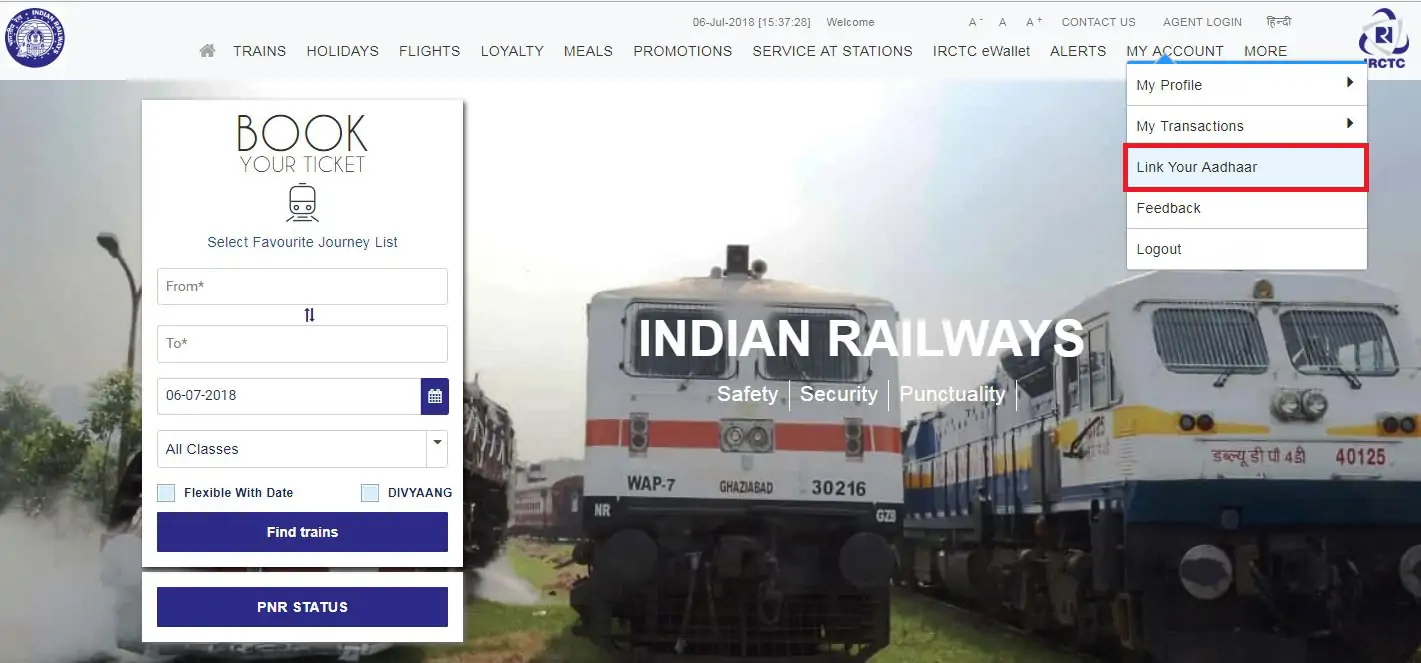
Step 2: Select the “Link Your Aadhaar” option from the “My Account” section
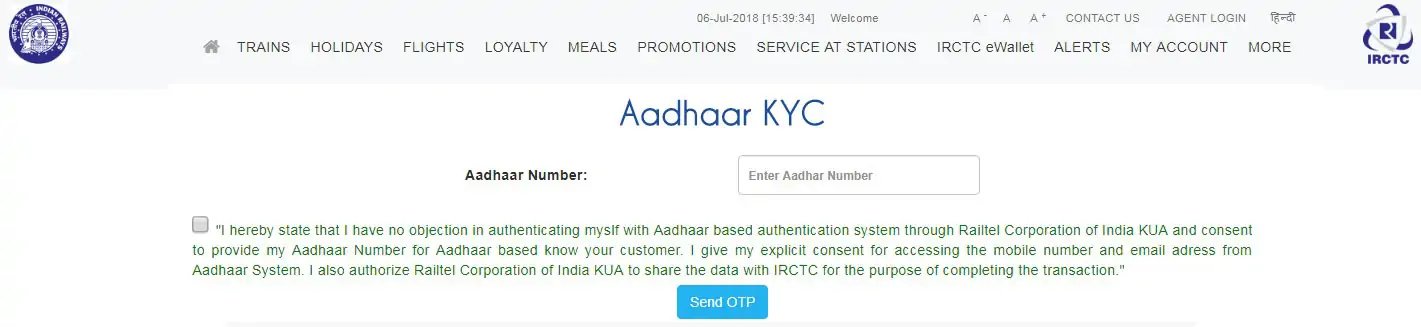
Step 3: Enter your 12-digit Aadhaar number, tick the disclaimer and click on “Send OTP”
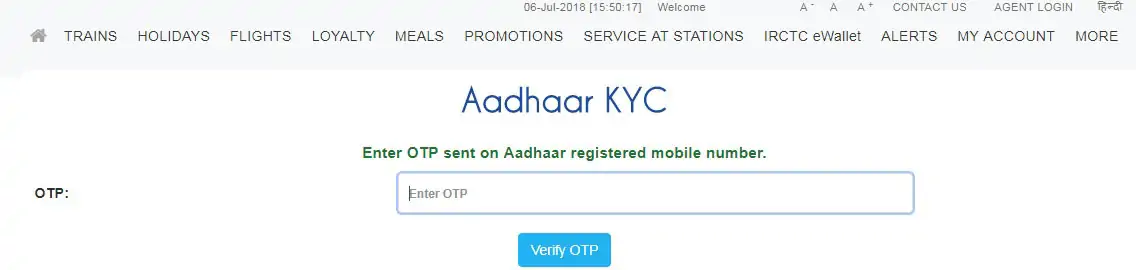
Step 4: Enter the OTP sent to the mobile number registered with Aadhaar
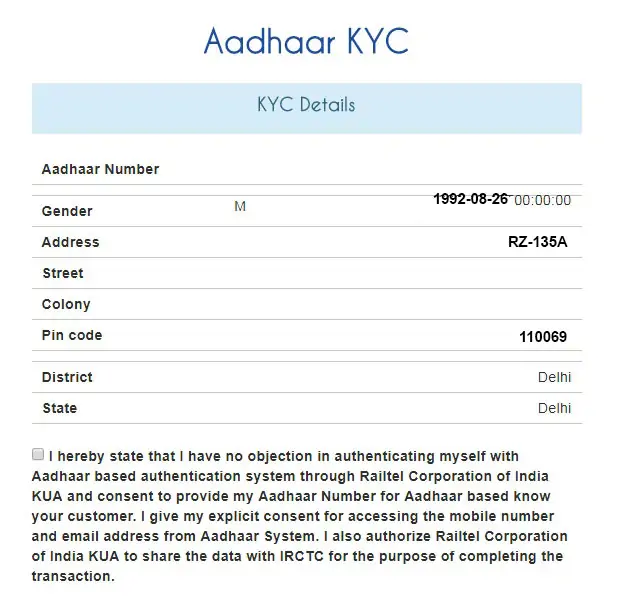
Step 5: Your details will be displayed on the screen
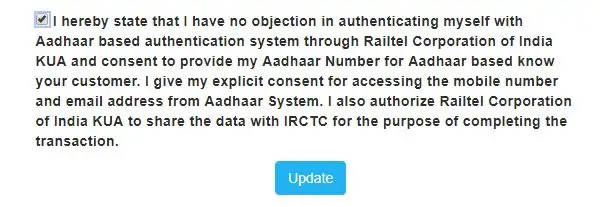
Step 6: Tick on the disclaimer and click on the “Update” button

Step 7: Your IRCTC account will be successfully linked with your Aadhaar
Read More: Easy Ways to Register Your Mobile Number with Aadhaar
Get Free Credit Report with monthly updates. Check Now
In order to verify the Aadhaar number of a passenger, passenger details have to be added in the master list before booking the ticket online. You have to follow these simple steps to add a passenger in the master list and verify it with Aadhaar:
Step 1: Login to your IRCTC account using your “user ID and password”
Step 2: In the “My Profile” section, select the “Master List” from the drop down menu
Step 3: Enter details such as name, date of birth, gender, berth preference, food preference, senior citizen concession, etc.
Step 4: Now select the “Aadhaar card” in ID Card Type and enter your Aadhaar number in the ID Card Number box
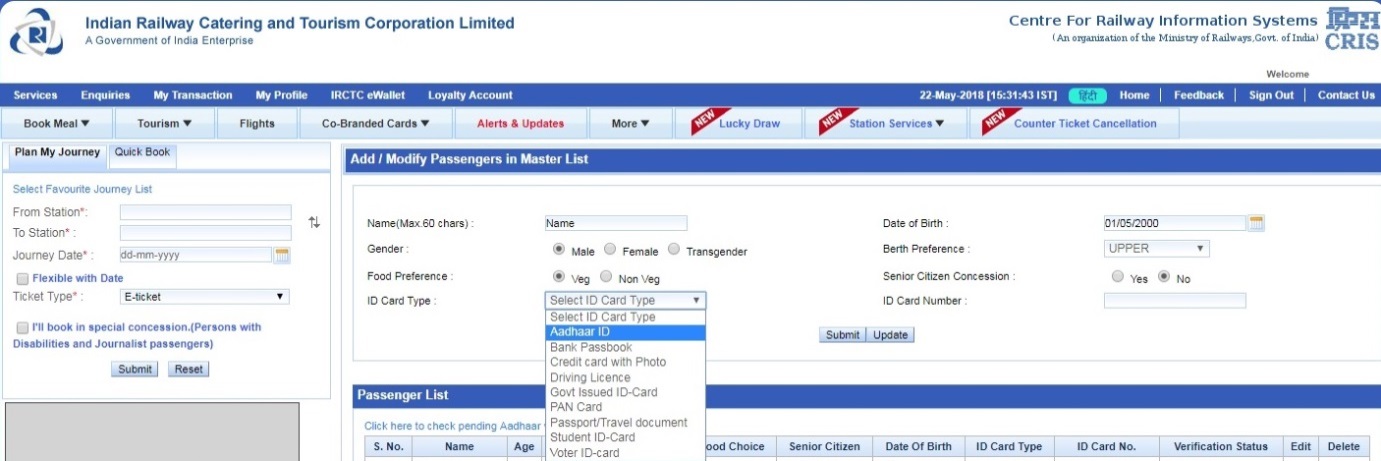
Step 5: Now click on the “Submit” button
Step 6: Details of the passenger will be added in the Master List. However, the status will show verification “Pending”. The status shows “Verified” for details verified through Aadhaar
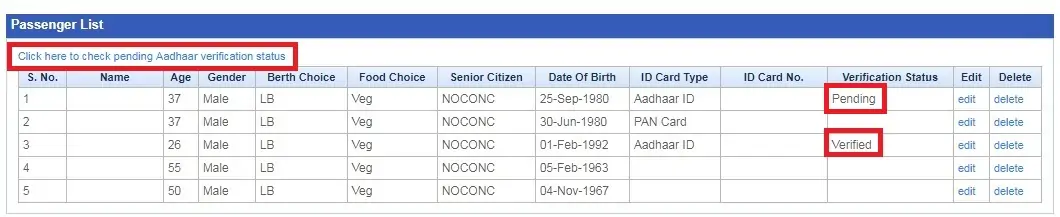
Step 7: In order to check the status of pending Aadhaar Verification, click on the link provided above the list
Step 8: In case Aadhaar verification is not done, “Not verified” is mentioned in the “Verification Status” column
Step 9: For all “Not Verified” details, users can edit their details and mention their Aadhaar for verification and click on “Update”.
IRCTC allows users to book tickets by directly selecting passenger details from the Master List. It saves the user of entering passenger details every time he wants to book a ticket. Here’s how you can select Aadhaar verified passengers from the master list:
Step 1: Enter your travel details and search for trains
Step 2: Select the class and click on the book now option
Step 3: Now click on the “Select passenger from the Master List” option
Step 4: Tick on the passenger details already saved in the Master List and click on “Select passengers” option
Step 5: Your details will be added directly in the booking window and you can proceed with the payment option for booking the ticket.