Download the
Paisabazaar app Today!
Paisabazaar app Today!
Get instant access to loans, credit cards, and financial tools — all in one place

Win Assured Cashback

Our Advisors are available 7 days a week, 9:30 am - 6:30 pm to assist you with the best offers or help resolve any queries.


Get instant access to loans, credit cards, and financial tools — all in one place

Scan to download on



 Personal Loan
 Business Loan
 Home Loan
 Other Loans


Our Advisors are available 7 days a week, 9:30 am - 6:30 pm to assist you with the best offers or help resolve any queries.
600 or 750? What's your credit
score? Check for FREE.


Let’s Get Started
 +91
+91
The entered number doesn't seem to be correct
| To invest in NPS through Paisabazaar, Click Here |
| Already have an NPS account through us? For Subsequent Contribution, Click Here To Set up SIP, Click Here |
Note: The information on this page may not be updated. For latest information, click here.
National Pension System (NPS) is a government-backed pension scheme that allows people to generate a considerable corpus at the time of retirement. Pension Fund Regulatory and Development Authority (PFRDA), that manages NPS, has advised subscribers to link Aadhaar with NPS accounts.
The scheme launched by the Government of India in 2004 to provide benefits to government employees which was extended for all in 2009. A subscriber has to open only one NPS account in which he has to submit at least ₹ 6,000 per month. A subscriber of NPS can withdraw a part of the amount in lump sum and utilise the remaining part to purchase an annuity and ensure he gets a regular income after retirement.
Step 1: You have to follow these simple steps to link your NPS account with Aadhaar online:
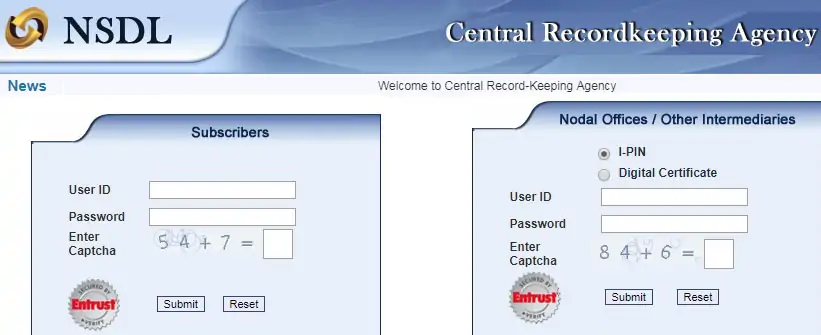
Step 2: Login to your NPS account at https://cra-nsdl.com/CRA/
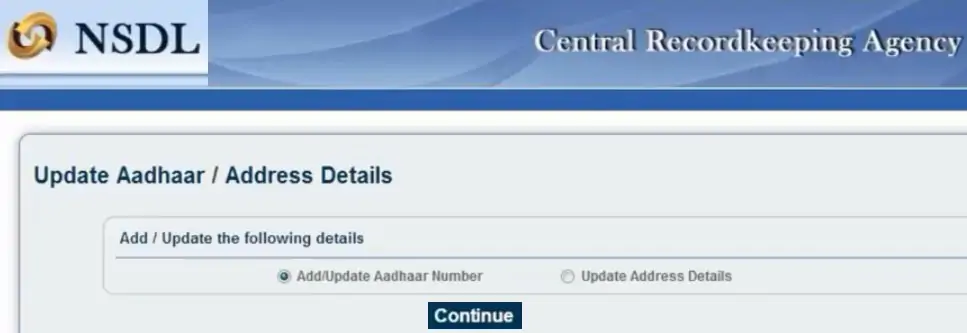
Step 3: In the “Update Details” section, select the “Update Aadhaar/Address Details” option
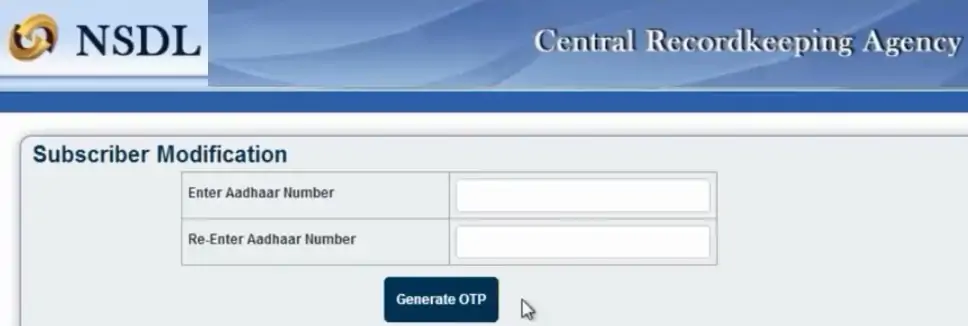
Step 4: Enter your Aadhaar number twice and click on the “Generate OTP” button
Step 5: Click on the “Proceed” button to give consent to NSDL e-Gov for initiating the linking process
Step 6: An OTP is sent to the mobile number registered with Aadhaar
Step 7: Enter this OTP in the box provided and click on the “Continue” button
Step 8: After successful authentication, your Aadhaar will be linked with your NPS account
A new subscriber can open an NPS account online and link it with Aadhaar at the time of opening the account. He has to follow the steps mentioned below to link the NPS account with Aadhaar:
Step 1: Visit the NSDL e-NPS portal
Step 2: Click on the “Registration” option
Step 3: Select the details and enter your Aadhaar number in the space provided and click on the “Generate OTP” button
Step 4: Tick the disclaimer and click on the “Proceed” button
Step 5: An OTP is sent to the mobile number registered with Aadhaar. Enter the OTP in the space provided and click on “Continue”
Step 6: Fill the NPS registration form, make the payment and generate your acknowledgement number
Step 7: Submit your registration details and generate your PRAN
Step 8: e-Sign the registration form and complete the NPS subscription process
You have to keep following points in mind at the time of linking your Aadhaar number with your NPS account:
There are a number of benefits for linking your NPS account with Aadhaar. Some of these are mentioned below: