Download the
Paisabazaar app Today!
Paisabazaar app Today!
Get instant access to loans, credit cards, and financial tools — all in one place

Win Assured Cashback

Our Advisors are available 7 days a week, 9:30 am - 6:30 pm to assist you with the best offers or help resolve any queries.


Get instant access to loans, credit cards, and financial tools — all in one place

Scan to download on



 Personal Loan
 Business Loan
 Home Loan
 Other Loans


Our Advisors are available 7 days a week, 9:30 am - 6:30 pm to assist you with the best offers or help resolve any queries.
600 or 750? What's your credit
score? Check for FREE.


Let’s Get Started
 +91
+91
The entered number doesn't seem to be correct
Karnataka Bank is one of the commercial banks in India that is engaged in retail banking, corporate banking, finance and insurance, credit cards, mortgage loans and other services for its customers. The bank has channelised different mediums which gives access to the transfer of funds, mini statement, Karnataka Bank balance enquiry and other related services. Let us learn more about these channels-
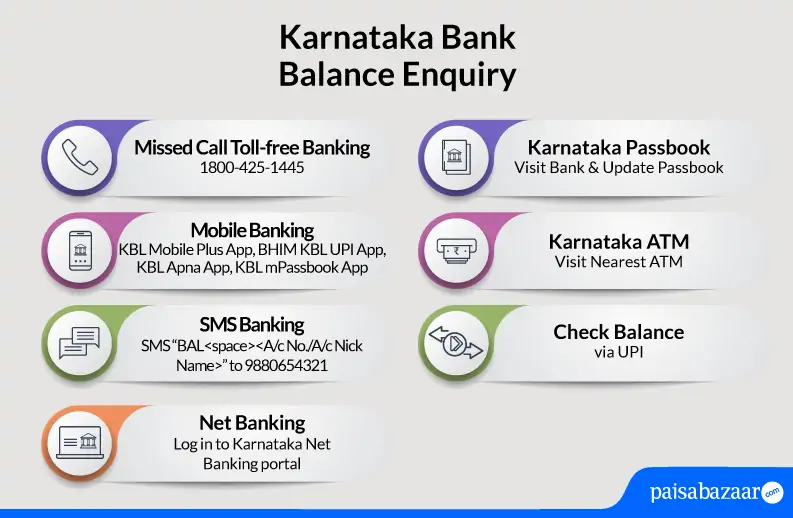
Account holders of Karnataka Bank can check their account balance by giving a missed call to-
Missed call alert service can only be availed from the registered mobile number. Customers can follow the below mentioned steps to check account balance through missed call service:
Step 1: Give a missed call on the Karnataka Bank balance check number 1800-425-1445 (Toll-free) through your registered mobile number with the bank.
Step 2: After a short ring the call will be automatically disconnected
Step 3: You will receive SMS on your registered mobile number with the available account balance
An Excellent Option to Build your Credit Score
Karnataka Bank’s account holders can easily register for Karnataka Bank Account Balance Check just by visiting the nearest bank branch and get mobile number updated at the same. After the mobile number gets updated with the bank, customers can easily avail the services.
Mentioned below are some of the different ways for checking the account balance of Karnataka Bank:
Karnataka Bank offers Internet Banking facility for its customers all across the globe.
Karnataka Bank offers mobile banking facility for its customers so that they can easily transact and enquire. Mentioned below are some of the mobile apps provided by Karnataka Bank for its customers to avail the service :
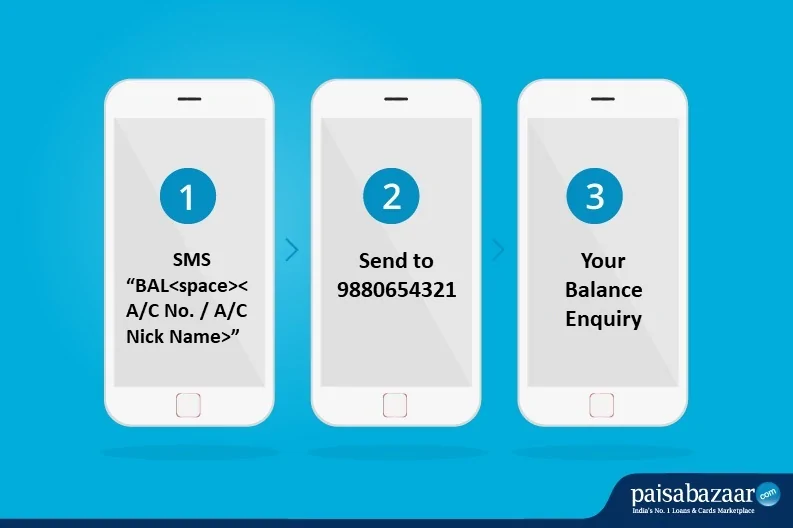
Karnataka Bank Balance check can also be availed through SMS banking. For this, customers need to get registered for SMS banking at their nearest branch. Customers need to send SMS to 9880654321 by typing BAL<space><Account Number/Account Nick Name>.
Karnataka Bank account holders are provided with the physical passbook at the time of opening bank account. This physical document helps customers to know about the detailed summary of transactions as well as the available account balance.
Customers can also visit their nearest Karnataka Bank ATM for instant Karnataka Bank balance enquiry. For this, they need to have valid debit card and debit card PIN.

Check Free Credit Report with monthly updates. Check Now
Q. How can I get my account statement online in Karnataka Bank?
To check your account statement online, log in to Karnataka Bank Net-Banking portal or KBL Mobile App. After logging in, click on ‘Account’, scroll down to ‘Accounts enquiry/opening’ and select ‘Account Statement’. Post this, you can select the period for which you want to see the statement and download.
Q. How can I check my Karnataka Bank account balance on my mobile phone?
To view your account balance using your mobile phone, you can either give a missed call on 1800-425-1445, type a message quoting BAL<space><Account Number/Account Nick Name> and send it to 9880654321 or log in to Karnataka Bank net-banking or mobile banking portals.
Q. What is Karnataka Bank Balance Enquiry Toll-free number?
Karnataka Bank account holders can call on 1800-425-1445 from their registered mobile number to know available account balance instantly.
Q. How to know Karnataka Bank account balance through internet banking?
For this, customers need to login internet banking by entering username and password. After successful login, click the account summary from the menu tab option. Customers will be able to view available account balance instantly on the screen.
Q. How can I check my Karnataka Bank last 5 transactions using my mobile phone?
To check your last 5 transactions in Karnataka Bank, you can dial the toll-free number 1800-425-1445 or view the account statement online via mobile banking.
Q. How to get a mini statement in Karnataka Bank?
You can call on Karnataka Bank toll-free number 1800-425-1446 to get your mini statement or log-in to Karnataka Bank net banking portal/mobile banking app.
Get Free Credit Report with monthly updates. Check Now