Download the
Paisabazaar app Today!
Paisabazaar app Today!
Get instant access to loans, credit cards, and financial tools — all in one place

Win Assured Cashback

Our Advisors are available 7 days a week, 9:30 am - 6:30 pm to assist you with the best offers or help resolve any queries.


Get instant access to loans, credit cards, and financial tools — all in one place

Scan to download on



 Personal Loan
 Business Loan
 Home Loan
 Other Loans


Our Advisors are available 7 days a week, 9:30 am - 6:30 pm to assist you with the best offers or help resolve any queries.
600 or 750? What's your credit
score? Check for FREE.


Let’s Get Started
 +91
+91
The entered number doesn't seem to be correct
Customers holding a savings account with Bank of Maharashtra can easily keep track of their account and recent transactions using the mini statement facility. Bank of Maharashtra mini statement can be availed using missed call banking, SMS banking, net banking, mobile banking and other methods.
An account holder can use his / her mobile phone to get information about the account via SMS. There are different services that an account holder can enjoy once the mobile number is registered.
Before visiting the bank branch, the account holder should check Bank of Maharashtra timings and working hours.

Check Free Credit Report with monthly updates. Check Now
Account holders can avail Bank of Maharashtra mini statement by giving a call to the following numbers:
After the activation of your SMS service, you will be able to use it for all the facilities mentioned above.
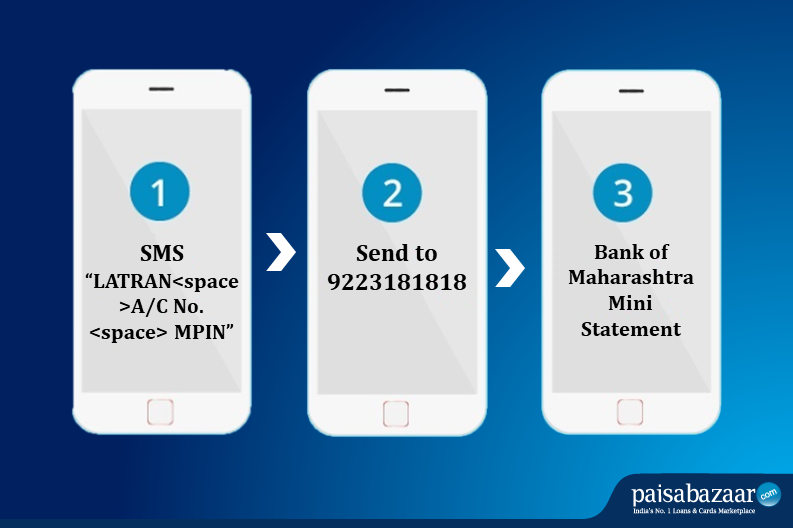
Account holder can get his / her Bank of Maharashtra mini statement (last 3 transactions) using the SMS banking service through the following steps:
Step 1: Send an SMS LATRAN<space>account number <space> MPIN to 9223181818.
Step 2: Once the message is received, an SMS alert will be sent to the account holder with details of the last three transactions. Make sure that the message is sent from the registered mobile number.
The account holder can download and use the Bank of Maharashtra mobile banking app by the name of Maha Mobile. Using this app, users can avail Bank of Maharashtra mini statement via mobile banking. In addition to that, there are a host of other services to be availed as well through this app. One can get the latest statement, make fund transfers to Bank of Maharashtra accounts or other bank accounts and also get information on different products offered by BOM.
Follow the below-mentioned steps to get the Bank of Maharashtra mini statement using Maha Mobile app:
Step 1: Download Maha Mobile from Google Play Store or Apple App Store
Step 2: After successful download, launch the mobile banking app and click on the “New User Registration” option
Step 3: Accept the terms and conditions
Step 4: Enter the user ID which is the 11-digit customer ID number. If the account holder is unaware of the CIF or customer ID number, he / she can call the Bank of Maharashtra toll-free number mentioned above.
Step 5: To complete the registration process, account holders have three options.
Step 6: Once registered, the account holder will be required to set up the MPIN (Password to login to Maha Mobile app) and MTPIN (Password to authenticate fund transfer & bill pay). Following this, the account holder will be able to access Bank of Maharashtra mini statement via the app.
A Good Credit Score ensures you manage Your Finances Well
Check Now
Bank of Maharashtra provides MahaConnect, which is a fast and safe internet banking option for all its customers. It is fortified by the MahaSecure application and both run together to give their account holders a seamless experience.
In order to avail Bank of Maharashtra mini statement,

Step 1: Visit your nearest ATM of Bank of Maharashtra
Step 2: Insert your ATM card and do not remove it
Step 3: Enter your four digit ATM pin to login your account
Step 4: Select the small statement option from your account’s dashboard
Step 5: The ATM machine shall print your mini statement that shall consist of your last 10 debit and credit transactions
To check your Bank of Maharashtra mini statement, you can dial 1800-102-2636 or 1800-233-4526 from your registered mobile number. You can also send LATRAN<space>Account Number<space>MPIN to 9223181818. Bank of Maharashtra Net-banking Portal also furnishes the facility of mini statement for its customers.
You can log in to Bank of Maharashtra Net-banking Portal using your Customer ID and Password or download MahaSecure or Maha Mobile app and log-in using MPIN. After logging in, go to ‘Account Details’ and select the ‘Mini Statement’ option.
If you do not have an internet connection, you can either give a call on 1800-102-2636 or 1800-233-4526 or send ‘LATRAN<space>Account Number<space>MPIN’ to 9223181818 from your registered mobile number. You will receive an SMS instantly with the details of your last 5 transactions.
Yes, you can view your mini statement using Bank of Maharashtra MahaSecure mobile application. Log-in to the app using your MPIN, select ‘Mini Statement’ and proceed. This will show your last debit as well as credit transactions.
To check your last 5 transactions in the Bank of Maharashtra, you can simply use the net banking service by login with your user name and password. You can also check it by dialling the toll free numbers or by SMS.
To download your 6 months’ Bank of Maharashtra statement, you need to Login via net banking and choose ‘Operative Account Statement’ and click on the GO button. This shall help you to access your updated account statement. Further, to download you can select the transaction date range, format for your account statement and click on the ‘Statement’ button.
The Bank of Maharashtra mini statement missed call number is 18001022636 and 18002334526.
The WhatsApp number for Bank of Maharashtra mini statement is 7066036640. To activate this banking facility, you need to save this number in your smartphone.