Download the
Paisabazaar app Today!
Paisabazaar app Today!
Get instant access to loans, credit cards, and financial tools — all in one place

Win Assured Cashback

Our Advisors are available 7 days a week, 9:30 am - 6:30 pm to assist you with the best offers or help resolve any queries.


Get instant access to loans, credit cards, and financial tools — all in one place

Scan to download on



 Personal Loan
 Business Loan
 Home Loan
 Other Loans


Our Advisors are available 7 days a week, 9:30 am - 6:30 pm to assist you with the best offers or help resolve any queries.
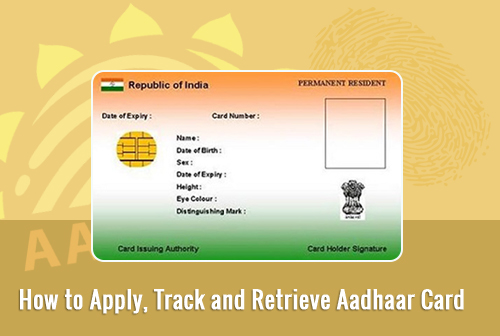
Aadhaar card is an identity card issued by the Unique Identification Authority of India on behalf of the Govt. of India. It contains a QR code which contains all the information of that person including the iris and biometric scan results of the applicant. Many government programmes have been linked with Aadhaar to make subsidy disbursement efficient.
In order to get Aadhaar card, a person has to enrol at one of the temporary or permanent Aadhaar enrolment centres, get documents verified, submit biometric samples and collect the acknowledgement slip containing Enrolment ID of the applicant. The Aadhaar card is issued and is delivered to the applicant in the next 60 to 90 days.
Users can find the nearest Aadhaar Enrolment centre by clicking the following link: https://appointments.uidai.gov.in/EAsearch.aspx
Enrolment for Aadhaar is a 5-step process. It includes:
Open the following link to track the status of your Aadhaar https://resident.uidai.gov.in/check-aadhaar-status
Enter the enrolment id provided in the acknowledgement slip at the time of enrolment and the security key mentioned on the page. Now click the “Check Status” button. The page will show the complete status of your Aadhaar card whether it has been generated or not and if generated, it will display the tracking details of the mailing service. You will get your Aadhaar details and a link to download your Aadhaar card online.
In case you misplace your Aadhaar card or it is stolen, you need not worry. You just have to lodge a formal complaint for the loss of your card so that in case it is misused by someone, you would not be questioned.
You can download your Aadhaar card from the website and get it printed on the PVC card. It will act as your original Aadhaar card.
Visit the following website https://eaadhaar.uidai.gov.in/
The user gets two options to retrieve his Aadhaar card- Enrolment number details and Aadhaar number details. However, in both the cases, an OTP is sent to the registered mobile number. This number is compulsory to be entered as without this, the user will not be able to download the e-Aadhaar. Once the e-Aadhaar is downloaded, the user can open it and print it. However, the file is password protected and the password for this file is the pin code of the permanent address of the applicant.