Download the
Paisabazaar app Today!
Paisabazaar app Today!
Get instant access to loans, credit cards, and financial tools — all in one place

Win Assured Cashback

Our Advisors are available 7 days a week, 9:30 am - 6:30 pm to assist you with the best offers or help resolve any queries.


Get instant access to loans, credit cards, and financial tools — all in one place

Scan to download on



 Personal Loan
 Business Loan
 Home Loan
 Other Loans


Our Advisors are available 7 days a week, 9:30 am - 6:30 pm to assist you with the best offers or help resolve any queries.

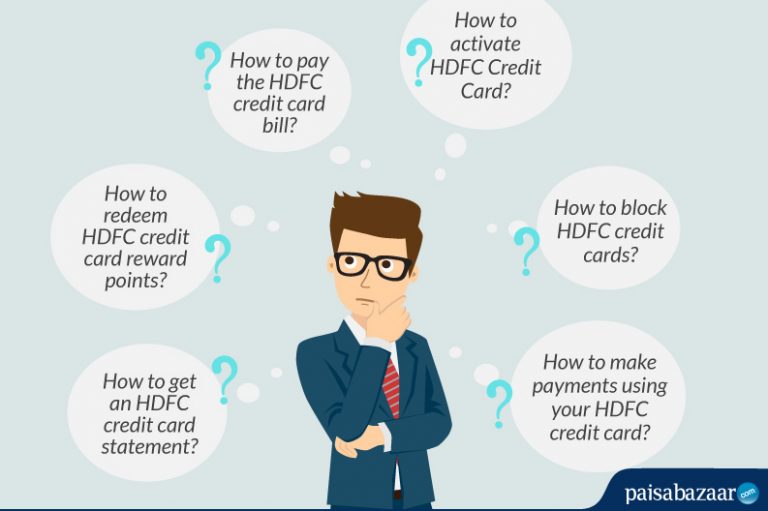
Atul opened an HDFC Savings Account and received his very first Credit Card. Since he has never owned a credit card, he is overwhelmed by the numerous processes associated with card usage. How to activate an HDFC credit card? How to set credit card PIN? How to pay the HDFC credit card bill? How are the reward points accrued and how to redeem them? Perhaps, a quick HDFC credit card usage guide would have been a great help for Atul.
If you are also using an HDFC credit card for the first time like Atul, here is a walkthrough of all the common processes related to your HDFC credit card.
Related Article: 10 Best HDFC Credit Cards- Eligibility, How to Apply?
Table of Contents
Before we understand more about using your HDFC card, here are a few general terms and conditions you must know about a credit card.
Basically, you can borrow money (up to the given credit limit) using your credit card and pay it back as and when due. Your credit card can be used to make bill payments, shopping, travel bookings, and many more transactions. When you use your credit card for a certain transaction, the amount gets deducted from your credit limit and is added back to it when you pay the amount back.
Here are some terms associated with the credit card that you should know:
To learn more about credit card billing cycle, click here.
Now that you have a fair idea about how a credit card works, let us help you with your new HDFC credit card.
You need to activate your HDFC card before it can be used for transactions that require a PIN. HDFC Credit Cards can be activated online via internet banking or through an ATM.
To activate your credit card via NetBanking, you need to login to the HDFC Net Banking portal with the help of your User-ID and password. After that, go to the ‘Credit Cards’ section and select the ‘Register New Card’ option. If you do not have a savings account with HDFC Bank, you can still register your card and use the HDFC credit card net banking feature.
If you want to activate your credit card from an ATM, you will need to call HDFC Phone Banking number and select the ‘Generate Credit Card PIN’ option. After that, you will receive an OTP on your registered mobile number. Now you can head to the nearest HDFC ATM, select the ‘Create new ATM PIN using OTP’ option and enter the OTP received. Create a New PIN and then your card will be ready for use.
Related Article: How To Activate HDFC Credit Card?
Your HDFC Credit Card can be used for offline as well as offline transactions. After you have made your purchases, you can choose a Credit Card as your payment method (online) or give your credit card to be swiped at the POS machine (offline)
How to complete an online transaction with HDFC Credit Card?
When you use your HDFC Credit Card for a transaction online, you will be required to provide your card details such as your credit card number, expiration date, CVV and the name on your card. After you have entered all the details, you will be required to validate the transaction using an OTP sent to your registered mobile number. The transaction can be completed successfully after entering the OTP correctly
HDFC Credit Cardholders can check their card balance via mobile app, SMS banking, net-banking, ATM, or by contacting the customer service number. You can log-in to HDFC MobileBanking or net-banking and go to the ‘Cards’ section to view your credit card balance.
To check HDFC Credit Card balance via SMS, you can send CCBAL<space>XXXX (last 4-digits of your credit card) to 5676712. You can also dial the HDFC customer care helpline number (Local/STD Code) 6160 6161 to know your card balance.
To view all the ways to check HDFC Credit Card balance, click here.
HDFC Credit Card reward points can be redeemed online via net-banking and/or offline by submitting the reward redemption form.
Via HDFC Net-banking
You can log in to HDFC Netbanking by using your customer ID and password. Now, go to the ‘Credit Cards’ section and choose ‘Redeem Reward Points’. After that, you can choose your points range and item category to find the rewards catalogue. Agree to the terms and conditions to redeem points.
Via Reward Redemption Form
Download the reward redemption form, fill it and mail at the customer care address of HDFC Bank.
Click here to know more about HDFC Reward Redemption.
At the end of a billing cycle, you will receive an official statement containing a proper record of all the transactions carried out via HDFC Credit Card on your registered email ID. You can get access to your HDFC Credit Card Statement via NetBanking, Mobile Application, or by visiting an HDFC branch.
To view your Credit Card statement via NetBanking, you need to register your credit card with HDFC net banking. Once you have registered, you can log in to HDFC NetBanking Portal and navigate to the ‘View Credit Card Statement’ option under the ‘Enquire’ tab on the menu
You can also view and download your HDFC credit card statement via mobile banking application. For that, you can log-in to your mobile app and select the ‘Download Billed Statement’ option under the ‘Cards’ option
Besides, you can also request for a copy of the HDFC credit card statement by directly visiting the HDFC Bank branch.
For detailed steps regarding HDFC Credit Card Statement, Click Here.
HDFC Bank account-holders can make credit card payments via:
Bill Desk: If you do not have an HDFC bank savings/current account, you can use other bank’s net banking service to pay your HDFC credit card bills. This can be done via Bill Desk. Visit this link, enter the card details and proceed with payment via the selected method.
DropBox Option: You can make your HDFC Credit Card bill payments by writing a cheque for the respective amount and dropping the same at the bank’s drop-box.
For more options to pay the HDFC credit card bill, click here.
In case you have lost your credit card or noticed an unauthorized transaction, you should immediately block your card. HDFC Credit Cards can be blocked via net-banking, mobile banking, or by visiting the bank branch.
You can log in to your HDFC net banking account and select the ‘credit cards’ option. After that, select the ‘Credit Card Hotlisting’ option and choose your reason for hotlisting.
You can also dial the HDFC Customer Care number and proceed with the credit card hotlisting option. For Ahmedabad / Bangalore / Chennai / Delhi & NCR / Hyderabad / Kolkata / Mumbai / Pune, Dial 61606161. For Chandigarh / Cochin / Indore / Jaipur / Lucknow, Dial- 6160616
You can also visit your nearest HDFC bank branch and apply for Credit Card hotlisting.
To know more about HDFC Credit Card hotlisting, click here.
Cardholders can choose to cancel or close their existing credit card. Banks allow credit cards to be closed at the discretion of the customer.
HDFC Bank round-the-clock helpline programs help to close consumer credit card accounts anytime they choose. Simply call the city-specific number and ask to cancel your credit card account at any time. You can also download the form to close the HDFC credit card, fill it in and email it to the address below.
HDFC Bank Cards Division,
P.O.Box No.8654, Thiruvanmiyur P.O.
Chennai – 600041
Read more: How to close HDFC Bank Credit Card?
Credit cards are known as one of the costliest forms of borrowing if not used wisely. But, what is the wise way of using a credit card? Let’s find out:
Each credit card offers a set of benefits in the form of reward points, cashback, and discounts. These benefits are either applied to a single category (say Travel, Lifestyle, Shopping, Bill Payments, etc.) or to a bunch of different categories, depending on the card that is chosen by you. For instance, HDFC Regalia Credit Card offers benefits on shopping and travel, and HDFC Diners Club Privilege Card offers rewards on lounge access, travel, and golf.
Thereby, a beginner needs to understand the features and benefits of a credit card, before getting started. Given below are some common benefits provided by the best credit cards in India.
No service comes for free! There are different fees and charges levied by HDFC Bank on its Credit Cards. Here are some details that you must keep in mind:
Also Read: HDFC Bank Credit Card Fees and Charges

 Limited Time Offer


 with Every Card
Choose a Card Matching Your Lifestyle
Please enter a valid full name
 +91
+91
The entered number doesn't seem to be correct
