Download the
Paisabazaar app Today!
Paisabazaar app Today!
Get instant access to loans, credit cards, and financial tools — all in one place

Win Assured Cashback

Our Advisors are available 7 days a week, 9:30 am - 6:30 pm to assist you with the best offers or help resolve any queries.


Get instant access to loans, credit cards, and financial tools — all in one place

Scan to download on



 Personal Loan
 Business Loan
 Home Loan
 Other Loans


Our Advisors are available 7 days a week, 9:30 am - 6:30 pm to assist you with the best offers or help resolve any queries.
600 or 750? What's your credit
score? Check for FREE.


Let’s Get Started
 +91
+91
The entered number doesn't seem to be correct
Vijaya Bank: Introduction
Vijaya Bank is one of the public sector banks in India which offers a wide range of banking and financial services to its customers. Headquartered in Bengaluru, it has over 2,300 branches and 2,000 ATMs in India. The bank gets its name since it was founded on the auspicious day of “Vijaya Dashmi” in 1931. Nationalised in 1969, the bank has seen a steady growth over the years. Vijaya Bank is actively working on digitalisation of banking services for the enhancement of customer’s convenience. After launching V-Net Banking, V-Mobile, and V-FreeBuzz, Vijaya Bank introduced its mobile passbook app name V Passbook (or V ePassbook+).
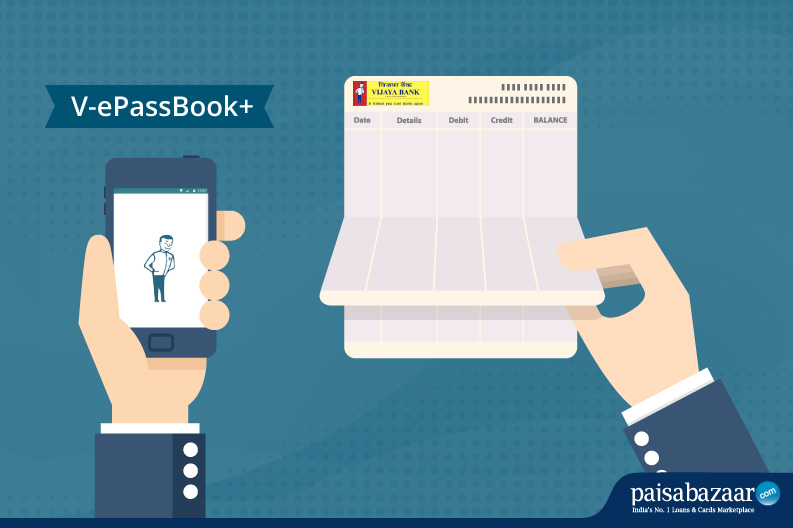 Vijaya Bank is one of the leading banks in India providing services and products based on latest technology. The bank offers a wide range of online services to its customers. The account holders can enjoy these services from the comfort of their homes by using their net banking, mobile banking, or debit cards easily.
A passbook used to be a way for bank account holders to check their account balances and transaction details in the past. In the digital age, the Vijaya Bank passbook has gone digital and has a new name – V Passbook (also referred as V ePassbook+). It is now available as a mobile app that can be downloaded on Android and Apple devices. Customers can access their accounts and check their balance or transaction details by logging in. They do not need to visit the bank to check their balance or transaction details. This information is readily available to them at the click of a button.
Before you use the Vijaya Bank ePassbook+ app, also known as V Passbook, you need to download it on your phone (Android or iOS). Here are the step-by-step instructions to know how to download, install, and register on V Passbook app:
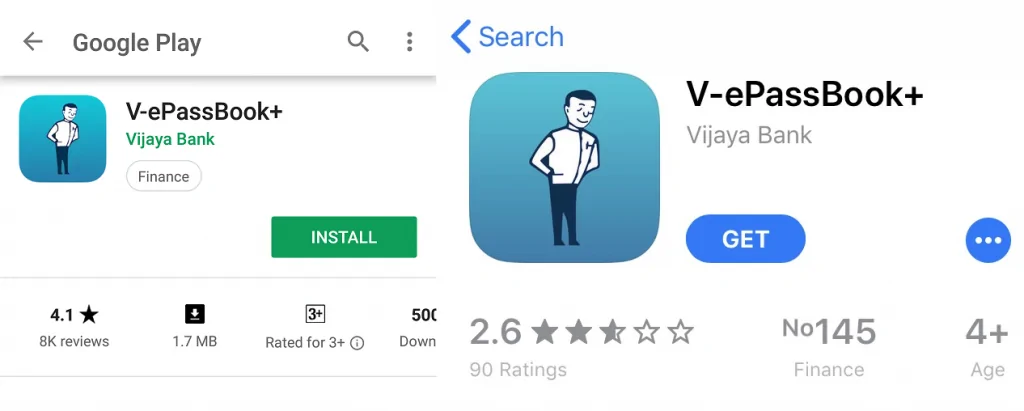
Step 1: After you have successfully downloaded the V ePassbook+ app on your smartphone, open the app to register, login and use the V Passbook from Vijaya Bank.
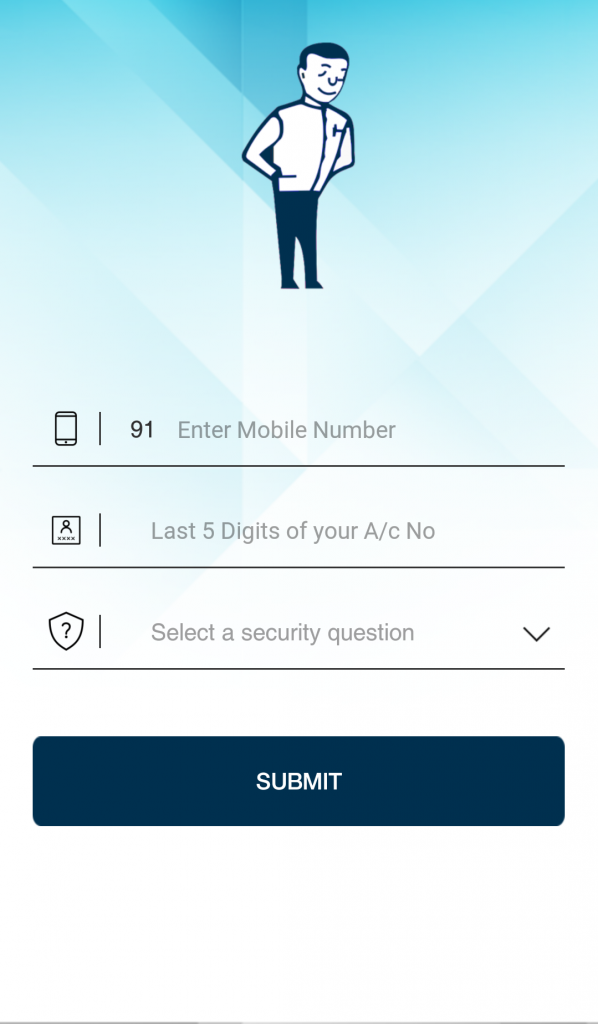
Step 2: Enter your country code, mobile number registered with Vijaya Bank, last 5 digits of your Vijaya Bank account number. You will be also required to select a security question and then click on “Submit”.
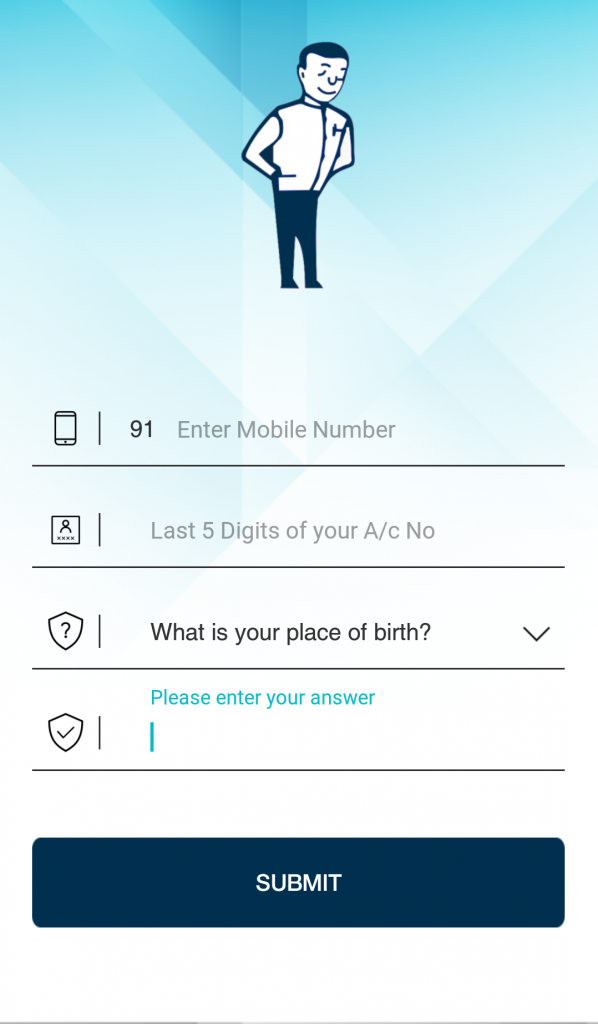
Step 3: You will receive a One-time Password (OTP) on your registered number.
Step 4: Use this OTP to successfully complete the V Passbook registration process.
Step 5: Enter your MPIN to start using V ePassbook+ on your Android or iOS smartphone.
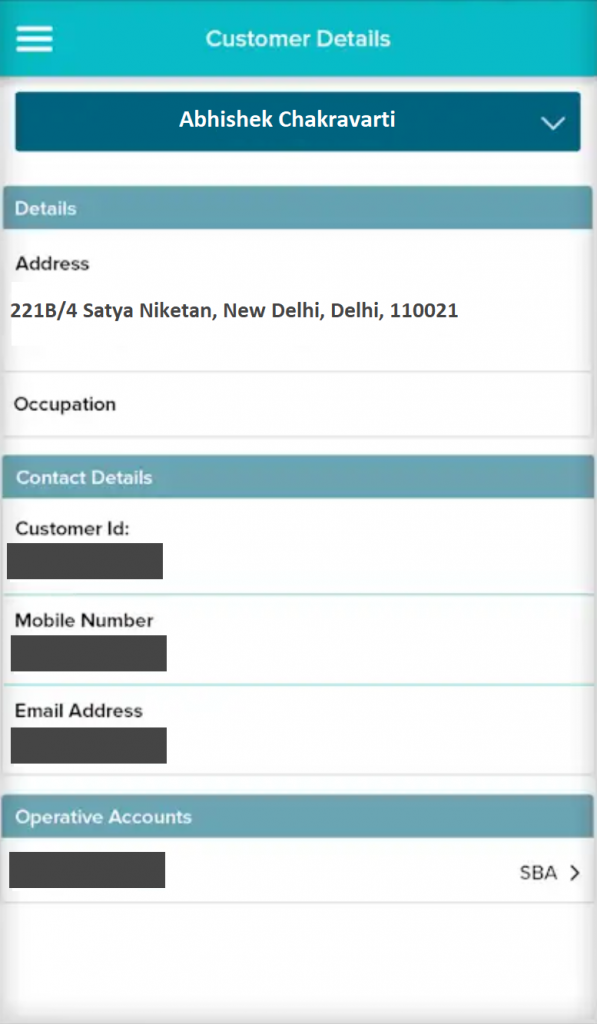
Step 6: After successful login, you can check the menu by tapping on the button at the top left corner of your mobile screen & select between different features like Vijaya Bank passbook, personal accounts, ATM / branch and much more.
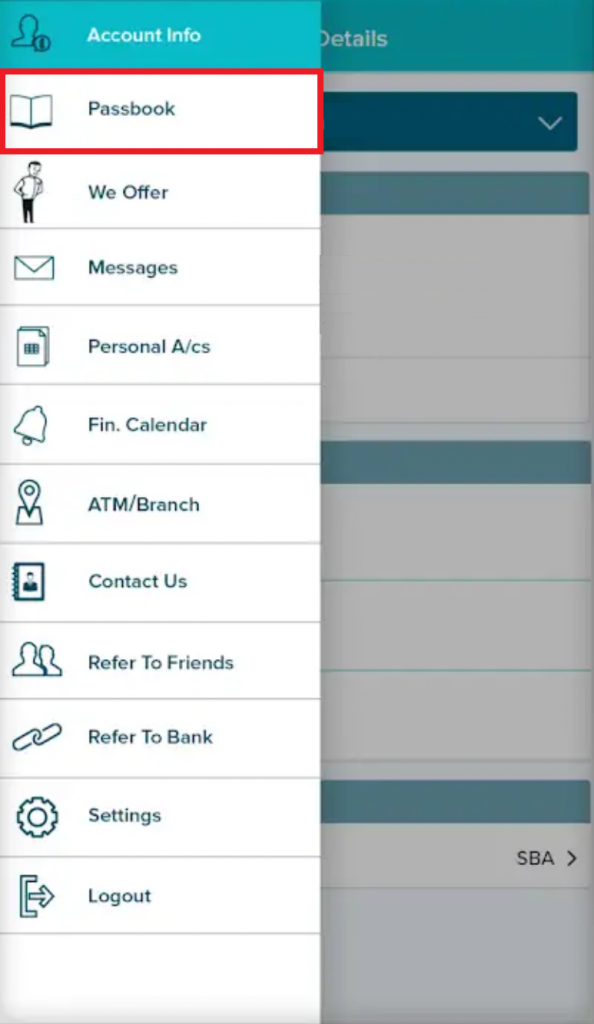
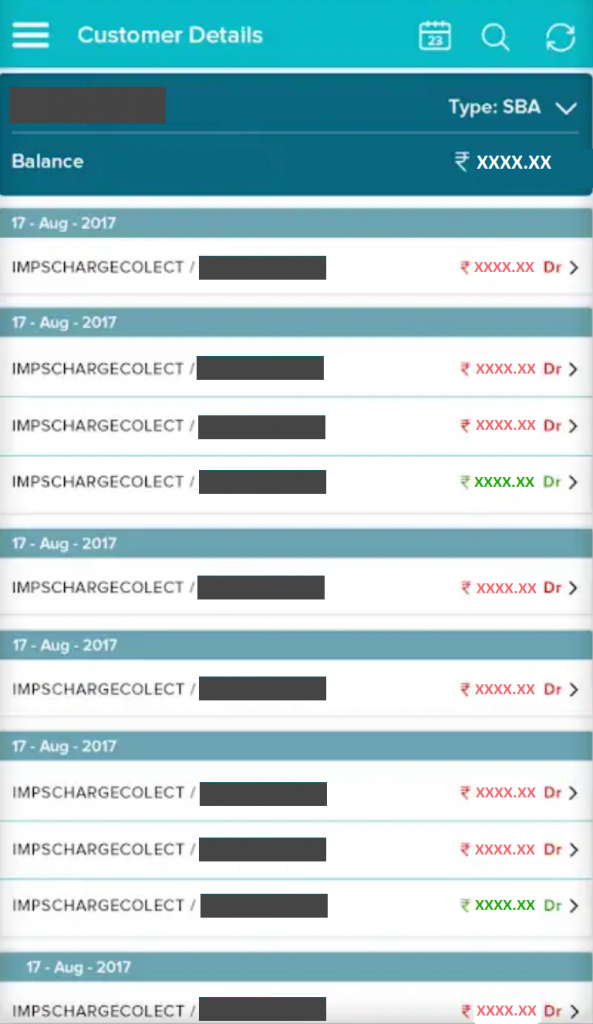
Step 7: Tap on “Passbook” to check your Vijaya Bank passbook containing all the information of the transactions made.
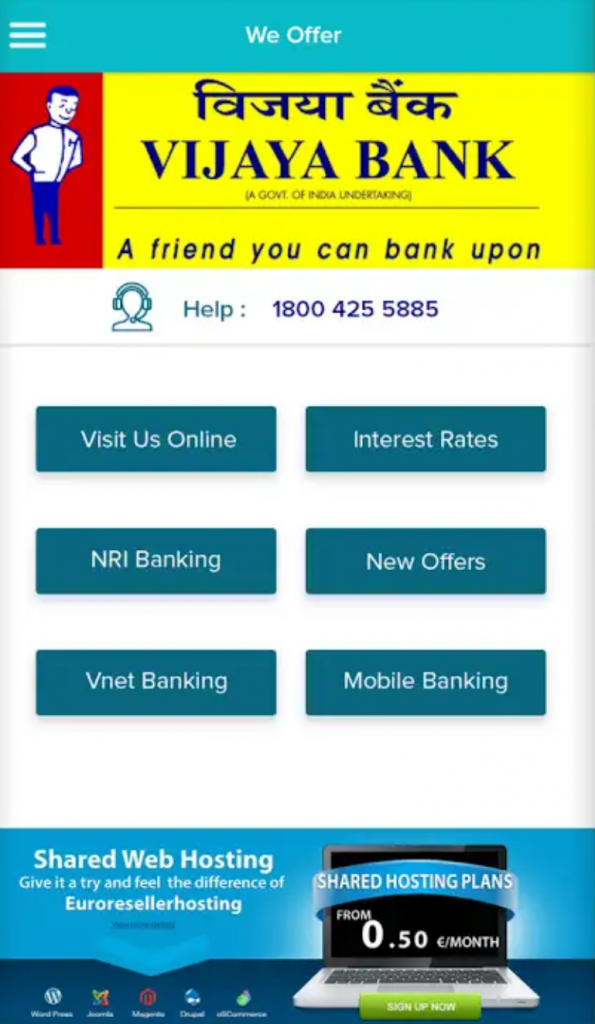
Step 8: Click on “We offer” to visit Vijaya Bank online page, Vijaya Bank mobile banking, interest rates, net banking and much more.
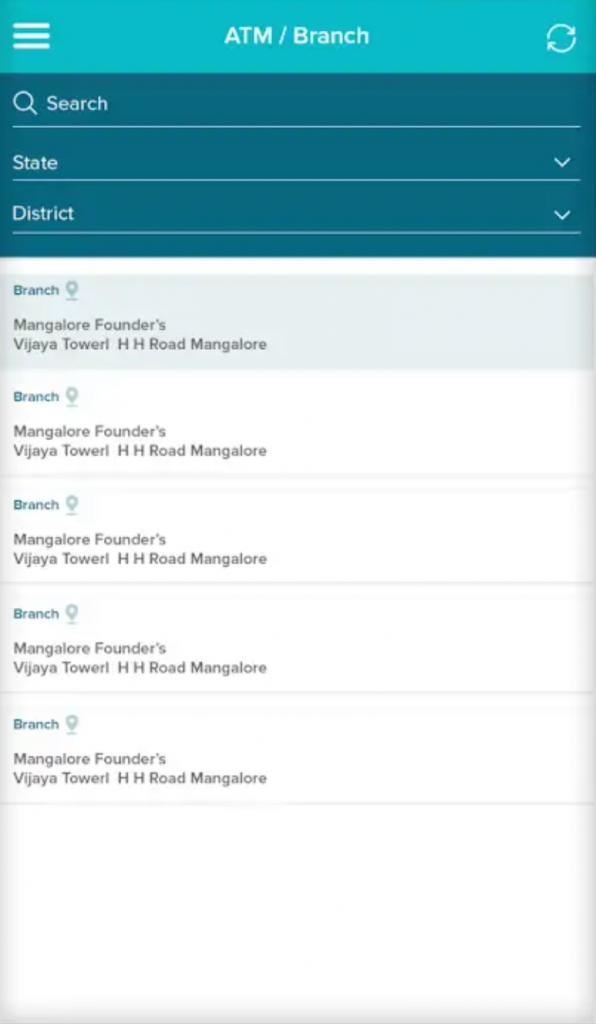
Step 9: Click on “ATM / branch” in the menu to check all the Vijaya Bank ATMs and branches near you.
If you have not registered a mobile number with your bank account, you have to visit the bank to register your mobile number first before registering for V Passbook (also known as V ePassbook+).
V Passbook is one of the amazing IT-enabled services provided by Vijaya Bank to its customers so that they can use it to access their account details. Here are a few of the important features of the V Passbook:
For the digital age, Vijaya Bank has released an app that acts as a digital passbook for the account holders. They only need to install the app and register using their mobile number to start using this service. V Passbook app is available for both android and apple devices and you can download it below.


Other than V ePassbook+ (also known as V Passbook), here are some of the top Vijaya Bank mobile applications and banking services used by customers these days:
| Vijaya Bank Initiative | Description |
| V-Abacus | Customers can open a bank account with Vijaya Bank by just giving a missed call to the bank |
| V-eConnect | V-eConnect is the one-stop shop for all your Vijaya Bank apps, websites, etc. Vijaya Bank customers can use this app to access all the apps and websites of the bank in one place. The app also has links to the bank’s social media accounts, branch locator, etc. This app is available in three languages English, Hindi, and Kannada |
| V-eWallet | This is a secured small payment collection system designed using UNIQUE-pull technology for Vijaya Bank customers |
| V-Fee Hive | V-Fee hive is a unique application for the collection of fees by educational institutions, monthly maintenance charges by housing societies, fees by clubs. This application was implemented in various prestigious institutions like IIM-Kozhikode, Mount Carmel College (Bengaluru), Army Public School (Delhi), MSRIT (Bengaluru) and Vasavi Pearl Apartment as a step towards making the society go cashless |
| V FreeBuzz | With the missed call services, Vijaya Bank customers can know their account balance easily |
| V-GyanSagar | To impart financial literacy to the public, Vijaya Bank released an Android-based mobile application that enables its subscribers to receive regular updates on banking and financial news. It provides an easy explanation of banking terminologies |
| V-Mobile | Since more people are using mobile banking services, Vijaya Bank provides V-Mobile services so that they can avail banking services such as funds transfer, balance check, etc., at the click of a button on their smartphones. Once the account holders have registered for mobile banking, they can use their mobile banking credentials to log in and use the app |
| V-Net Banking | Vijaya Bank customers can avail inter bank and intra bank transfers using the V-Net Banking services. The customers only need to register for net banking facility with their bank accounts to avail these facilities |
| V-PayQwik | VPayQwik is a unique next-generation bill payment service offered by Vijaya Bank where bill payment is made by scanning the QR code on the bill generated by the merchant with no need to swipe a credit or debit card |
| Vijaya UPI | Using the Vijaya Bank UPI app, the customers can transfer funds from one bank to another using a Virtual Payment Address (VPA). Vijaya UPI enables customers to send and receive payments easily |