Download the
Paisabazaar app Today!
Paisabazaar app Today!
Get instant access to loans, credit cards, and financial tools — all in one place

Win Assured Cashback

Our Advisors are available 7 days a week, 9:30 am - 6:30 pm to assist you with the best offers or help resolve any queries.


Get instant access to loans, credit cards, and financial tools — all in one place

Scan to download on



 Personal Loan
 Business Loan
 Home Loan
 Other Loans


Our Advisors are available 7 days a week, 9:30 am - 6:30 pm to assist you with the best offers or help resolve any queries.
600 or 750? What's your credit
score? Check for FREE.


Let’s Get Started
 +91
+91
The entered number doesn't seem to be correct
Net banking has brought a drastic change in the way banks provide services to the customer. Banking is now made convenient, easy and available 24×7 for the customers. Tamilnad Mercantile Bank Net Banking system enables its users to avail a wide range of banking products and services from anywhere, at any time. Customers can enjoy online fund transfer via NEFT, RTGS or IMPS, check their account balance, make utility bill payments, etc. using Tamildnad Mercantile Net Banking. Let us find out more about it.
Tamilnad Mercantile Bank has embraced new technology and brought efficient net banking facility for its customers. You can transfer the fund through NEFT, RTGS, IMPS or UPI, hence eliminating the need to write cheques. Bill payments like electricity bill, gas bill, the phone bill is also a click away. You can also give a mandate for a standing instruction to pay your utility bills every month. You can order the demand draft through net banking. Nonetheless, to avail the net-banking service, it is mandatory for all the customers to register at the bank. Below are the details of Tamilnad Mercantile Bank net banking facility.
Given below are some of the key services available at Tamilnad Mercantile Net Banking for the customers who have registered for net-banking service.
| Services Available at Tamilnad Mercantile Bank Net Banking | ||||
| Check Account Balance | View Mini Statement | View Transaction History | Fund Transfer within TMB | Fund Transfer to other bank’s account |
| Online Bill Payments | Online Tax Payments | Online Aadhaar Registration | Demand Draft Request | NPS Payment |
| Avail Digital Passbook | Update PAN Details | Change Log-in Password | Online Loan Application | Open Fixed/Recurring Deposit |
| Manage Demat Account | SMS Banking | Invest in Mutual Funds | Buy Insurance | Branch/ATM Locator |
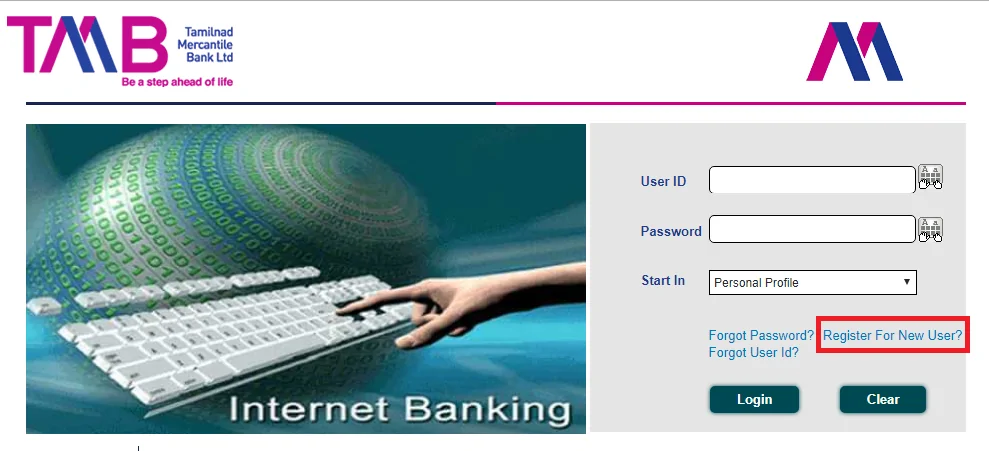
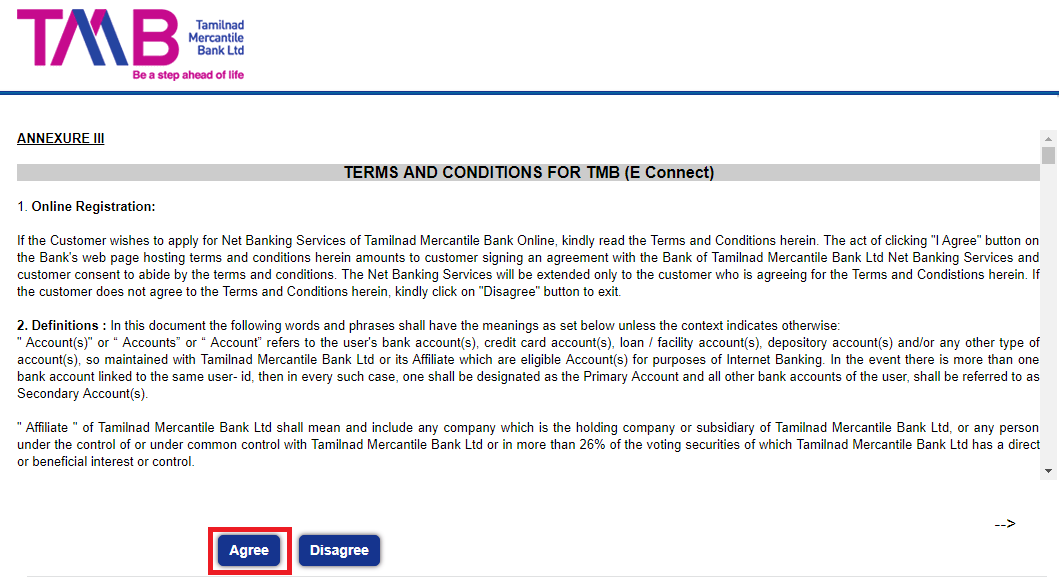
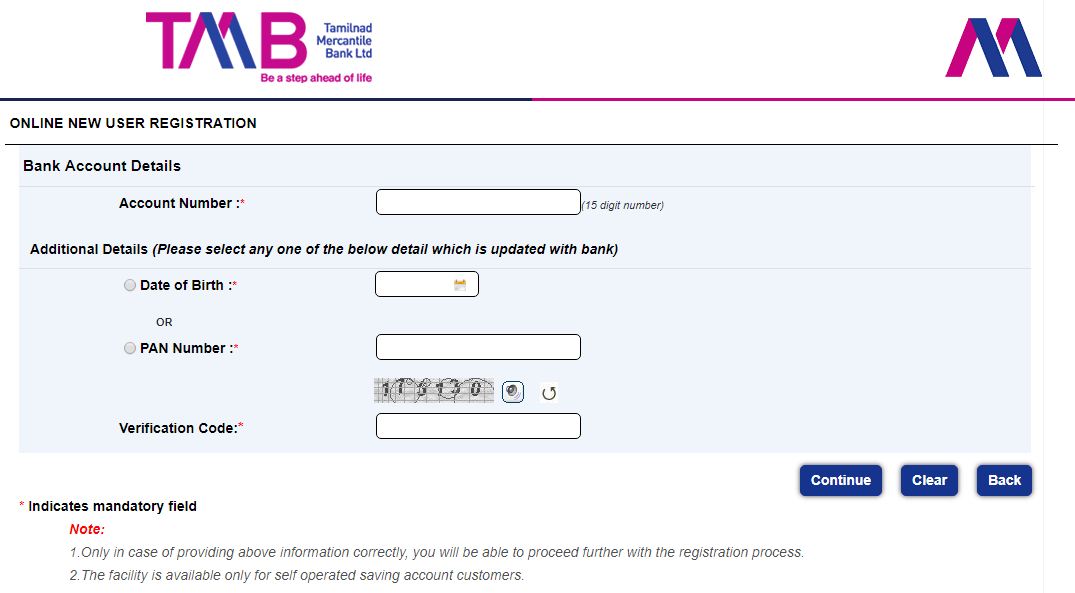
You can reset your password online or offline, in case you forget Tamilnad Mercantile Bank net banking password.
Reset Password Online
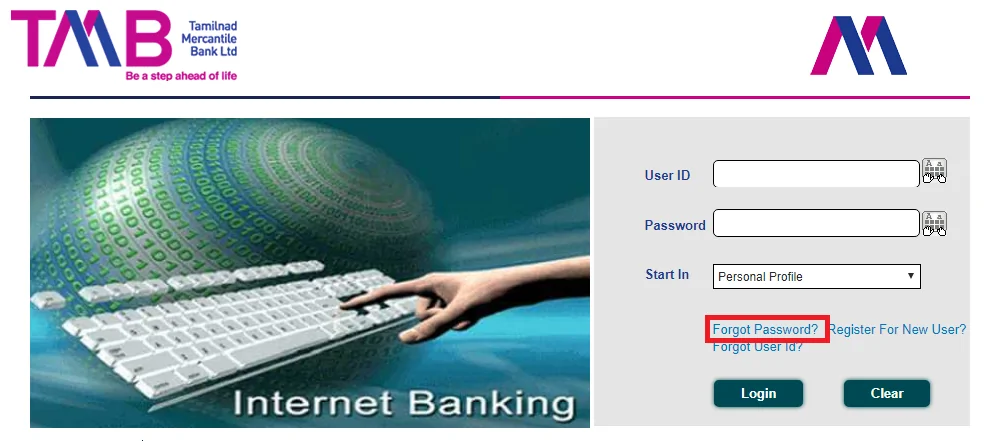
Reset Password Offline
Tamilnad Mercantile Net Banking users can transfer funds via NEFT, RTGS, or IMPS service. To process transfer, one needs to add beneficiary by entering the beneficiary details such as account number, IFSC code, bank and branch name, etc. Here are the steps of transferring funds via TMB Net Banking-
Step 1: Log-in to the official net-banking website of Tamilnad Mercantile Bank
Step 2: From the main menu, select ‘Transfers’ and then click on ‘NEFT/RTGS/IMPS’
Step 3: Select the ‘Make a New Payment’ option
Step 4: If you have already added the beneficiary, select his/her name and proceed
(If you haven’t added the beneficiary then click on ‘Register Beneficiary’. Then, add beneficiary details such as name, account number, IFSC code, branch details, etc. Click on ‘Add Payee’ and confirm the beneficiary. Post that, a tracking ID will be sent to the payee’s registered mobile number via SMS.)
Step 5: Enter all the required information and click ‘Pay’
Step 6: Now, enter your transaction password and then ‘Validate’ details
Step 7: After a successful transfer, a confirmation message will be sent to your registered mobile number
| Tamilnad Mercantile Bank Net Banking Features | Description |
| Dashboard |
|
| Fund Transfer |
|
| Recharge |
|
| Fixed Deposit |
|
| Requests |
|
| Contact |
|
Can I access Tamilnad Mercantile Bank net banking from any computer?
As far as the computer is connected with the internet, you can access your Tamilnad Mercantile Bank Netbanking facility by entering username and password. Make sure that the computer you use is free from malware or viruses.
How can I recover a lost password?
You can reset the new password with the help of your Tamilnad Mercantile bank debit card and registered mobile number. In case you find it difficult, you can visit the branch with your passbook or cheque and one ID proof. Bank officials will help you to do needful to reset a new password.
How do I connect with the customer care department of Tamilnad Mercantile Bank net banking?
You can call on toll-free number 1800 0425 0426 or 9842 461 461 for any resolution regarding Tamilnad Mercantile Bank net banking.
If I already have Tamilnad Mercantile Bank account, how can I avail net banking facility?
All you need to do is to fill up the registration form by visiting your Tamilnad Mercantile bank branch for availing the netbanking facility. Make sure to mention your regular mobile number in the form, as it will be used as your “Registered Mobile Number.”
What is the cost to use Tamilnad Mercantile Bank net banking?
There is no cost to use Tamilnad Mercantile Bank Netbanking. There may be transaction specific charges within limits specified by RBI.
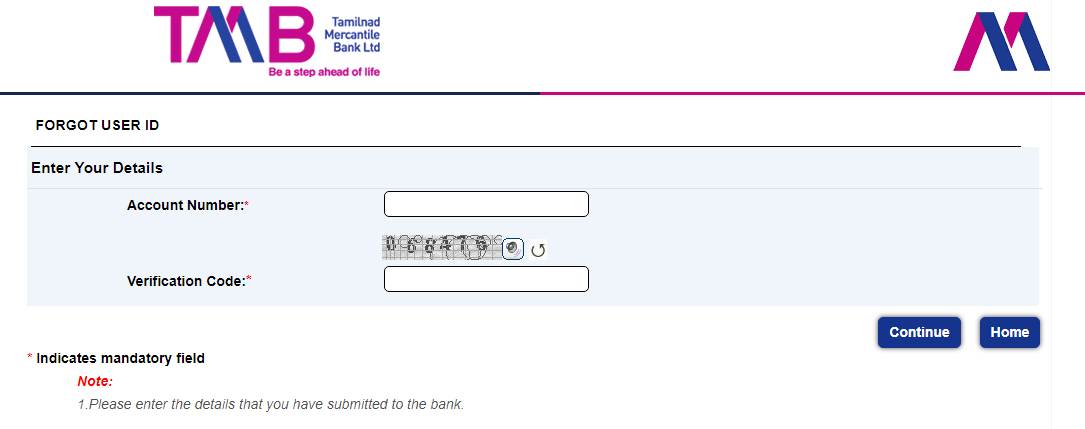
I forgot my user id of Tamilnad Mercantile Bank net banking. How can I know it again?
You can log in to the home page of Tamilnad Mercantile Bank Netbanking and click on “Forgot User Id.” Enter your user-id and verification code. Click on “Continue” to move ahead for the self-guiding process to retrieve your user id.
Why there is a virtual keyboard on the login page of Tamilnad Mercantile Bank net banking? When should I use it?
In case your computer is affected by malware, it could record your keystrokes to know your user id and password. With the virtual keyboard, you can click on characters on the screen instead of typing them on a physical keyboard of the computer. When you are using a shared computer, it is strongly recommended to use the virtual keyboard while accessing Tamilnad Mercantile bank netbanking.
What is the use of “Start In” drop-down menu on Tamilnad Mercantile Bank net banking home page?
“Start In” drop-down menu enables you to access your desired feature of Tamilnad Mercantile bank netbanking directly once you login. Hence it saves your time and effort to accomplish a specific task.
Tamilnad Mercantile Bank was started in 1921 as “The Nadar Bank Limited”. The bank had modest starting with four branches in Southern India. Today, it has 509 full-fledged branches with 12 regional offices and 1151 Automated Teller Machines (ATMs) across the country. The bank has a tie-up with HDFC Bank and IDBI bank to increase its network in India.