Download the
Paisabazaar app Today!
Paisabazaar app Today!
Get instant access to loans, credit cards, and financial tools — all in one place

Get the app — instant card and loan offers!

Our Advisors are available 7 days a week, 9:30 am - 6:30 pm to assist you with the best offers or help resolve any queries.


Get instant access to loans, credit cards, and financial tools — all in one place

Scan to download on


 Personal Loan
 Business Loan
 Home Loan
 Other Loans


Our Advisors are available 7 days a week, 9:30 am - 6:30 pm to assist you with the best offers or help resolve any queries.
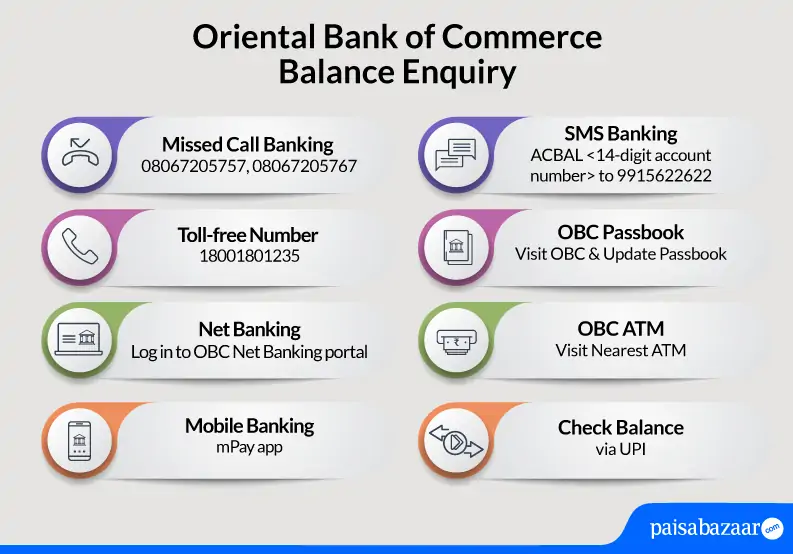
OBC has channelised different ways of fund transfer, mini statement, OBC Balance Check, passbook and much more keeping the consumer’s convenience in mind. Oriental Bank of Commerce Internet Banking, Mobile Banking, Missed Call/SMS Banking, etc. are some of the ways through which a user can easily check to his/her bank account balance.
Get your FREE Credit Report with monthly updates


Let’s Get Started
 +91
+91
The entered number doesn't seem to be correct
Oriental Bank of Commerce is a public sector bank headquartered in Gurugram, Haryana. On 1 April 2020, the bank along with United Bank of India has been merged with Punjab National Bank, making it as the second-largest public sector bank in India. Read this article to know how to check OBC Balance Check.

Get Your Free Credit Report with Monthly Updates Check Now
To get Oriental Bank of Commerce mini statement, account holders can give a missed call to –
For OBC Balance Enquiry, account holders will be required to give a missed call on the OBC balance enquiry toll-free number 08067205757. To check account balance, Oriental Bank of Commerce account holders should follow the below-mentioned steps:
In Oriental Bank of Commerce, customers can easily check the balance via Missed Call. But, account holders can opt for other ways of Oriental Bank of Commerce Balance Enquiry as well. Some of them are as follows:
Oriental Bank of Commerce provides net banking facility to all the account holders. Users can register for OBC net banking facility at the time of opening an account with the bank or at a later stage. Post which, account holders can login using User ID and password to do OBC Balance Enquiry without visiting OBC branch.
To check Oriental Bank of Commerce account balance via mobile banking app, account holders can follow the below-mentioned steps:
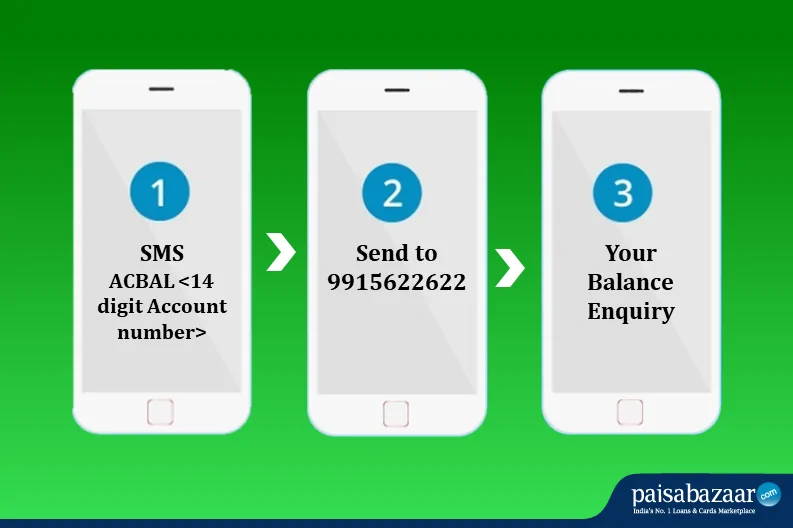
To check the Oriental Bank of Commerce account balance, the OBC customers need to SMS “ACBAL <14 digit Account number>” to 9915622622.
To get OBC mini statement, Oriental Bank of Commerce customers need to SMS “STM <14 digit Account Number>” to 9915622622.
Whenever any customer opens an account with Oriental Bank of Commerce, he/she is issued a passbook from the bank itself. Customers are needed to keep it updated to ensure all the transactions are updated in the passbook timely. Oriental Bank of Commerce passbook contains all the debit and credit transactions which help account holder in OBC Balance Check. However, to update OBC passbook, account holder will be required to visit the nearest bank branch.
OBC account holders can also use ATM service to do OBC Balance Enquiry. Account holders will be required to visit Oriental Bank of Commerce ATM or any other bank ATM and follow the below-mentioned steps to check the available account balance:
Oriental Bank of Commerce ensures that if at all, any customer has any queries or issues, they can contact OBC Balance Enquiry toll-free number to resolve all the queries related to the account balance. Account holders can call the toll-free number given below to check account balance instantly:
Account holder should call on the OBC toll-free number mentioned above and follow the IVR instructions to check account balance in no time.
Also Check: OBC UPI
Your Credit Score and Report is Now Absolutely Free Get Report
Q. Are there any SMS charges for Oriental Bank of Commerce account balance check?
No, the bank does not apply any service charge on SMS. However, regular operator charges are applicable.
Q. What is OBC mPay?
OBC mPay is a mobile application furnished by the bank to help its customers do hassle-free transactions without visiting the bank. Some of the services available in the app are- Raise a request for Cheque Book, Oriental Bank of Commerce balance enquiry, loans, credit card related facilities.
Q. How can I get my OBC statement online?
To view or download your bank statement online, you can log-in to the internet banking account using your id and password. Then, click the ‘Account Statements’ option. Now, select the account, choose the period and click on ‘download’.
Q. How can I view my last 5 transactions in OBC without internet?
You can check your mini statement to see the last 5 transactions in OBC. To view OBC mini statement without internet, give a missed call on 08067205767. You can also type ‘STM<14-digit account no.>’ and send it to 9915622622.
Q. How can I check my bank account balance without mobile number?
If you want to check your OBC balance without a phone number, you can use Net-banking or mobile banking application. Log-in to the website/application, go to account statements. Now, select your account, the period and click on ‘download’.
Q. How can I check my OBC mini statement?
To view your Oriental Bank of Commerce mini statement, type ‘STM<14-digit account number>’ and send it to 99156-22622 or give a missed call on 80672-05767.