Download the
Paisabazaar app Today!
Paisabazaar app Today!
Get instant access to loans, credit cards, and financial tools — all in one place

Win Assured Cashback

Our Advisors are available 7 days a week, 9:30 am - 6:30 pm to assist you with the best offers or help resolve any queries.


Get instant access to loans, credit cards, and financial tools — all in one place

Scan to download on



 Personal Loan
 Business Loan
 Home Loan
 Other Loans


Our Advisors are available 7 days a week, 9:30 am - 6:30 pm to assist you with the best offers or help resolve any queries.
600 or 750? What's your credit
score? Check for FREE.


Let’s Get Started
 +91
+91
The entered number doesn't seem to be correct
Internet banking is an electronic payment system that enables customers of a bank to conduct a range of financial transactions through the financial institution’s website. Karnataka Bank Internet Banking is available for all the account holders who have registered for the same at the bank. Let us find out more about Karnataka Bank net banking registration.
Karnataka Bank has embraced the latest tech advancements to provide advanced banking facilities and services. The different banking facilities and services can be easily accessed by customers at their fingertips. One can activate Karnataka Bank internet banking facilities for his/her account online. Customers need not to visit the branch; instead, it can be done online from anywhere.
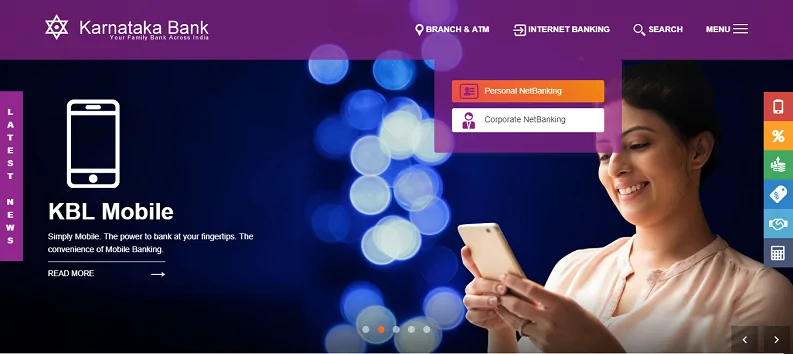
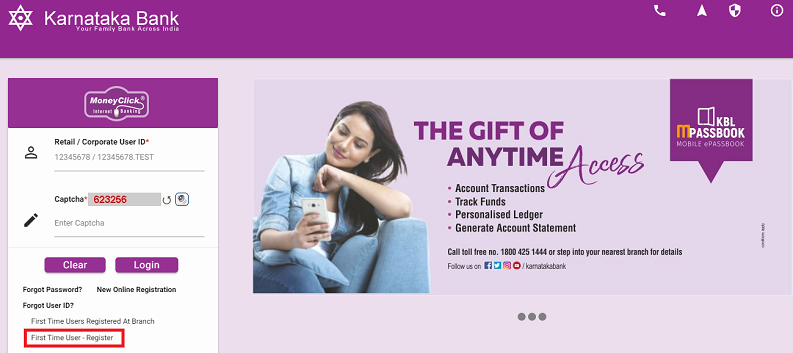
The customer has to enter the account number and mobile number in the provided boxes and at last enter the verification code in the box. Then click on Continue button.
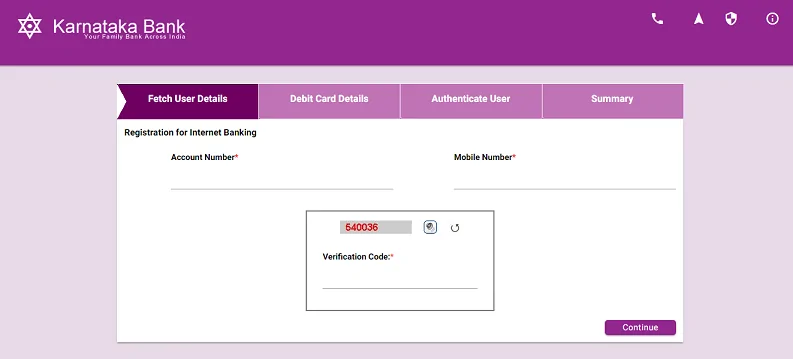
The customers should provide the credentials without any error. One should keep the registered mobile number, Debit Card and Passbook near them as the credentials are to be entered from these sources. Once everything is done, you can avail internet banking facilities provided by Karnataka Bank.
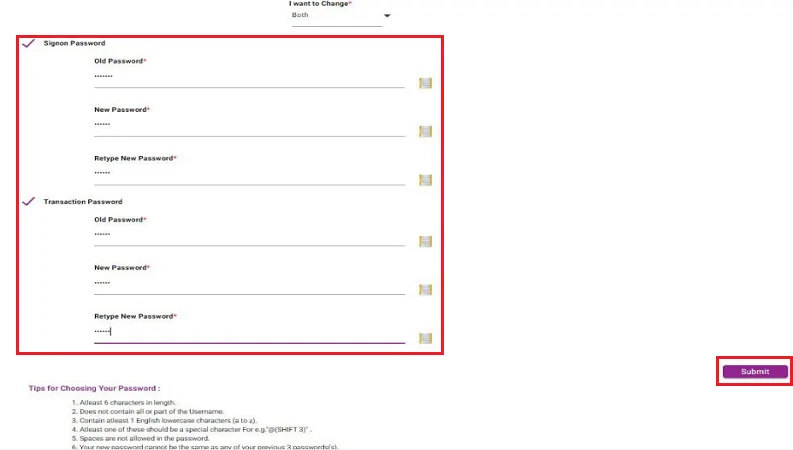
In case you have forgotten your Karnataka Bank Net Banking password or want to change it, follow the given steps-
Here are some of the services which can be availed by users of Karnataka Bank Net Banking-
| View account details | Manage Term Deposits | Manage credit, debit and other cards | Open a Savings Account | View all transactions |
| Apply for loans | Manage Demat account and trading | Get Insurance | Start and Manage Investments | Remittances |
| E-Filing ITR | Pay taxes | Make bill payments | Online shopping | Make donations |
Q. I don’t have a Karnataka Bank account to avail internet banking services. What do I do?
If you don’t have an operative account at Karnataka Bank, you can-
Q. How can a non-resident Indian register for Karnataka Bank internet banking?
You have to download the Karnataka Bank internet banking application form, fill it and submit your request with a copy of your passport at the home branch.
Q. Can I change the couriered internet banking user ID and password?
You cannot change the issued user ID. However, it is mandatory for all the users to change the issued password after logging in for the first time. You can change the password any time but not the user ID.
Q. Why am I unable to log-in to Karnataka Bank internet banking with the issued user ID and password?
Your User ID is not case sensitive whereas, passwords are case sensitive. Try logging in again. If it is still not working, it is possible that-