Download the
Paisabazaar app Today!
Paisabazaar app Today!
Get instant access to loans, credit cards, and financial tools — all in one place

Win Assured Cashback

Our Advisors are available 7 days a week, 9:30 am - 6:30 pm to assist you with the best offers or help resolve any queries.


Get instant access to loans, credit cards, and financial tools — all in one place

Scan to download on



 Personal Loan
 Business Loan
 Home Loan
 Other Loans


Our Advisors are available 7 days a week, 9:30 am - 6:30 pm to assist you with the best offers or help resolve any queries.
Indian Overseas Bank or IOB bank account statement is a record that summarises the financial position of an account for a specific period. Bank statements help account holders track their balance, spending, and unauthorized transactions, if any.
600 or 750? What's your credit
score? Check for FREE.


Let’s Get Started
 +91
+91
The entered number doesn't seem to be correct
An account holder can select the period for which he wants to avail the IOB bank statement. IOB offers a facility to get a bank account’s mini statement with the help of a customer’s registered mobile number. The account holders are not required to visit the bank branch to enquire about their last 5 transactions, as they can get it online. Let’s check how to avail IOB bank statements online and offline below.
IOB account holders can access their bank’s mini-statements by just giving a missed call from their registered mobile number to the IOB mini statement missed call number. Customers can also access their bank’s mini statement via various other online and offline methods, such as toll-free numbers, net banking, mobile banking, SMS service, and by visiting their nearest ATM.
Account holders can get an IOB mini statement by dialing the bank’s toll-free number mentioned below:
Account holders need to ensure that they dial the toll-free number from their registered mobile number only. They can request an SMS to receive the IOB’s last 5 transactions on mobile.

Get FREE Credit Score from Multiple Credit Bureaus Check Now
If you want to get your IOB mini statement instantly, then you can use the bank’s missed call service. For this, you need to just give a missed call on
and soon you shall receive the latest transactions on your mobile via SMS.
Also Read: IOB Mobile Banking
IOB offers the facility to check bank statements through SMS. Follow the below simple steps to send an SMS and receive a bank statement from Indian Overseas Bank:
Step 1: Open the message application on your mobile.
Step 2: Send a message in a format MINI <Space> <Last 4 digits of your account number> to 84240-22122.
Step 3: As soon as you send the SMS, within minutes you shall receive an SMS with all the details of your mini statement.
Also Read: Indian Overseas Bank Savings Account
Account holders can print the IOB account mini statement from the ATM. All they need to do is visit the nearest ATM and follow the below steps to fetch a short statement from Indian Overseas Bank via ATM:
Step 1: Locate and visit the nearest ATM.
Step 2: Insert your debit card in the ATM.
Step 3: Choose your preferred language from the available languages.
Step 4: After that, insert the four-digit ATM PIN.
Step 5: On the main screen select the small statement option and select your bank type (current or savings). Within minutes, your IOB small statement will get printed for you to collect from the ATM.
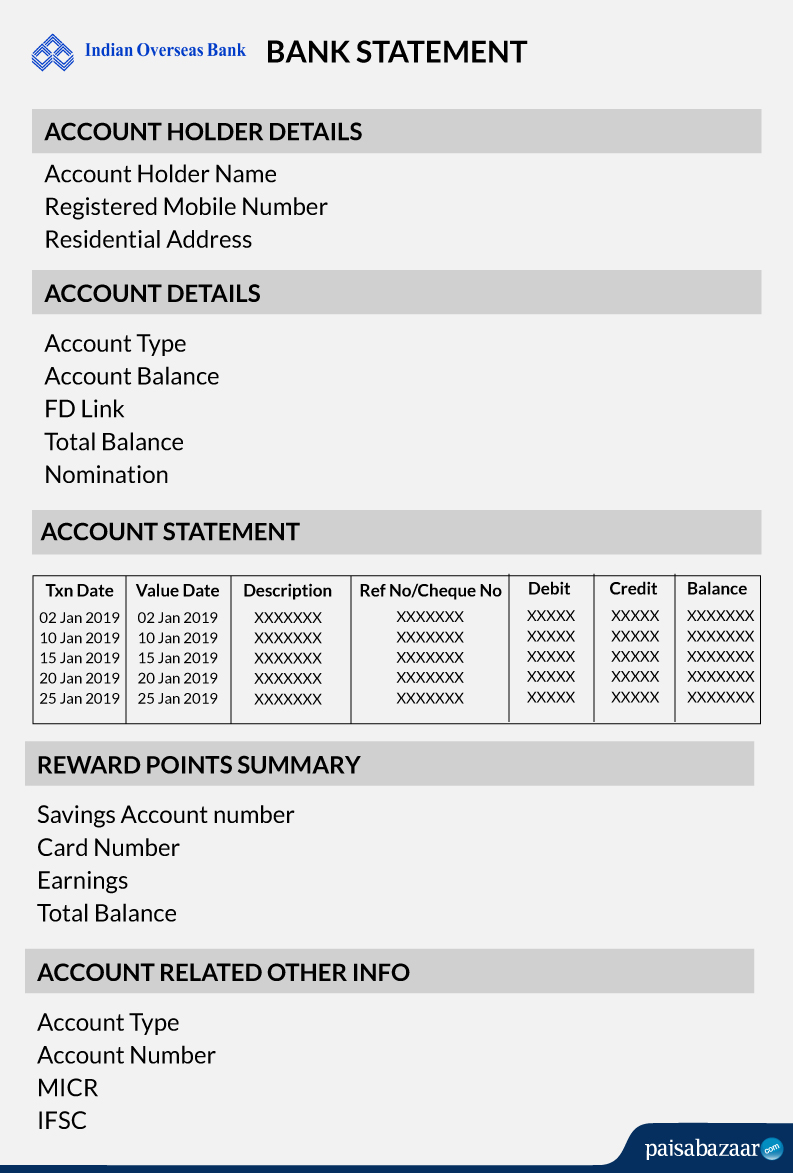
Ans. An Indian Overseas Bank (IOB) mini statement includes your last recent five transactions from your account. You can receive a mini statement by giving a missed call or sending an SMS to 84240-22122 from your registered mobile number, using an ATM or netbanking services.
Ans. If you are facing technical issues while trying to access your mini statement via app or Internet banking, you can check your Internet connection for connectivity and dial the bank’s toll-free number on 1800-890-4445 or 1800-425-4445. Secondly, you can try accessing your mini statement via missed call, WhatsApp banking, and email or by visiting your nearest bank branch.
Ans. Yes, you can receive a mini statement by email from IOB, if your mobile number and email address are registered with the bank.
Ans. If your mobile number is not registered with IOB for SMS banking, you can visit the nearest IOB branch and fill out the mobile number registration form to get started. Enter your account details and submit the form to activate the SMS banking services.
Also Check: Indian Overseas Bank IMPS Charges
Ans. IOB mPassbook comes with the following benefits:
Ans. Customers having a valid operative account (savings or current account) can use m-Passbook.
Ans. Indian Overseas Bank provid e-statement for free.