Download the
Paisabazaar app Today!
Paisabazaar app Today!
Get instant access to loans, credit cards, and financial tools — all in one place

Win Assured Cashback

Our Advisors are available 7 days a week, 9:30 am - 6:30 pm to assist you with the best offers or help resolve any queries.


Get instant access to loans, credit cards, and financial tools — all in one place

Scan to download on



 Personal Loan
 Business Loan
 Home Loan
 Other Loans


Our Advisors are available 7 days a week, 9:30 am - 6:30 pm to assist you with the best offers or help resolve any queries.
600 or 750? What's your credit
score? Check for FREE.


Let’s Get Started
 +91
+91
The entered number doesn't seem to be correct
IDBI net banking facility provides the customers with easy access to all banking products and services. To avail internet banking services, one has to register for the same at the bank. After that, IDBI Bank net banking login details are sent to the users to avail online banking benefits. Let us find out more about this.
Follow the given steps for IDBI net banking login into retail/corporate account-
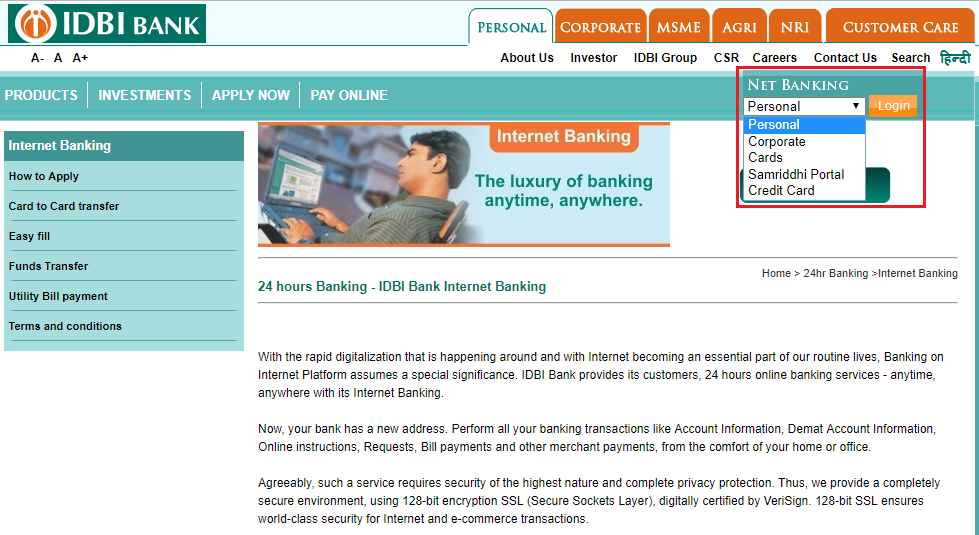
Step 1: Visit IDBI’s net banking login page
Step 2: Select a type of account for login and click on the ‘Login’ button
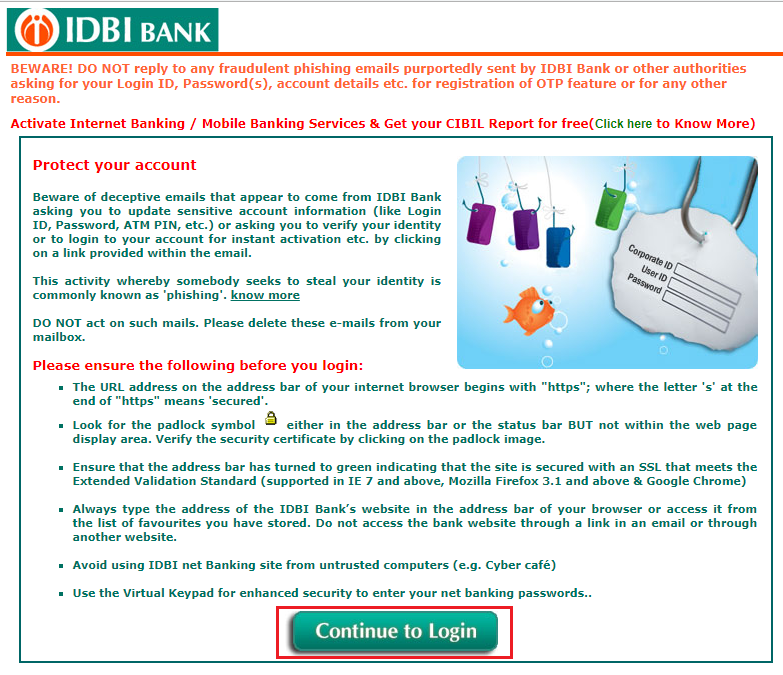
Step 3: After one has gone through the above security guidelines, the user should click on the button below ‘Continue to Login’
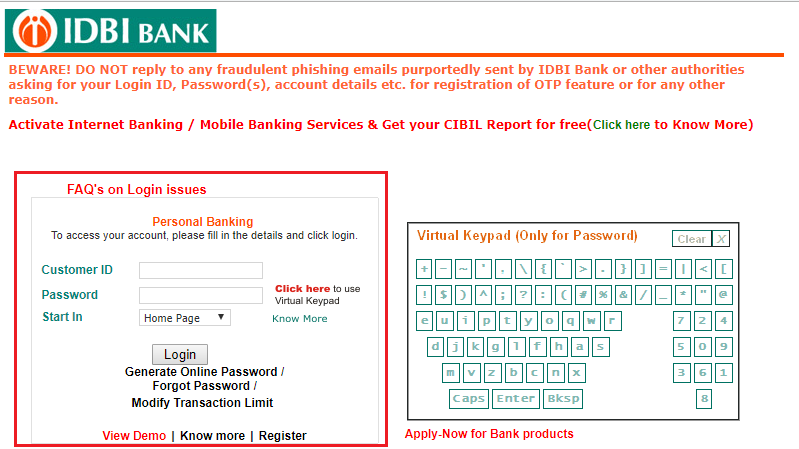
Step 4: Enter your customer ID and password. Click ‘Login’
A customer needs to register himself to avail IDBI Bank net banking facility. Here are the steps:
Step 1: Download the IDBI Net Banking Registration Form from the login page. You can also obtain this form from your IDBI Bank branch
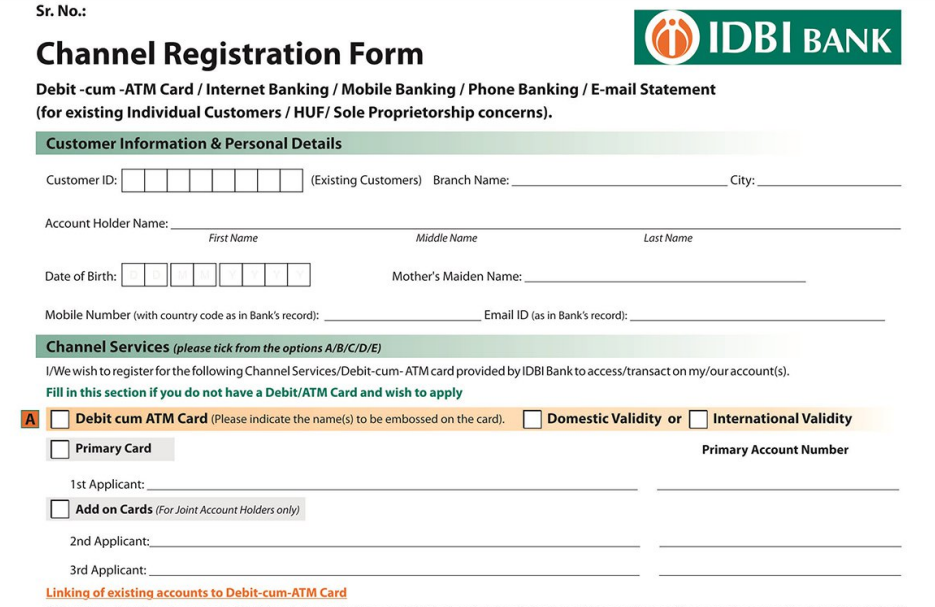
Step 2: Fill the form and submit the same at your IDBI branch
Step 3: After verification, you will be enrolled for online banking at IDBI Bank. Your customer ID and password will be sent to your registered email address or mobile number.
In case you have forgotten your net banking login password, follow these steps:
Step 1: On the login page, click on the ‘Forgot Password’ button
Step 2: Enter details such as user ID, type of user, registered mobile number, mode of delivery
Step 3: Select the service for which the password has to be generated
Step 4: Click on Submit to reset your password
The most important things that the system considers while servicing the online password requests are:
If due to the wrong password attempts the account gets locked, then a password request can be made and a new password can be set by the IDBI Bank customer.
Retail or Corporate Banking customers of IDBI Bank can access below features upon the activation of internet/mobile channels:
IDBI Bank has partnered with various merchant websites or e-commerce stores, Online Share Trading Portals, and Mutual Funds sellers, etc.
With new opportunities, new threats are also identified from time to time. Hence, IDBI Bank is also sensitive about the privacy and internet security of its customers and provides an SSL Encrypted website to register and transact for its banking products or services. Some of the below criteria one must keep in mind while trying to register for IDBI net banking login and be extra careful. They are:
Q. What do I need to login to IDBI Bank net banking?
To login to IDBI net banking, you should have a valid customer ID and I-Net password or login password.
Q. Can I change the User Id and Password?
Yes, you can change your password any number of times. However, you cannot change your user ID. You must change the machine-generated passwords at first login.
Q. How to get the IDBI Bank net banking registration form?
One can visit any of the IDBI branches and ask for the internet banking registration form or download the net banking form from the official IDBI website.
Q. I forgot my IDBI Bank net-banking password. How to login?
If you have forgotten your login password, go to the IDBI Login page and click on ‘Forgot Login Password’. On the next screen, enter your mobile number and click on the ‘Submit’ button. Enter the OTP received on the registered mobile number and then set your new login password.