Download the
Paisabazaar app Today!
Paisabazaar app Today!
Get instant access to loans, credit cards, and financial tools — all in one place

Get the app — instant card and loan offers!

Our Advisors are available 7 days a week, 9:30 am - 6:30 pm to assist you with the best offers or help resolve any queries.


Get instant access to loans, credit cards, and financial tools — all in one place

Scan to download on


 Personal Loan
 Business Loan
 Home Loan
 Other Loans


Our Advisors are available 7 days a week, 9:30 am - 6:30 pm to assist you with the best offers or help resolve any queries.
Find Credit Cards that Best Suits your Needs


Let’s Get Started
 +91
+91
The entered number doesn't seem to be correct
Canara Bank ATM card facility helps the customers to perform bank transactions efficiently and with comfort. In case the Canara Bank customer’s debit card or the ATM card is lost or stolen, then it becomes essential for the cardholder to immediately hotlist or block Canara Bank ATM card. Immediate Canara Bank ATM card block can help the cardholder in the prevention of fraudulent and unauthorized transactions. Check some of the simple steps on how to block Canara Bank Debit Card through net banking, SMS, Canara Bank customer care or by visiting a bank branch.
|
Debit cards come along with great benefits, but credit cards can offer you more! Get extensive rewards, cashback, offers, and discounts on all your purchases, by getting the right credit card for you. Click here to check pre-approved card offers! |

Get FREE Credit Report from Multiple Credit Bureaus Check Now
| How to Block Canara Bank ATM Card? |
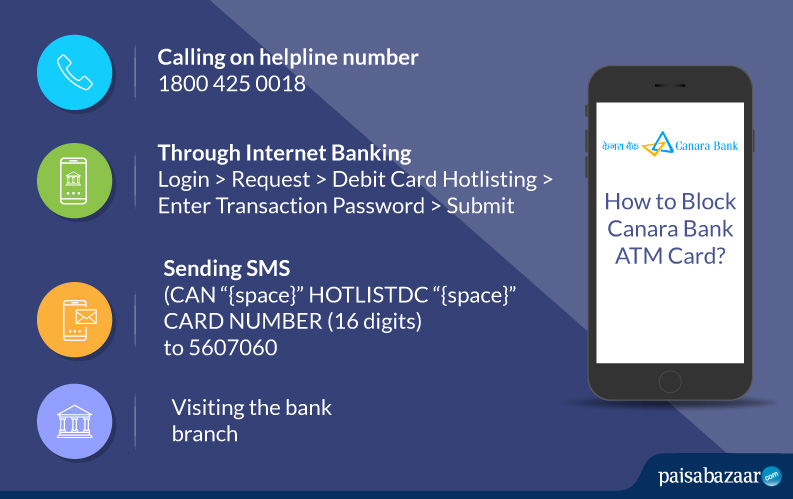
Canara Bank cardholders can block their Canara Bank ATM card online using the net banking facility. The cardholder is only required to follow the below-mentioned steps:
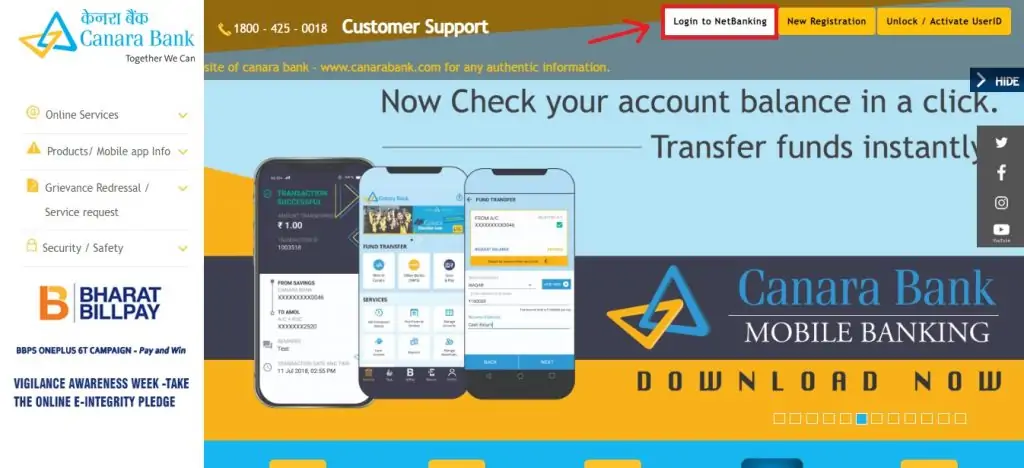
Step 1: Visit the Canara Bank official website and click on “Login to Netbanking” button.
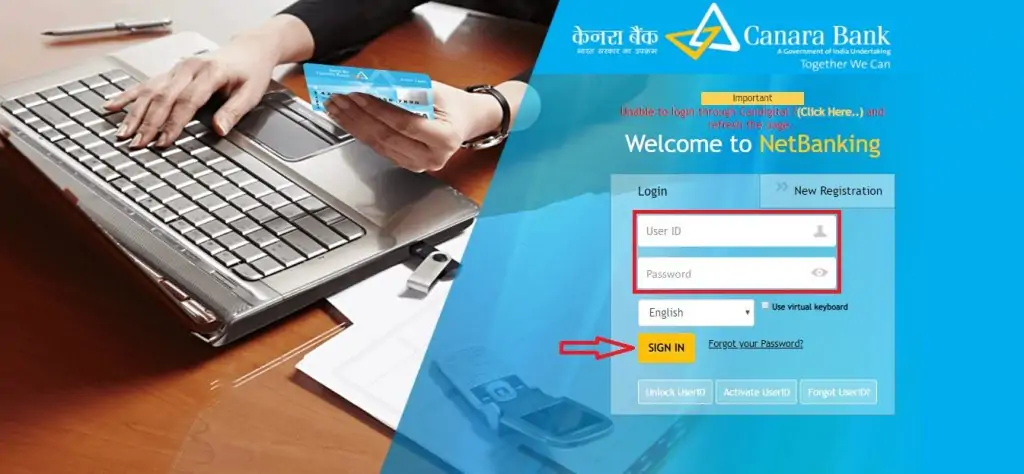
Step 2: Account holder will be redirected to Canara Bank net banking portal. To login account holder will be required to provide details like user ID and password & then click on “Sign in” button.
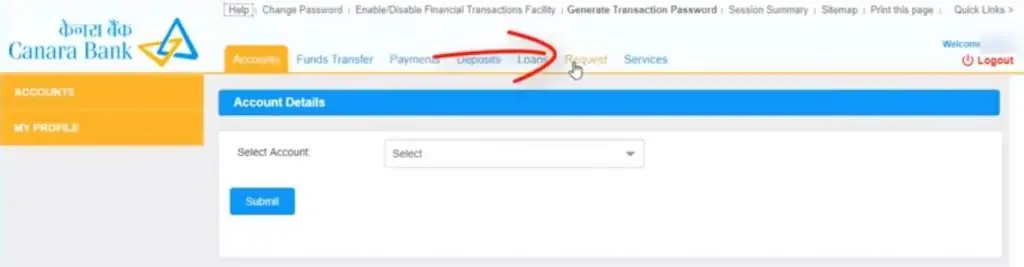
Step 3: After successful login, click on the “Request” tab.
Step 4: On the next page, click on “Debit Card Hotlisting” button to view all the cards & the debit card status.
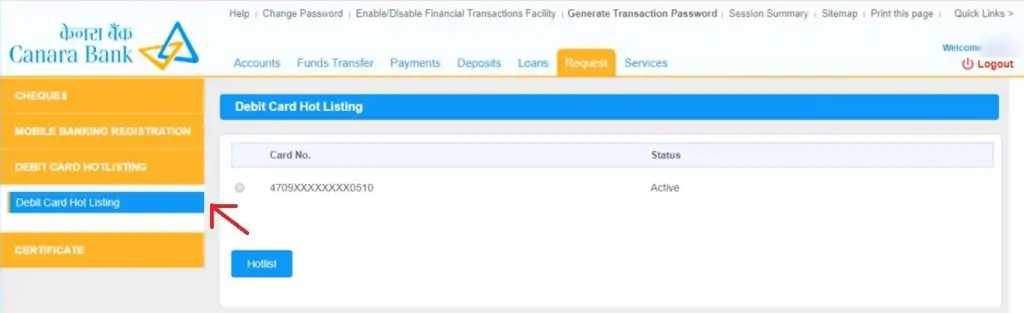
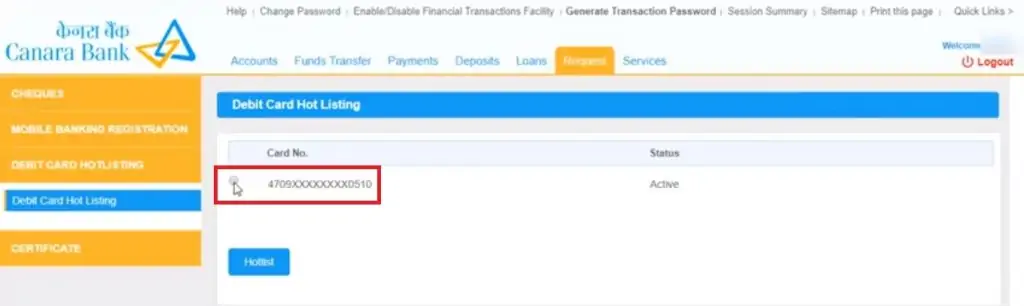
Step 5: Select the debit card and click on the “Hotlist” button to block Canara Bank ATM Card.
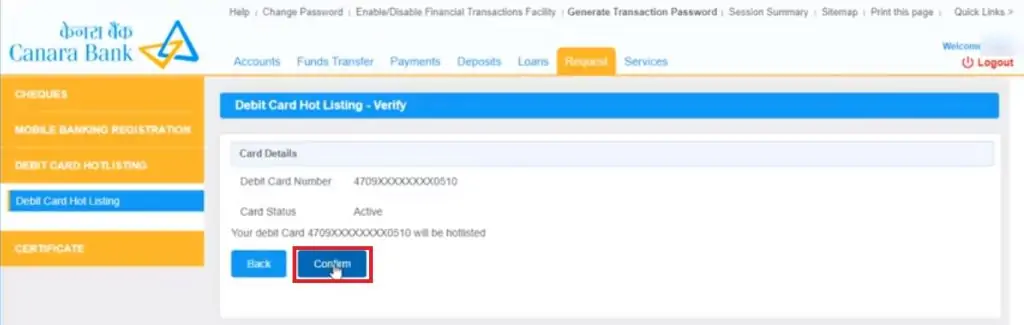
Step 6: Verify Canara Bank ATM card block by clicking on the “Confirm” button.
Step 7: Enter the transaction password and click on “Submit”.
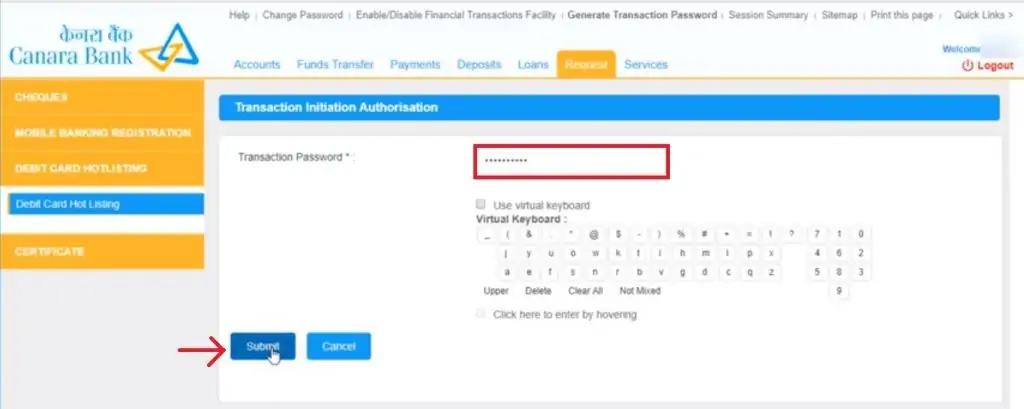
After providing the transaction password, Canara Bank ATM card block request will be accepted by the bank & the account holder will be provided with a reference number as well.
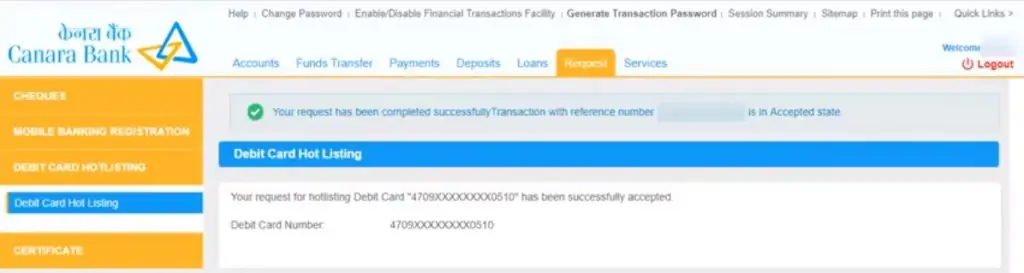
Cardholders can also check other Canara Bank ATM cards if they are hotlisted / blocked or not using the Canara Bank net banking portal. This can help the cardholders in checking the status of their ATM cards by just signing in to the Canara Bank net banking portal.
Cardholder can block the Canara Bank ATM card by simply sending an SMS from the registered mobile number in the following format:
to
A cardholder will receive a confirmation SMS on hotlisting the Canara Bank ATM Card.
The customer can also block Canara bank ATM card by calling Canara Bank customer care number:
|
Increase your purchasing power and get easy access to immediate funds, get yourself a credit card now! Click here to check pre-approved card offers! |
Canara Bank ATM card block request can also be raised by visiting the bank branch personally during the working hours.
Before visiting the bank branch, cardholders should be aware of the Canara Bank timings.
Get FREE Credit Report from Multiple Credit Bureaus Check Now