Download the
Paisabazaar app Today!
Paisabazaar app Today!
Get instant access to loans, credit cards, and financial tools — all in one place

Win Assured Cashback

Our Advisors are available 7 days a week, 9:30 am - 6:30 pm to assist you with the best offers or help resolve any queries.


Get instant access to loans, credit cards, and financial tools — all in one place

Scan to download on



 Personal Loan
 Business Loan
 Home Loan
 Other Loans


Our Advisors are available 7 days a week, 9:30 am - 6:30 pm to assist you with the best offers or help resolve any queries.
Customers of AU Small Finance Bank can transfer funds through UPI using the AU 0101 app and other third-party applications. On this page, we will understand how one can register on the AU 0101 app, transfer funds through this app and other details.
600 or 750? What's your credit
score? Check for FREE.


Let’s Get Started
 +91
+91
The entered number doesn't seem to be correct
Unified Payments Interface (UPI) allows people to make fund transfers through UPI from their savings account and current account in real-time. Individuals can directly transfer funds from their bank account. UPI facility has eliminated the need to carry hard cash. Customers of AU Small Finance Bank can use BHIM AU to avail UPI services. It also allows individuals to make UPI payments from their RuPay credit card.
BHIM AU UPI and AU 0101 applications allow customers of AU Small Finance Bank to make UPI payments in real-time from any bank account just by using a VPA (Virtual Payments Address). There is no need to remember details of the beneficiary anymore to transfer funds. These applications allow customers to make a direct payment by scanning the UPI QR code of the merchant.
Suggested Read: Unified Payments Interface
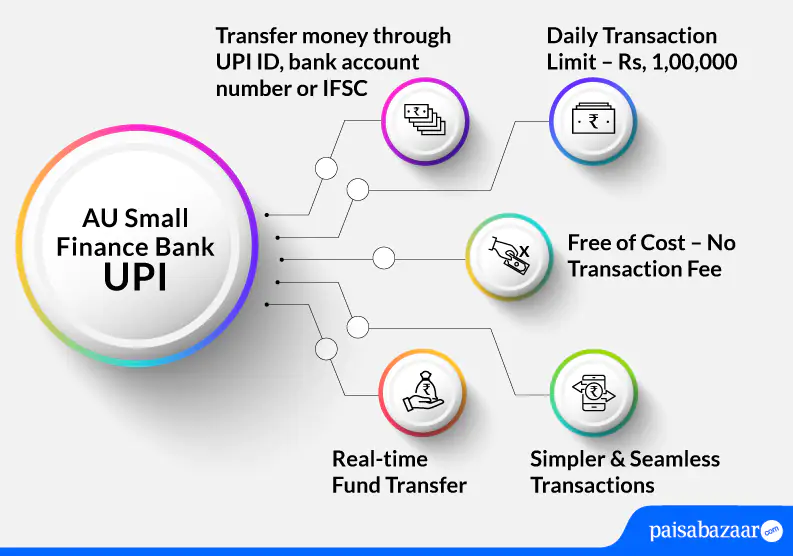
BHIM AU UPI offers below-mentioned features to customers:

Get FREE Credit Report from Multiple Credit Bureaus Check Now
| Type of Transaction | Transaction Limit |
| Per transaction limit | Rs. 1,00,000 |
| Per day total transaction limit | Rs. 1,00,000 |
| Limit for Android users post registration for the first 24 hours | Rs. 5,000 |
| Limit for iOS users post registration for the first 72 hours | Rs. 15,000 |
| IPO limit | Rs. 5,00,000 |
| For categories like Capital Markets, Collections, Insurance, Foreign Inward Remittances | Rs. 2,00,000 |
Customers can either use the AU 0101 App or the BHIM AU App to avail UPI services at AU Small Finance Bank. Both apps can be downloaded from the Google Play Store or Apple Store. However, the individual must ensure that they have a smartphone with an active internet connection. The below-mentioned steps explain how one can use these apps to make UPI payments:
Step 1: Once you download the app on your smartphone, refer to the instructions on the app to sign in.
Step 2: You will receive an SMS from the bank to validate your mobile number registered with the bank.
Step 3: Select your bank account and verify your debit card details.
Step 4: In this step, select your UPI ID and set your MPIN to start availing UPI services.
Step 1: Open the AU 0101 app on your smartphone by using your login credentials.
Step 2: On the dashboard, select the ‘BHIM UPI’ option.
Step 3: Tap on the ‘UPI Registration’ option. Create your desired VPA and confirm the availability of the created VPA.
Step 4: Confirm the details added and tap on ‘Submit’.
Step 5: Your VPA will be successfully created.
Step 1: Open your AU 0101 app and on the home screen, tap on the ‘Scan to Pay’ option.
Step 2: Scan and Pay option will allow you to send money by scanning the QR code of the merchant.
Step 3: You can choose from other payment options available on the app and make payments as required.
Get FREE Credit Report from Multiple Credit Bureaus Check Now
AU Small Finance Bank savings account holders can follow the below-mentioned process to receive/collect money using the AU 0101 app:
Step 1: Login to the AU 0101 app.
Step 2: Tap on the ‘BHIM UPI’ option on the home screen.
Step 3: On the next screen, tap on ‘Request Money’.
Step 4: Enter the details of the payer as asked by the bank.
Step 5: Set the expiry date of the transaction if asked by the bank and initiate the request.
Upon doing so, a message will be sent to the payer regarding the collect money request. Once the payer accepts the request, the amount will be transferred to your account.
Also Read: AU Small Finance Bank Customer Care
Get FREE Credit Report from Multiple Credit Bureaus Check Now
Q. I do not have an account in AU Small Finance Bank, can I access AU 0101 for availing UPU services?
Ans. Both AU Small Finance Bank customers and non-AU Small Finance Bank customers can access AU 0101.
Q. I have forgotten my AU Small Finance Bank’s MPIN. How can I reset it?
Ans. On the AU 0101 app, click on Forgot MPIN. There are three ways by which you can reset your MPIN. Below-mentioned are the ways:
Q. What if I delete AU 0101 app? Will I have to register again?
Ans. Yes. If you delete the app, you will have to register again on the app. However, you may not be required to create your MPIN again.
Q. What is the format of AU Small Finance Bank UPI ID?
Ans. The format of AU Small Finance Bank UPI ID is xxxxxxxx@aubank.
Q. Can I add multiple UPI IDs to AU 0101 app?
Ans. Yes. You can add multiple UPI IDs to AU 0101 app.