Download the
Paisabazaar app Today!
Paisabazaar app Today!
Get instant access to loans, credit cards, and financial tools — all in one place

Win Assured Cashback

Our Advisors are available 7 days a week, 9:30 am - 6:30 pm to assist you with the best offers or help resolve any queries.


Get instant access to loans, credit cards, and financial tools — all in one place

Scan to download on



 Personal Loan
 Business Loan
 Home Loan
 Other Loans


Our Advisors are available 7 days a week, 9:30 am - 6:30 pm to assist you with the best offers or help resolve any queries.
600 or 750? What's your credit
score? Check for FREE.


Let’s Get Started
 +91
+91
The entered number doesn't seem to be correct
SBI Quick is a missed call banking service which brings access to all the information related to the account or other banking services. Account holders can use SBI Quick service by just giving a missed call to the corresponding phone number. Account holders can also avail the benefit of this service by downloading SBI Quick app on their smartphones. Let us check SBI Quick in detail below.

Check Your Free Credit Report with Monthly Updates Check Now
SBI Quick is a free missed call banking service offered by the bank to its customers to retrieve any information such as SBI mini statement or SBI balance enquiry. Users can avail account related information by just giving a missed call or sending an SMS with the keywords from the registered mobile number.
Account holders can get access to the following account services through SBI Quick:
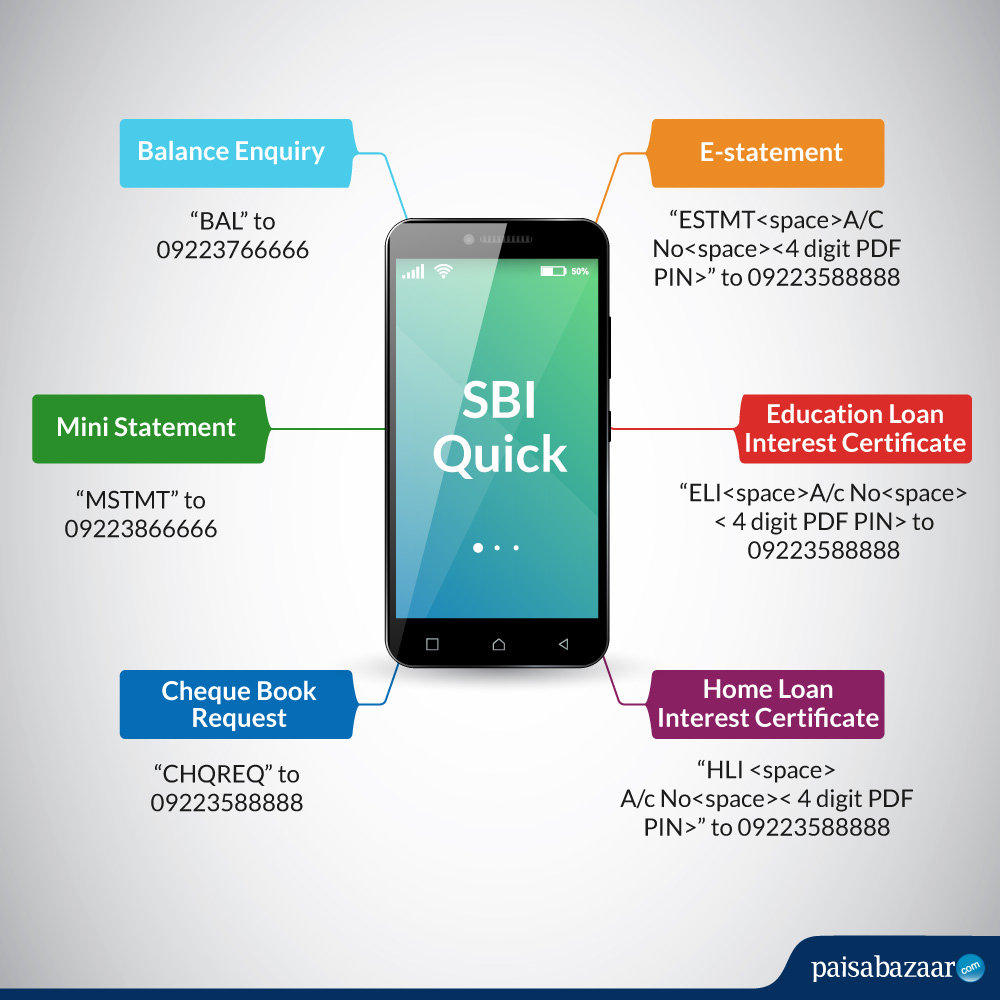
| Service | SMS / Missed Call |
| Balance Enquiry | “BAL” to 09223766666 |
| Mini Statement | “MSTMT” to 09223866666 |
| Cheque Book Request | “CHQREQ” to 09223588888 |
| E-statement | “ESTMT <space>Account Number<space><4 digit code to encrypt the PDF>” to 09223588888 |
| Education Loan Interest Certificate | “ELI<space>Account Number<space><4 digit code of account holder’s choice to encrypt the PDF> to 09223588888 |
| Home Loan Interest Certificate | “HLI <space>Account Number<space><4 digit code of account holder’s choice to encrypt the PDF>” to 09223588888 |
Check Free Credit Report with Complete Analysis of Credit Score Get Report
2. Mini Statement – Check SBI mini statement for the account for up to last five transactions by giving a missed call or sending the message “MSTMT” to 09223866666.
3. Cheque Book Request – Account holder can place a request for a new cheque book by sending the message ‘CHQREQ’ to 09223588888 or giving a missed call on that number. The account holder will receive a text message from the bank with a 6 digit number. To send consent, account holder will be required to SMS “CHQACC <space> Y <space> 6 digit number” to 09223588888. Account holder’s request will be processed within 2 hours of sending this consent SMS.
4. SBI E-statement – Account holder can get an E-statement for his / her account for the last 6 months on the registered email. The email is sent in a password encrypted PDF format. Give a missed call or send an SMS “ESTMT <space>Account Number<space><4 digit code to encrypt the PDF>” to 09223588888.
5. Education Loan Interest Certificate – Get the Education Loan Interest Certificate for the financial year by giving a missed call or sending an SMS “ELI<space>Account Number<space><4 digit code of account holder’s choice to encrypt the PDF> to 09223588888.
6. Home Loan Interest Certificate – Get the Home Loan Interest Certificate for the financial year by giving a missed call or sending the SMS “HLI <space>Account Number<space><4 digit code of account holder’s choice to encrypt the PDF>” to 09223588888.
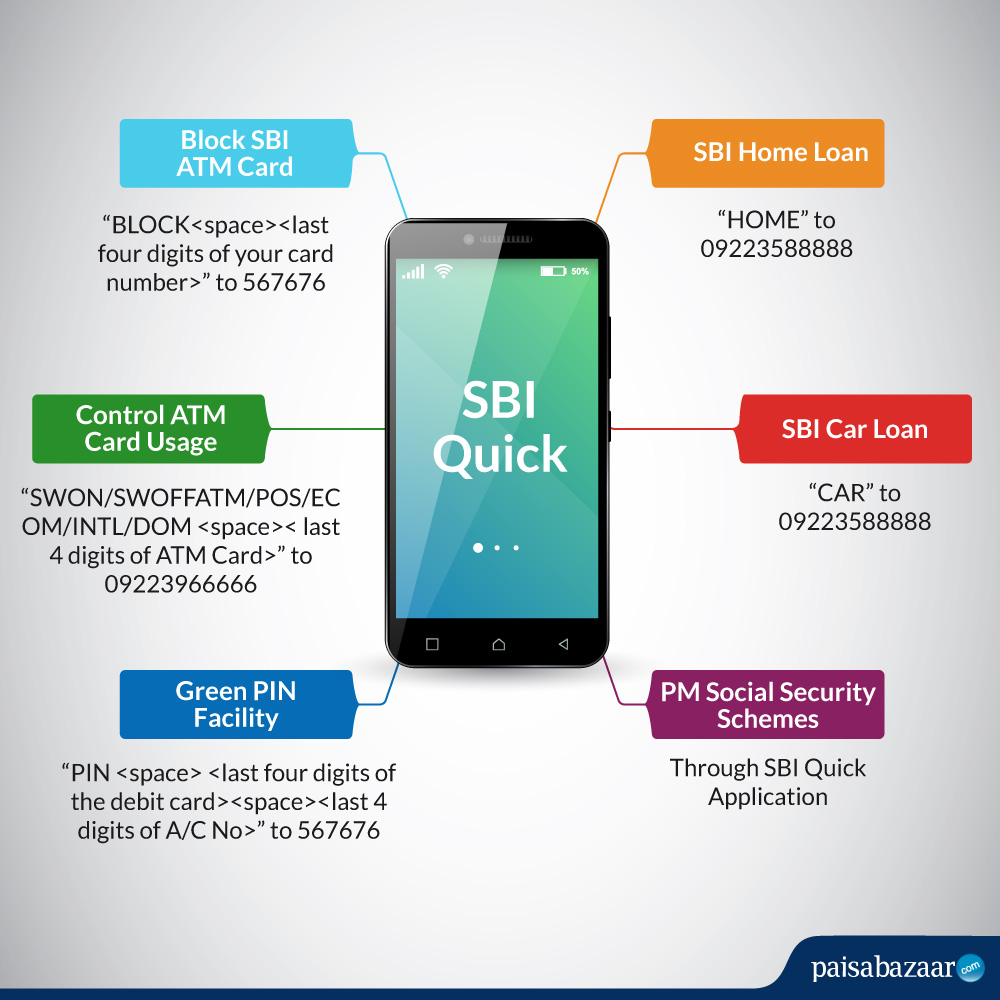
| Service | SMS / Missed Call |
| Block SBI ATM Card | “BLOCK <space> <last four digits of the card number>” to 567676 |
| Control ATM Card Usage | “SWON / SWOFFATM / POS / ECOM / INTL / DOM <space> <last four digits of the card>” to 09223966666 |
| Green PIN Facility | “PIN <space> <last four digits of the debit card> <space> <last four digits of account number linked to the debit card>” to 567676 |
| SBI Home Loan | “HOME” to 09223588888 |
| SBI Car Loan | “CAR” to 09223588888 |
| PM Social Security Schemes | Through SBI Quick Application |
Your Credit Score and Report Is Now Absolutely Free Check Now
2. Green PIN Facility – Account holders can generate SBI ATM PIN by sending an SMS from the registered mobile number. SMS “PIN <space> <last four digits of the debit card> <space> <last four digits of account number linked to the debit card>” to 567676. Account-holders will receive an OTP on the registered number which should be used within 2 days at any SBI ATM to change the PIN number.
3. SBI Home Loan / Car Loan Details – Account holder can get all the details on SBI Home Loan and car loan products by giving a missed call or sending an SMS “HOME” or “CAR” to SBI toll-free number for missed call and SMS Banking – 09223588888. Account holder will receive an SMS instantly with all the features of the product.
4. PM Social Security Schemes – Register for the Pradhan Mantri Suraksha Bima Yojana or Pradhan Mantri Jeevan Jyoti Bima Yojana by sending an SMS using the SBI Quick App which is available on Apple App Store. Account-holders can avail more than 3 data items from the SBI Quick app. This service is only available through the SBI Quick App.
In order to use SBI Quick service, account holders need to ensure that they have registered their mobile number for the same.
Registering for SBI Quick is simple and is a one-time process using which an account holder will be able to access all the services provided. Here are the steps that SBI account holder needs to follow in order to register for SBI Quick:
Checking Credit Report Monthly has no impact on Credit Score Check Now
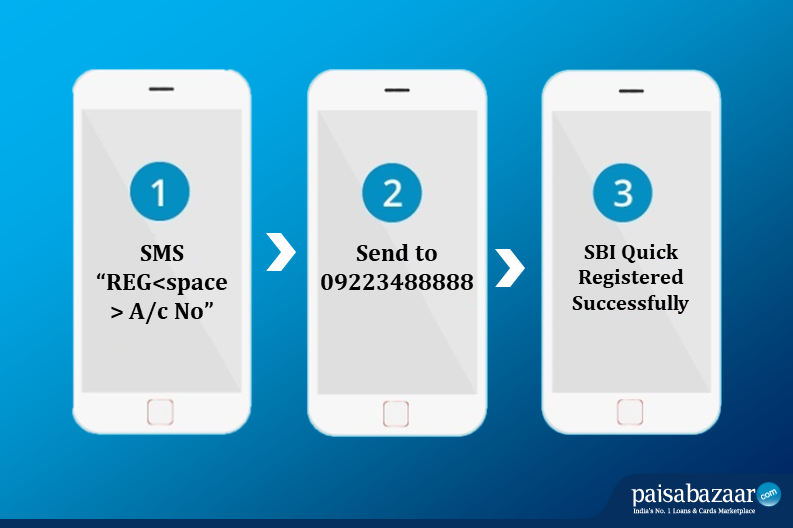
However, if the SBI Quick registration is unsuccessful, user will be required to follow these steps:
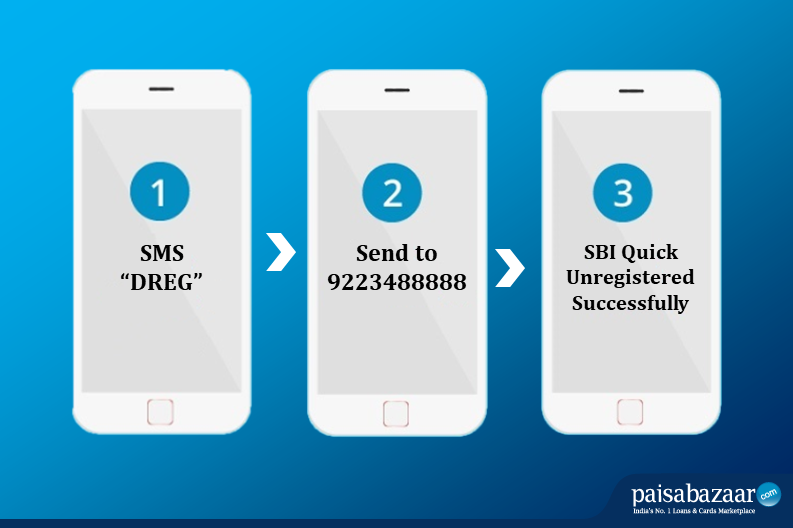
To unregister SMS “DREG” to 9223488888. Once it is successful, account holder will not be able to use the SBI Quick services.
The charges applicable on SBI Quick are as follows:
Now Do Not Pay For Your Credit Report Get Report
The SBI Quick app can be downloaded from the App store on any iOS or Windows device. Using the app, account holder can avail several benefits such as:
The mobile app is a convenient option but is not mandatory for SBI account holders to be able to use the SBI Quick Missed Call and SMS Banking Facility.
Is there any limit of the number of enquiries that can be made in a day/month?
No, there is no limit on the number of enquiries which can be made in a day or month.
Is it mandatory to register mobile number for using SBI Quick service?
Yes, the account holder needs to update and register his / her mobile number to use SBI Quick service.
What to do if any user holds 2 accounts with SBI?
Account holder can register for SBI Quick – Missed Call Service for only one account at a time. If the account holder wants to change the registered account, he / she can de-register SBI Quick from the first account and then register for the second one.