Download the
Paisabazaar app Today!
Paisabazaar app Today!
Get instant access to loans, credit cards, and financial tools — all in one place

Win Assured Cashback

Our Advisors are available 7 days a week, 9:30 am - 6:30 pm to assist you with the best offers or help resolve any queries.


Get instant access to loans, credit cards, and financial tools — all in one place

Scan to download on



 Personal Loan
 Business Loan
 Home Loan
 Other Loans


Our Advisors are available 7 days a week, 9:30 am - 6:30 pm to assist you with the best offers or help resolve any queries.
State Bank of India provides accountholders with mini-statement service through which they can enquire about recent debit/credit transactions made in the account. There are different ways to access SBI mini-statement, such as SBI Quick Banking, missed call banking, SMS banking, mobile and net banking and via YONO app. However, to access SBI mini statement, the customer must get his/her phone number registered with the bank.
SBI mini statement contains all debit and credit transaction details carried out through various payment modes, such as NEFT, RTGS, IMPS, UPI, etc. in your SBI savings account. You can get your SBI mini statement via both online and offline banking methods.

Alternatively, you can generate a mini statement by visiting the ATM or the nearest bank. Suppose you have your mobile number registered with the bank. In that case, it can become easier for you to get the mini statement using several methods such as net banking, SBI mobile banking, WhatsApp banking, YONO app, SBI Quick SMS banking, etc. Further, let’s find various ways to get the SBI mini-statement in detail.
| How to Get SBI Mini Statement through: | |
| Netbanking | |
| Missed Call | SBI Quick – SMS Banking |
| ATM | Mobile Banking |
| Register Mobile for SBI Mini Statement | FAQs |
People having savings account in SBI can use this facility to get mini statement and account balance through WhatsApp banking feature:
To get the SBI mini statement, give a missed call to –
The account holder can give a missed call by the mobile number registered with SBI savings account to avail SBI mini statement in no time.
Users can follow the below-mentioned steps to get the SBI mini statement using the missed call service –
1. Give a missed call to SBI mini statement number +91-9223866666 to know about the last 5 transactions.
2. The call will disconnect after two rings.
3. The user will get an SMS with the SBI mini statement i.e. recent 5 transactions initiated from the account.
SBI mini statement service is available only on the registered phone number. So, it becomes essential to register a mobile number to avail of the SBI mini statement and activate SMS banking. Usually, the number is registered at the time of opening of the account. However, if the same was not done, the account holder can register the mobile number through the procedure mentioned below.
To register the mobile number for mini statement services using SBI Quick – a free service from SBI that provides missed call banking and SMS banking services, the account holder must note down the account number and simply send an SMS to the bank. The format of the SMS is as given below:
to
The account holder needs to send the above-given SMS to 09223488888. After sending the SMS, the mobile number will be registered with SBI.
To register for SBI mobile banking services, the account holder will be required to send the following SMS code:
to

An account holder can also get SBI mini account statement with the help of SMS. To get the mini statement for SBI by SMS, the account holder should type – ‘MSTMT’ and send it to 09223866666. The Online SBI mini statement with details of the last five transactions will be sent to the registered mobile number.
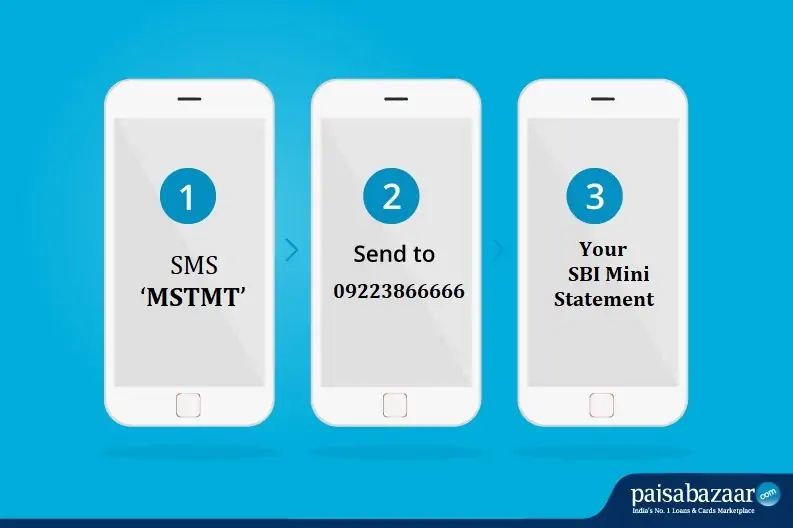
Step 1: For SBI mini statement by SMS banking service, SMS ‘MSTMT’
Step 2: Send the message to 09223866666
Step 3: Check the State Bank of India mini-statement containing information on the last 5 transactions
Note: In case, an account holder has multiple accounts maintained with SBI, he/she can register for SBI Quick for only one of the accounts at any point in time. If the account holder wants to change the registered account number for the SBI Quick facility, he/she can de-register SBI Quick from the first account and register for SBI Quick with the other one.
Following are the steps to get SBI mini statement using mobile banking services:
Step 1: Download the ‘YONO SBI’ app from the Google Play Store or Apple App Store
Step 2: Login to the YONO SBI app using the login credentials
Step 3: Select the “My Accounts” option
Step 4: On the next menu, select the ‘Mini Statement’ option
Step 5: Check the Online SBI mini statement which includes 10 recent transactions in the account
With automated and integrated services such as the ones offered by SBI Quick, customers can enjoy several benefits such as the SBI mini statement service. This offers the following benefits –
If the bank is an SBI-associated bank, an account holder may be eligible for the missed call banking service as well. Some former SBI-associated banks have also been extended this service by SBI. Account holders can check with their bank on this or simply send an SMS and check for themselves.

SBI account holders can visit a nearby SBI ATM to get the mini statement.
There can be situations where you may face issues in getting the SBI mini statement. Let us find some common troubleshooting options to get the SBI mini statement on demand:
Missed Call or SMS Not Working
Missed call and SMS facility is provided only through the registered mobile number. In case you are using a different mobile number, you would not get any results.
In case the missed call or SMS facility is not working even if you communicate using the registered mobile number, you should wait for some time and try again. It could happen due to server error at times.
Forgot Net Banking Password
In case you forget your net banking password, you will not be able to login to the portal and thus, won’t be able to check the mini statement. For this, you will have to reset your netbanking password by visiting the SBI online netbanking portal.
YONO App Login Issues
You can face login issues in the YONO app in case there is a server error from the bank’s end. It is suggested to try to login after some time. As soon as the error is resolved from the bank’s end, you will be able to access your account on the app again.
In case you forget the YONO app password, you can reset it through the app itself or try the alternative methods of checking SBI mini statement.

Ans. Yes, you can give a missed call to the SBI mini statement Toll-free number 09223866666 to know all the information related to your mini statement.
Ans. No, SBI does not charge for its missed call service. However, if you choose SBI’s 6-digit number 567676 services then the premium charges shall apply, as well as the bank charges for its 10-digit SMS service as per the customer’s mobile plan.
Ans. Yes, you can manage and operate two bank accounts registered with the same mobile number and it is even recommended to have the same mobile number registered with different accounts.
Ans. To download your SBI mini statement, you need to open your YONO SBI mobile app and go to the ‘My Accounts Section’ to further check for Mini Statement and download your SBI mini statement pdf.
Ans. You can get your SBI mini statement offline by visiting the bank branch or a nearby ATM.
Ans. You get the complete list of transactions in your account statement. The mini statement is just a part of this statement containing the latest 5-10 transactions.
Ans. You can check your SBI mini-statement in different ways. You can give a missed call to 09223866666 or send ‘MSTMT’ on the same SBI mini statement number, download and use the SBI mobile application, or log-in to the SBI net banking portal. Mini statements can also be viewed from SBI or any other bank’s ATM.
Ans. If you do not have an internet connection, you can either give a missed call on 09223866666 or send ‘MSTMT’ to 09223866666 from your registered mobile number. You will receive an SMS instantly with the details of your last 5 transactions.
Ans. To check the details of your last 5 debit/credit transactions in SBI, you can easily send an SMS ‘MSTMT’ to 09223866666 or give a missed call on the same number. If you have a smartphone and internet connection, you can use the SBI mobile app to view the mini statement. Besides that, you can also log in to the SBI Net Banking Portal using your customer ID and check your transactions. Bank ATMs also allow users to check mini statements instantly.
Ans: Yes, you can check your latest mini statement by calling the SBI mini statement missed call banking number.
Ans: No, SBI does not charge any fee for checking the balance through the SBI SMS balance enquiry. However, carrier charges may apply.
Ans: Yes, you can register the same number with multiple SBI savings accounts and get the balance for each SBI account.
Ans. To register yourself with SBI Quick services which include missed call service, and SMS service, send REG<space>Account Number to 09223488888. And, to register for SBI mobile banking services, send <MBSREG> to 9223440000. You can also visit the bank and submit the required documents for registration.