Download the
Paisabazaar app Today!
Paisabazaar app Today!
Get instant access to loans, credit cards, and financial tools — all in one place

Win Assured Cashback

Our Advisors are available 7 days a week, 9:30 am - 6:30 pm to assist you with the best offers or help resolve any queries.


Get instant access to loans, credit cards, and financial tools — all in one place

Scan to download on



 Personal Loan
 Business Loan
 Home Loan
 Other Loans


Our Advisors are available 7 days a week, 9:30 am - 6:30 pm to assist you with the best offers or help resolve any queries.
600 or 750? What's your credit
score? Check for FREE.


Let’s Get Started
 +91
+91
The entered number doesn't seem to be correct
Every customer can get access to their IDBI Bank Mini Statement for their active account in the bank. Any deposits or withdrawals made by customers can be checked easily through a mini statement. There are simple ways for customers to access their mini statement for free. The bank provides all the latest banking services, hence making it easier for the customers to keep track of their savings accounts / current accounts and carry out transactions conveniently.
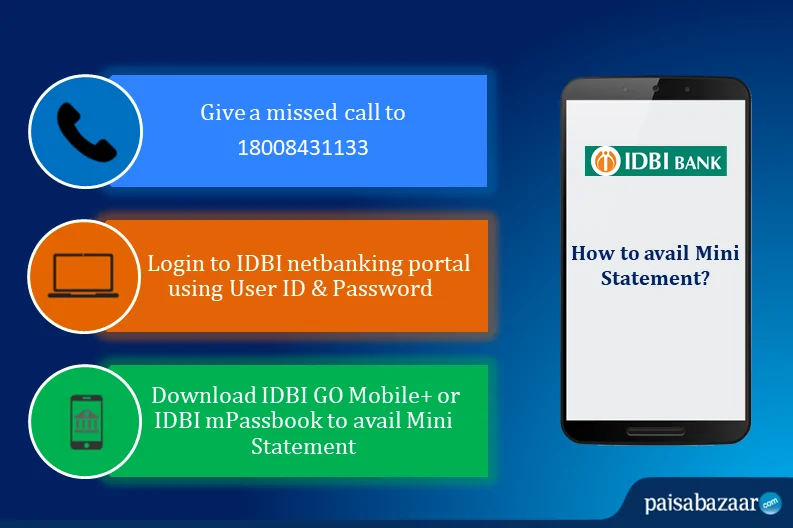
IDBI Bank offers several online options such as missed call services to all customers who hold an operative account with them to get the mini statement. For those who have a single account, the facility is pre-activated. For those who have multiple accounts registered under the same number, a simple registration process needs to be followed.
For IDBI Mini Statement registration, send
to
or
Once the request is submitted, a confirmation SMS will be sent to the customer’s mobile number after a successful registration. Once activated, several services can be used immediately.
After the number has been registered, customers can give a missed call to the below-mentioned toll-free number for getting the mini statement. The account holder will get the IDBI Bank mini statement consisting of the last 5 transactions via SMS –
To avail IDBI Mini Statement via toll-free number, give a missed call to
For IDBI Balance Enquiry, customers can give a missed call to

Get Your Free Credit Report with Monthly Updates Check Now
This service can be used up to a maximum of 4 times a day. This service is completely free and does not require any internet connectivity. However, during the registration process, SMS charges may be applied by the telecom provider.
For customers who have a net banking account, this is an added option to get the mini statement. If the customer does not have a net banking account, he/she can visit the nearest IDBI Bank branch to activate the services. Once a customer is registered for net banking, the following steps need to be followed for getting IDBI Bank mini statement:
Besides the IDBI Bank Customer Care number, customers can also make use of mobile banking services to avail mini statement. IDBI Bank provides several mobile apps that help customers to check their account balance and transaction history. Using the following mentioned apps, account holders will be only required to log in using the User ID and password to avail mini statement on-the-go.
1. IDBI Bank GO Mobile+ App
IDBI GO Mobile+ app is available for all android and iOS devices. It can be downloaded on any smartphone to access several banking services such as IDBI Bank balance enquiry, mini statement, cheque book request, fund transfer and much more. IDBI Bank Mobile Banking enables users to avail all the banking services on the go.
2. IDBI Bank mPassbook App
This is a mobile passbook that is provided to every account holder at IDBI Bank. This keeps the customer updated about every transaction that has taken place along with the current balance in the account. Customers have the option of checking the mini statement on the app as well. They can also ask for a detailed account summary to check all the transactions that have taken place in the account.
An Excellent Option to Build your Credit Score
IDBI Bank ATM
Account-holders can also avail the IDBI Bank mini statement offline. To do so, customers will be required to visit any nearest ATM machine to avail the same.
By visiting the IDBI Bank branch
Customers can also visit the nearest branch of IDBI Bank to get a copy of the IDBI Bank mini statement. This will contain the recent/last 5 transactions (debit and credit both).
An IDBI Bank Mini statement is a list of all the recent transactions including all deposits and withdrawals. It is possible to check the last 5 transactions on the mini statement. The advantages of mini statement service are as follows:
Q. How can I get a mini statement of IDBI online?
You can get your IDBI Bank mini statement online by logging in to IDBI Net-banking Portal using your customer ID and password. Your account statements, as well as mini-statement, can be viewed in the ‘account details’ section on the portal. Or, you can also download the IDBI Bank Go Mobile+ App or IDBI mPassbook app and log in using your MPIN to get the mini statement.
Q. How can I check my IDBI mini statement by the missed call?
To check your IDBI Bank mini statement, give a missed call to 1800-843-1133 from your registered mobile number. You can use this service up to a maximum of 4 times a day.
Q. How can I register for IDBI mobile banking services?
To avail IDBI Bank mobile banking services, you will need to register your mobile number by sending ‘REG<space>Account Number’ to 5676777 or 9820346920 / 9821043718. You can also visit the bank branch, fill the application form and submit the same along with the required documents.
Q. Can I check my last transaction details in IDBI Bank mobile app?
Yes, you can download the IDBI Bank Go Mobile+ App or IDBI mPassbook app from Google Playstore or Apple App Store and log in using your MPIN for the mini statement.
Q. How can I check my IDBI mini statement by SMS?
You can give a missed call to 1800-843-1133 from your registered mobile number and post that, you will receive an SMS with the details of your last transactions at IDBI Bank.
Q. How can I get my IDBI mini statement on mobile without internet banking?
You can check your mini statement without an internet connection by either giving a missed call to 1800-843-1133 from your registered mobile number. After this, you will receive a text message with the details of your mini statement.