Download the
Paisabazaar app Today!
Paisabazaar app Today!
Get instant access to loans, credit cards, and financial tools — all in one place

Win Assured Cashback

Our Advisors are available 7 days a week, 9:30 am - 6:30 pm to assist you with the best offers or help resolve any queries.


Get instant access to loans, credit cards, and financial tools — all in one place

Scan to download on


 Personal Loan
 Business Loan
 Home Loan
 Other Loans


Our Advisors are available 7 days a week, 9:30 am - 6:30 pm to assist you with the best offers or help resolve any queries.
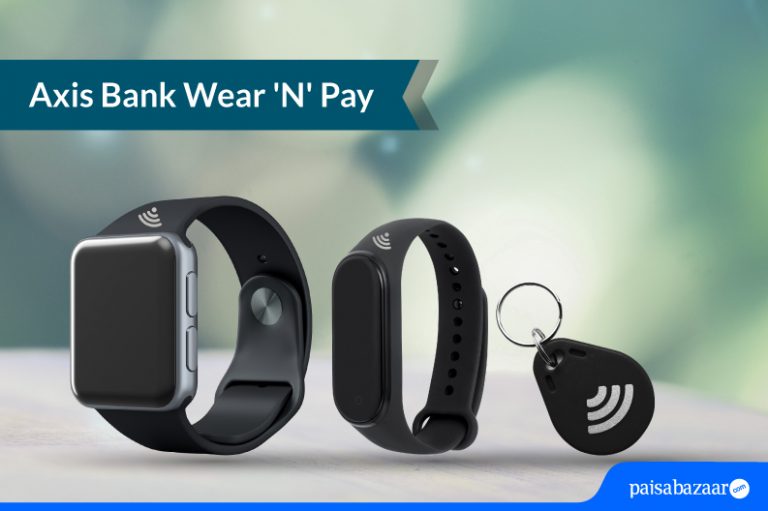
Contactless transactions have provided a better security feature while making transactions at PoS terminals. With lower risks of card skimming or fraud, Axis Bank has extended this feature from debit cards and credit cards to other wearables. However, these devices are yet to gain popularity among the masses, let us find out if these are worth using regularly.
Wear ‘N’ Pay is a contactless transaction method launched by Axis Bank that allows its customers to make transactions from their savings account through wearable devices like wristbands, keychains, and loops issued by the bank. The joining fee for the device is Rs. 750+ GST and the annual fee for the device is Rs. 500+ GST.
Below mentioned are the features of the device:
Currently, the customers can apply for the device by:
The customer needs to first activate the device to start using it by setting the PIN for the device and enabling the contactless usage for Wear ‘N’ Pay device. Let us know the steps to set the PIN for the device:
Steps for accessing the device via mobile banking:
Step 1: Login to your Axis Bank mobile banking app
Step 2: Select ‘Debit Cards’ under ‘Services’
Step 3: Select ‘Set/Reset PIN’ option
Step 4: Select your Wear ‘N’ Pay device number from the list and click on continue (kindly check the first 4 and last 4 digits to identify the device correctly)
Step 5: In the next step, enter the 4-digit PIN, re-enter the 4-digit PIN and enter mPIN to confirm
Once the device is activated and the PIN has been set, the final step is to enable contactless mode for your Wear ‘N’ Pay device to start transacting. Below mentioned are the steps to know how to enable the device:
Step 1: Login to your Axis Bank mobile banking app
Step 2: Select ‘Debit Cards’ under ‘Services’
Step 3: Select ‘Manage Usage’ option
Step 4: Select your Wear ‘N’ Pay device number from the list and click on continue
Step 5: Select Domestic tab for enabling contactless limit for domestic transactions and vice-versa for international transactions
Steps for accessing the device via net banking:
Step 1: Login to net banking
Step 2: Click on ‘Account > My Debit Cards’ or ‘Services > Debit Card Services’
Step 3: Select your Wear ‘N’ Pay device number from the list and click on continue
Step 4: Tap on ‘Select Debit Card PIN’ from the menu
Step 5: Now, enter the 4-digit PIN, re-enter the 4-digit PIN and expiry date as mentioned in the welcome kit
Step 6: Enter Netsecure code (OTP) received on your registered mobile address and confirm
Once the device is activated and the PIN has been set, the final step is to enable contactless mode for your Wear ‘N’ Pay device to start transacting. Below mentioned are the steps to know how to enable the device:
Step 1: Login to net banking
Step 2: Click on ‘Account > My Debit Cards’ or ‘Services > Debit Card Services’
Step 3: Select your Wear ‘N’ Pay device number from the list and click on ‘more services’ in drop-down menu
Step 4: Select ‘Manage Usage’ from the menu
Step 5: To enable domestic transactions, enable contactless mode by tapping ‘on’ under domestic section
Step 6: To enable international transactions, click on ‘yes’ under international section
Step 7: Thereafter, enable contactless usage and POS usage by clicking on ‘on’ option and click on proceed
Step 8: Enter Netsecure code (OTP) received on your registered mobile address and confirm
Also read: Axis Bank Mobile Banking
Axis Bank Wear ‘N’ Pay is a safe and secure payment method. The bank has ensured that users of these gadgets do not pose any financial risk to users. It is quite evident from the steps taken by Axis Bank as mentioned below:
Accessible within the range of 3 centimeters
Wear ‘N’ Pay devices are safe and secure as they are only accessible within the range of 3 cms. Also, the transactions are secured by fraud liability cover up to 100% of POS limit in case of any suspicious/fraudulent transactions.
Immediate blocking of the device
If you lose the device, you have the option to block the device immediately via mobile banking, internet banking, phone banking, or visiting the branch. It helps in protecting the account against any fraudulent transactions using the lost device.
Option to disable the device temporarily
You have the option to disable the device temporarily when you do not feel the need to use the device. You get the option to simply disable the contactless mode and POS limit to prevent any unwanted transactions from taking place inadvertently.
If you lose your device, you should immediately lock the device via any of the below-mentioned channels:
You can call on any of the numbers mentioned below and request the banking representative to block your device:
Or
You can visit the nearest branch of your bank and request the representative to block your device.
Note: Your transactions will be secured by fraud liability cover up to 100% of POS limit in case of any fraudulent transactions on reporting such events to Axis Bank immediately.
Ans. No. The device is only available for Axis Bank customers having a savings account in the bank.
Q. How long will it take for the device to reach me?
Ans. Once your complete the application successfully, it will take 7-10 days for the device to reach you.
Q. Can I accidentally be charged for a contactless transaction just by walking past a contactless terminal?
Ans. No. Contactless devices have a limited range. Your Wear ‘N’ Pay device needs to be within 3 cms from the machine to be read successfully.
Q. Can I switch off/temporarily disable payment functionality on my device?
Ans. Yes, you can disable the device when you are not using it by simply disabling contactless mode and POS limit. You can do this via mobile app/net banking/visiting your nearest branch.
Q. When will I get my activation-related cashback?
Ans. You can expect cashback to be credited to your linked Axis Bank savings account within 60 days from the month of issuance.