Download the
Paisabazaar app Today!
Paisabazaar app Today!
Get instant access to loans, credit cards, and financial tools — all in one place

Win Assured Cashback

Our Advisors are available 7 days a week, 9:30 am - 6:30 pm to assist you with the best offers or help resolve any queries.


Get instant access to loans, credit cards, and financial tools — all in one place

Scan to download on



 Personal Loan
 Business Loan
 Home Loan
 Other Loans


Our Advisors are available 7 days a week, 9:30 am - 6:30 pm to assist you with the best offers or help resolve any queries.
600 or 750? What's your credit
score? Check for FREE.


Let’s Get Started
 +91
+91
The entered number doesn't seem to be correct
UCO Bank is one of the largest government-owned commercial banks in India. The bank has come up with advanced and simplified banking services to provide quick banking access to all its customers. To ensure that customers are able to view the transaction history of their account whenever they need to, UCO Bank has also provided several easy options to get the UCO Bank Mini Statement.
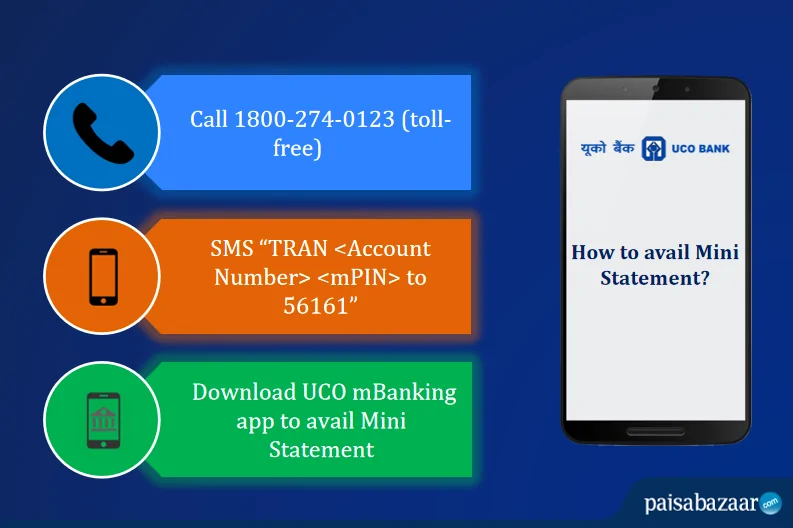
In order to avail mini statement service, the user needs to first register for the UCO Bank Mobile Banking service. Follow the below-mentioned steps for UCO Bank Mobile Banking registration:
The UCO Bank account holders can get the mini statement by calling on the UCO Bank Customer Care number (toll-free). It is to be noted that the call should be made from the registered mobile number of the user.
To get UCO Bank Mini Statement via a toll-free number, dial
1800 274 0123
UCO Bank does not offer any missed call banking facility. For any other account-related query, account holders can dial the above mentioned toll-free number.
The users can access their bank account and avail a host of banking services, via the UCO Bank SMS Banking Service. The mobile banking service provides information in the form of SMS alerts for various activities performed in the account. The user needs to just type the specified keyword in the message box and send it to the below-mentioned number.
To get UCO Bank Mini Statement (last 3 transactions) via SMS, send:
TRAN <Account Number> <mPIN>
to
56161
Also Read: UCO Bank Balance Enquiry Number
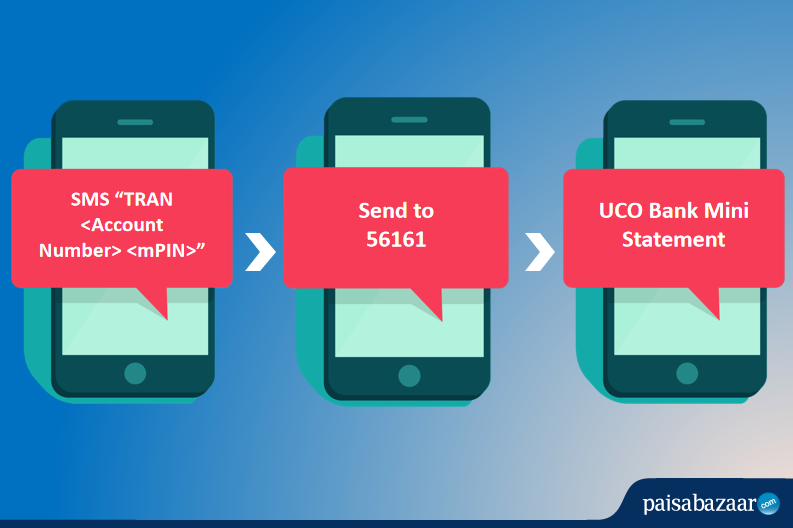
The SMS should be sent from the registered mobile number. After a successful request, the user will receive a system-generated response containing the requisite information.
With the UCO Bank Net banking service, it has come rather easy for the users to do banking on their fingertips. For all valid operative accounts, customers have the option of activating internet banking. All they have to do is visit the home branch and fill up a simple form. Once the form is submitted, the account holder will receive the login credentials including the user ID and password. The customers also have the option of doing UCO Bank Net banking registration online.
To get UCO Bank Mini Statement via Net Banking, follow the below-listed steps:
Step 1: Visit the online net banking portal of UCO Bank.
Step 2: Login using the User ID and Password.
Step 3: Click on the “My Accounts” section given in the header.
Step 4: Click on the “Mini Statement” option available in the menu. Users can also get a detailed transaction history for their account by availing UCO Bank Statement.
The bank has come up with a new mobile banking application for the convenience of customers. The users can avail a host of banking services using the UCO mBanking app. Users need to follow the below-mentioned steps to get UCO Bank Mini Statement:
Step 1: Download the UCO Bank Mobile Banking app from the Google Play Store or the Apple App Store.
Step 2: After successful installation, enter the 4-digit mPIN to login.
Step 3: Enter the OTP sent to the registered mobile number and proceed further.
Step 4: Go to the “Banking” section given on the homepage.
Step 5: From the “Banking” menu, click on the “Account Statement” option.
Step 6: See the recent transaction in the account.
Q. How do i get my UCO bank mini statement from toll free number?
A. To get your UCO Bank mini statement, you can just dial the mentioned Toll free number 1800 274 0123.
Q. How to know the last 3 transactions in UCO Bank?
A. To know the details of the last 3 transactions, the user can send an SMS “TRAN <Account Number> <mPIN>” to 56161.
Q. What is mPIN?
A. The full form of MPIN is ‘Mobile banking Personal Identification Number’. MPIN works as a password when the user performs any transaction using the mobile banking app.
Q. How can one get the application form for UCO Bank Mobile Banking registration?
A. The users can visit the nearest UCO Bank branch to get the application form for mobile banking registration.
Q. How can I get my UCO Bank mini statement online?
A. To get your mini statement online from UCO bank, you need to visit the bank’s official website and opt for internet banking service. There you can use your Login ID and password to access the mini statement option under ‘My Account’ section. Besides, getting your mini statement you can also check your detailed UCO bank statement via its net banking option.
Q. How can I check my mini bank statement at the UCO bank ATM?
A. For this you need to visit the nearest ATM and use a debit card. Check and select the ‘Mini Statement’ tab on the menu section that is displayed on-screen. The ATM screen shall display your mini statement with the last 10 debit and credit transactions.