Download the
Paisabazaar app Today!
Paisabazaar app Today!
Get instant access to loans, credit cards, and financial tools — all in one place

Get the app — instant card and loan offers!

Our Advisors are available 7 days a week, 9:30 am - 6:30 pm to assist you with the best offers or help resolve any queries.


Get instant access to loans, credit cards, and financial tools — all in one place

Scan to download on


 Personal Loan
 Business Loan
 Home Loan
 Other Loans


Our Advisors are available 7 days a week, 9:30 am - 6:30 pm to assist you with the best offers or help resolve any queries.
600 or 750? What's your credit
score? Check for FREE.


Let’s Get Started
 +91
+91
The entered number doesn't seem to be correct
Fund transfers through NEFT, RTGS, or IMPS need the receiver’s account details, which in many cases can expose the receiver to various financial threats. To shield the receiver from such security threats, UPI was introduced and VPA was used instead of account details. UPI (Unified Payment Interface) is a digital fund transfer and payment method that allows users to enjoy instant fund transfers without any additional transaction fees. Moreover, the bank details of the payer are not revealed to the payee and vice versa as UPI only uses a Virtual Payment Address (VPA). Let us learn more about Virtual Payment Address.
A Virtual Payment Address (VPA) is generated by a user of the Unified Payments Interface (UPI). Just like an Indian Financial System Code (IFSC) which signifies your bank’s branch, a VPA denotes the address of a user who will receive/pay funds through the UPI platform.
When you transfer money through NEFT or RTGS platforms, you usually require details such as bank name, branch name, IFSC, and account holder name. However, when you transfer funds through the UPI platform, your Virtual Payment Address replaces all the above details. You only need the receiver’s VPA to transfer funds through UPI.

Get FREE Credit Report from Multiple Credit Bureaus Check Now
Your VPA follows a specific syntax where the user can choose the username and the service provider’s details are provided in the end followed by “@”.
<Username/mobile number>@<service provider>
Example of VPA: abcd@xyzbank
‘abcd’ is the prefix which can be your name, the first half of your email address, or even your mobile number, whichever is easy to remember
‘@xyzbank’ is your bank’s initials
After you have downloaded and set-up a UPI-enabled mobile application, you need to follow these steps and create a VPA for further transactions:
Step 1: Login to your UPI application
Step 2: Go to the main menu and select the ‘Create UPI ID’ option
Step 3: On the next screen, enter the prefix for your VPA (eg: abcd@ybl)
Step 4: Now, click on the ‘continue’ button
Step 5: After that, you must link the payment address to your bank account and start transacting
| Name of the bank | VPA Suffix |
| Bank of Baroda | xyz@barodampay |
| Bank of India | xxxxxx@boi |
| Bank of Maharashtra | xxxxx@mahb |
| Canara Bank | xxxx@cnrb |
| Central Bank of India | xxxxx@centralbank |
| Indian Bank | xxxxxx@indianbank |
| Indian Overseas Bank | xxxxxx@iob |
| Punjab National Bank | xxxxx@pnb |
| State Bank of India | xxxxx@sbi |
| UCO Bank | xxxxx@uco |
| Union Bank of India | xxxxx@unionbankofindia, xxxxx@uboi, xxxxx@unionbank |
| Axis Bank | xxxxx@axisbank |
| City Union Bank | xxxx@CUB |
| DCB Bank | xxxx@dcb |
| Dhanlaxmi Bank | xxxxx@dlb |
| Federal Bank | xxxxx@fbl |
| HDFC Bank | xxxxx@okhdfcbank |
| ICICI Bank | xxxx@ICICI |
| IndusInd Bank | xxxxx@indus |
| Kotak Mahindra Bank | xxxxxx@Kotak |
| YES Bank | xxxxxx@yesbank |
Get FREE Credit Report from Multiple Credit Bureaus Check Now
After you have successfully linked your UPI ID to your bank account, you can refer to the following steps:
Funds from third parties can also be received via VPA. For this,
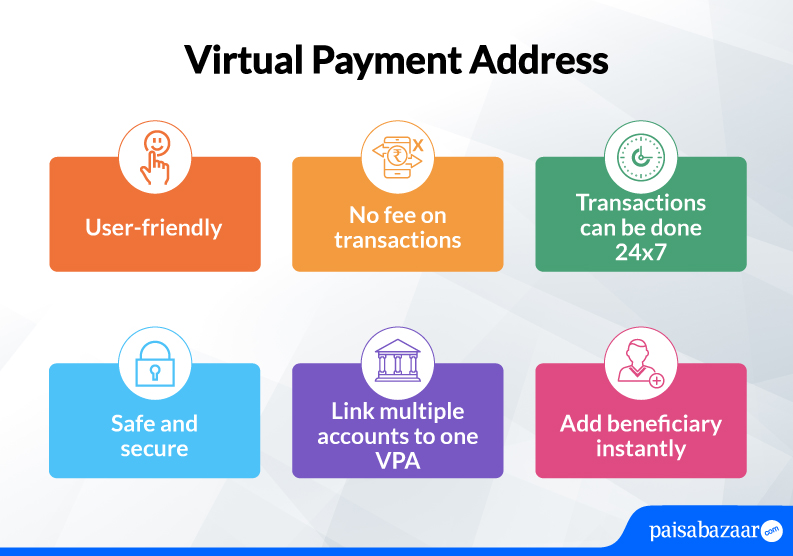
Below-mentioned are the advantages of using VPA:
Q. Do I need to enter bank details to perform VPA transaction?
Ans. No, you would only require the VPA of the payee to perform UPI transactions. There is no need of providing bank details for this.
Q. Are UPI transactions free?
Ans. Yes, currently UPI transactions are free of cost.
Q. What is the example of VPA?
Ans. Your VPA looks like – abcd@yblwhere ‘abcd’ can be your name, mobile number, or the first half of your email address, whichever is easy to remember. And, @ybl is the name of your bank account which is fetched automatically from the app.
Q. Is UPI ID and VPA the same?
Ans. Yes, UPI ID is also called Virtual Payment Address which is your unique ID required to send/receive money via UPI.
Q. Can I link my existing VPA with a new app?
Ans. Yes, you can link your existing VPA to a new app provided the app supports that feature.
Q. Is it mandatory to add VPA remarks in UPI?
Ans. Adding remarks while doing UPI transactions is optional but it will help you know where the transaction was made in the statement.