Download the
Paisabazaar app Today!
Paisabazaar app Today!
Get instant access to loans, credit cards, and financial tools — all in one place

Win Assured Cashback

Our Advisors are available 7 days a week, 9:30 am - 6:30 pm to assist you with the best offers or help resolve any queries.


Get instant access to loans, credit cards, and financial tools — all in one place

Scan to download on


 Personal Loan
 Business Loan
 Home Loan
 Other Loans


Our Advisors are available 7 days a week, 9:30 am - 6:30 pm to assist you with the best offers or help resolve any queries.

Check Free Credit Score & Win up to ₹1 lakh


Let’s Get Started
 +91
+91
The entered number doesn't seem to be correct

Corporate Banking, commonly referred to as business banking, is all about providing companies with a range of tailored banking services such as loans to help them run their daily operations. Corporate bankers often call themselves ‘Relationship Mangers’ (RMs) because they are tasked with growing client relationships over the long-term rather than focusing on a single deal.
State Bank of India is India’s largest bank with a network of more than 15,000 branches and 5 associated banks located even in the remotest parts of India. State Bank of India (SBI) offers corporate and retail customers a wide range of banking products and services. Internet banking facilitates banking round the clock. When it comes to corporate customers (non-individual customers), distinguished features are required depending on the type of corporate entities.
SBI Corporate Banking is a channel that enables corporate customers (non-individual customers such as companies, trusts, partnerships, proprietorships, etc.) to carry out online banking activities anywhere and anytime. The different types of SBI Corporate Banking accounts are SBI Khata, SBI Khata Plus, SBI Saral, SBI Vyapaar and SBI Vistaar.

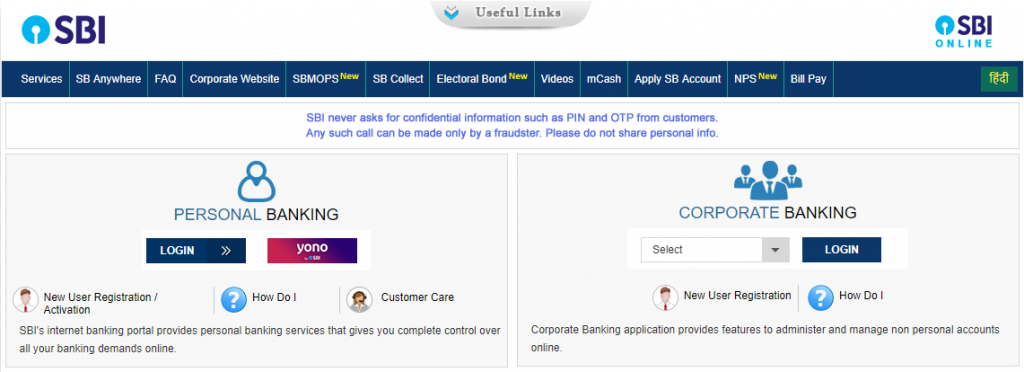
OnlineSBI is the State Bank of India’s internet banking portal. The portal provides online access to State Bank of India’s retail and corporate accounts anywhere, anytime. The application is developed using the latest technologies and tools. The infrastructure supports unified and secure access to banking services for accounts in more than 15,000 branches across India.
The OnlineSBI corporate banking application provides features for managing and using corporate accounts online. The corporate module includes roles such as regulator, admin, uploader, transaction maker, authorizer, and auditor. These roles have access to the following functions:
|
Tasks done through Online SBI Corporate Banking |
| Manage users, define rights and transaction rules for corporate accounts. |
| One can access accounts in several branches with a single sign-on mechanism. |
| Customers can upload files for bulk transactions to third parties, suppliers, sellers and tax collection authorities. |
| Customers can make use of online transactional features such as the transfer of funds to own accounts, payments by third parties (both inter and intrabank) and draft issues. |
| Corporate customers can make bill payments over the internet. |
| Authorize, modify, reschedule and cancel transactions based on the rights assigned to the user. |
| Customers can generate account statement and request transaction details or current balance through OnlineSBI. |
Also read: Top 10 Credit Cards in India
The user gets an advantage over others; benefit from accessing your 24X7 accounts. Khata allows one to access their account information anywhere. This facility is available at all branches of State Bank of India. Advantages of Khata:
The user gets an advantage over others; benefit from accessing your 24X7 accounts. Khata allows one to access their account information anywhere. This facility is available at all branches of State Bank of India. Advantages of Khata:
It’s a single user operated, user friendly and easy product of SBI Corporate Banking designed especially for Micro, Small and Medium Enterprises (MSME).
Freedom from branch dependence. Vistaar offers an all-round business solution online.
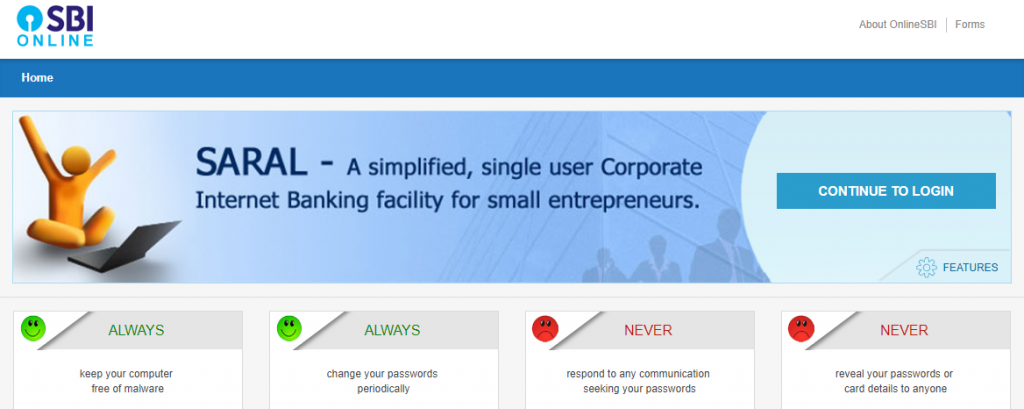
Saral is a simplified single-user transaction product ideally suited for sole proprietorship, micro-enterprises or individual businessmen who require online transaction facility in their company’s accounts. The product provides the user with transaction rights involving the transfer of funds to own or third party accounts up to a limit of Rs. 5 lakhs per day.
|
Features of SBI Saral |
| Single user operated and easy to use. |
| Facility to view account information and download account statement. |
| Account rights. |
| Facility to schedule transactions for a later date. |
| Facility to set recipient level limits. |
| Facility to set separate DD request and tax transaction limits. |
| SMS-based OTP for Beneficiary Additions, Fund Transfers, Merchant Transactions, etc. |

OnlineSBI can generate a date range account statement for any of your accounts. The statement includes transaction details, opening and closing and accumulated balance in the account.
Who can apply for CINB?
For the purposes of corporate internet banking, any non-individual customer, whether a single person, a small business, a company, a trust, an institution, a government organization or a large conglomerate, is treated as a corporation. Any company maintaining an account with any branch of the State Bank of India may use CINB.
How to access CINB?