Download the
Paisabazaar app Today!
Paisabazaar app Today!
Get instant access to loans, credit cards, and financial tools — all in one place

Win Assured Cashback

Our Advisors are available 7 days a week, 9:30 am - 6:30 pm to assist you with the best offers or help resolve any queries.


Get instant access to loans, credit cards, and financial tools — all in one place

Scan to download on



 Personal Loan
 Business Loan
 Home Loan
 Other Loans


Our Advisors are available 7 days a week, 9:30 am - 6:30 pm to assist you with the best offers or help resolve any queries.
600 or 750? What's your credit
score? Check for FREE.


Let’s Get Started
 +91
+91
The entered number doesn't seem to be correct
Allahabad Bank started its operation in the year 1865 and is headquartered in Kolkata. The bank offers a wide range of banking products and financial services to its customers like debit cards, credit cards, mobile banking, netbanking and more. Allahabad Bank netbanking allows its users to do banking transactions such as transferring money, paying a bill, checking balance or setting up a regular payment on bank etc.
| Services offered by Allahabad Bank Netbanking | ||
| Aadhar linking | Cheque Book request | Open RD/FD online |
| Pay tax | View tax credit | Fund transfer |
| Beneficiary management | Scheduled Payment Enquiry | Account summary |
| Online shopping | Utility Bill Payments | Change password |

Get Your Free Credit Report with Monthly Updates Check Now
Follow the below listed steps for Allahabad Netbanking Registration-
Step 1: Visit the official website of Allahabad Bank.
Step 2: Click on the ‘Application Form’ option.
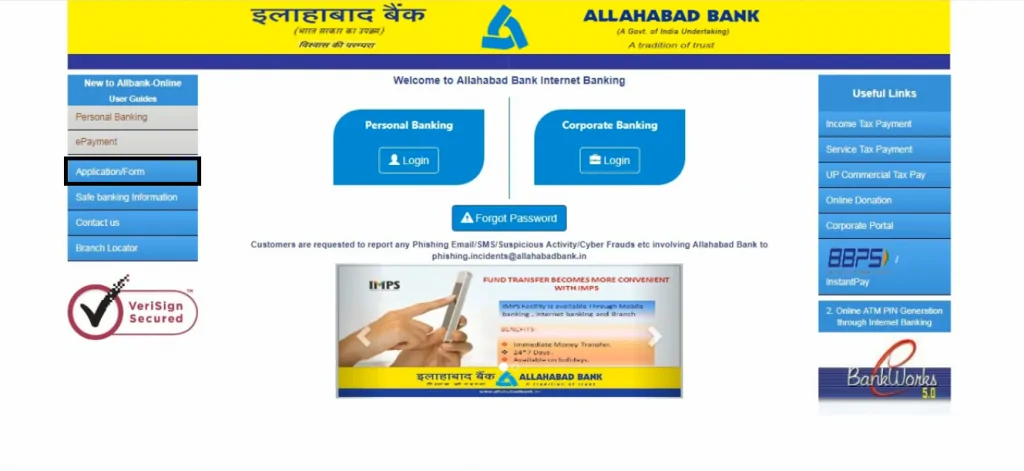
Step 3: Account holder will be redirected to a new webpage, which will display 3 application forms. Click on the first Application Form.
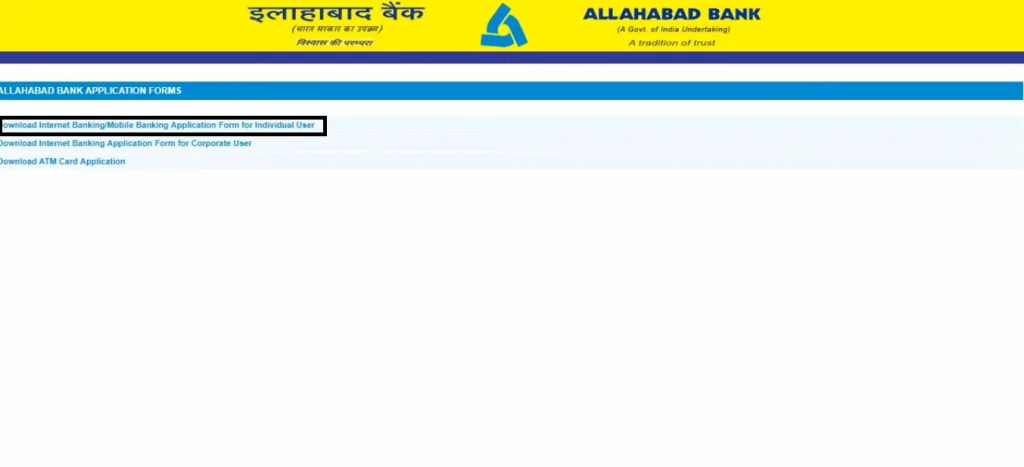
Step 4: Customer needs to get this Application Form printed and fill up all the boxes according to the instructions. One needs to fill up CIF Number, Date of Birth, Customer Name, Address, Telephone Number, Email ID, etc.
Step 5: To receive the User ID for Internet Banking, deposit the Application Form at the bank.
Get Free Credit Report with Complete Analysis of Credit Score Get Report
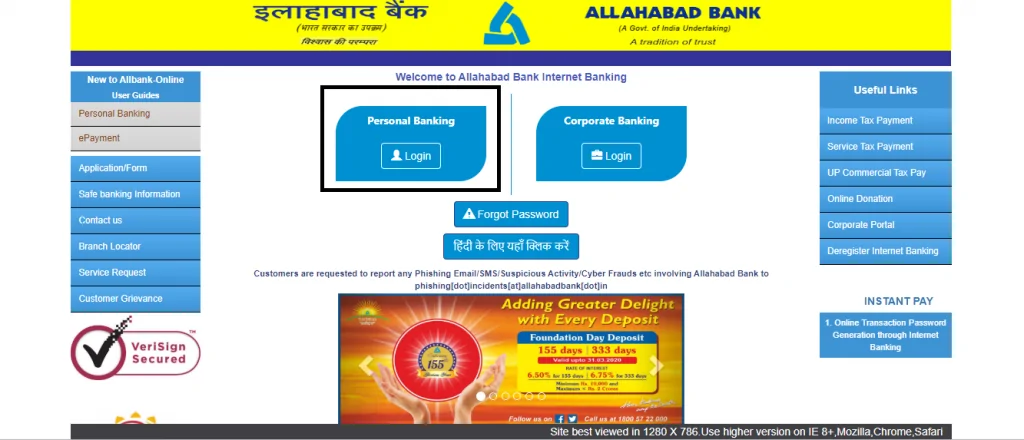
Step 1: To generate Allahabad Bank Netbanking login password, open the official website of Allahabad Bank and click on “Login” under “Personal Banking” option.
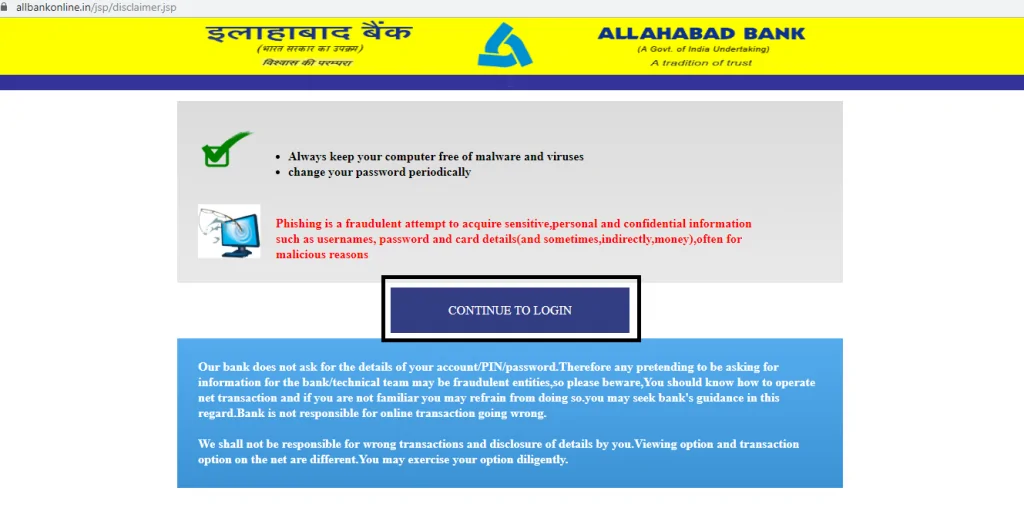
Step 2: On the next page click on “Continue to Login”.
Step 3: Now click ‘Generate Login Password’ on the next page.
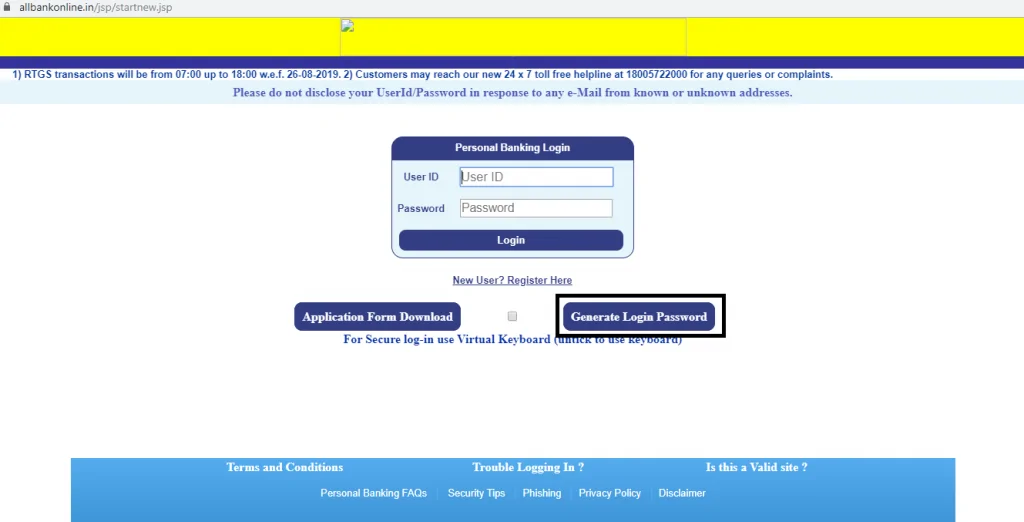
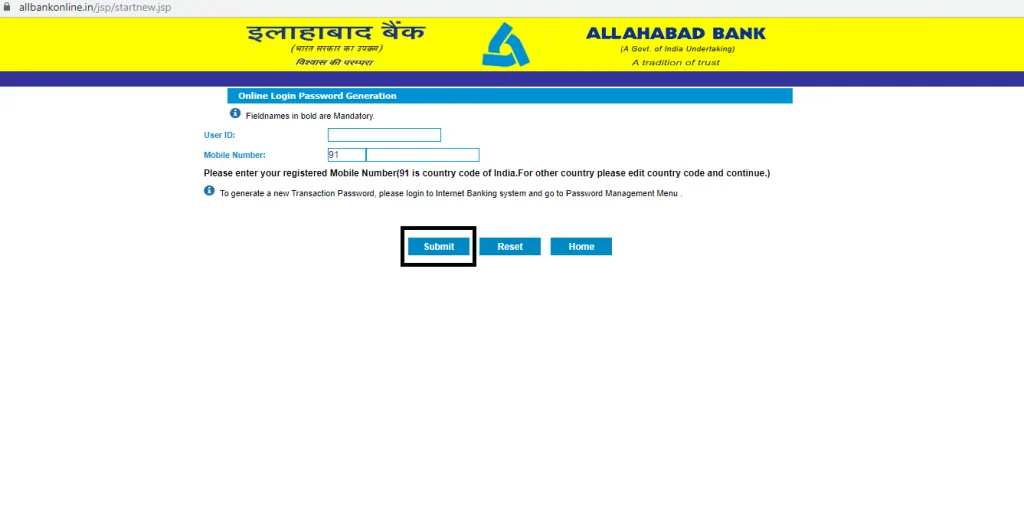
Step 4: Customer will get directed to a new page, here enter the “User ID” and registered mobile number. Then, click on the ‘submit’ button.
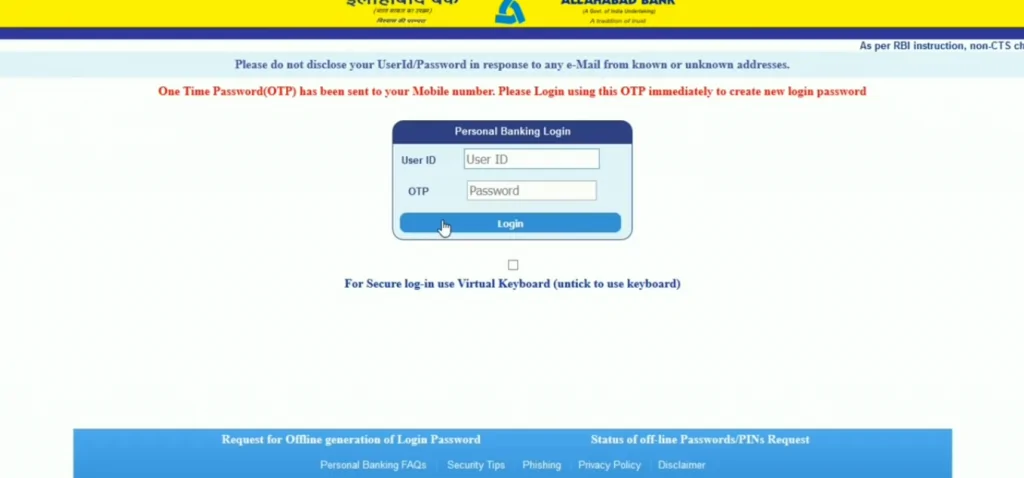
Step 5: Now enter the User ID and OTP sent to the registered mobile number and click on “Login”.
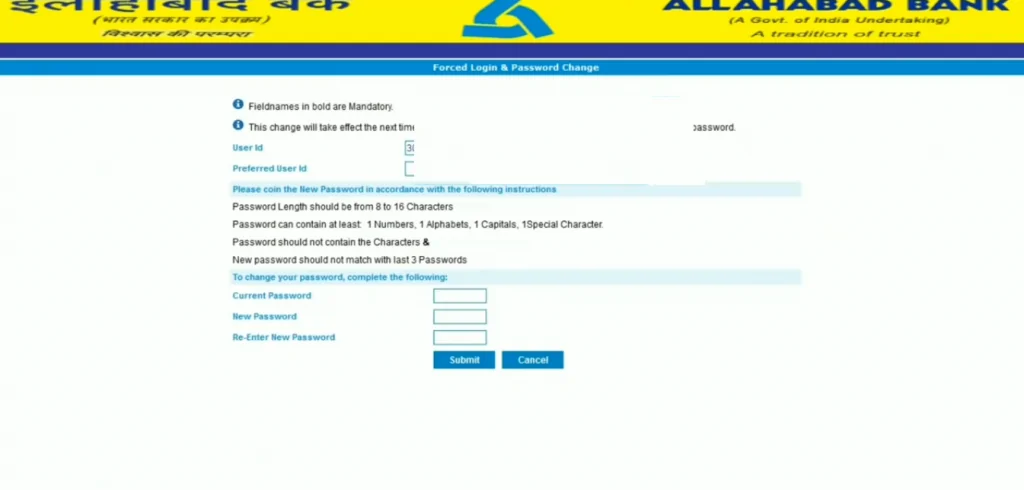
Step 6: On the next page, create a new User ID and password and click on “Submit”. One needs to enter a strong password consisting of at least eight characters which include alphabets, special characters and numeric. A message stating the successful generation of User ID and password will be displayed.
Step 7: Now visit the home page and enter the User ID and Password in the provided boxes and click on ‘Login’ button to use Allahabad Bank net banking.
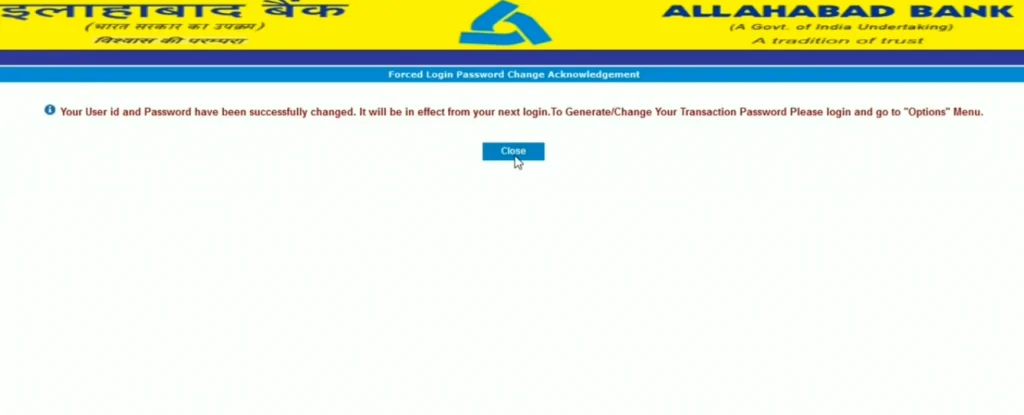
After the successful generation of password, the users can carry out a host of banking services via the net banking portal including balance check, account statement, funds transfer and more.
Your Credit Score and Report is Now Absolutely Free Check Now
Step 1: Visit the official website of Allahabad Bank and click on “Online Banking” option under “Digital Banking”.
Step 2: On the next page, click on “Login” under “Personal Banking”.
Step 3: Now click on “Continue to Login” and on the next page enter the User ID and password and click on “Login”.
Step 4: User will be directed to Allahabad Bank net banking home page.
Step 5: Now click on “Payment/Fund Transfer”. Under “Payment/Fund Transfer”, one can choose a fund transfer option according to his/her need.
Step 6: To transfer funds to other accounts apart from the Allahabad Bank, click on “Fund Transfer- Other Bank”.
Step 7: Now click on “IMPS” then “Quick IMPS”.
Step 8: On the next page select the type of IMPS transfer and click on “Submit”.
Step 9: Enter the beneficiary details, amount, transaction password and click on “Submit”.
Step 10: On the next page, verify the beneficiary details and click on “Confirm”.
Step 11: Now enter the OTP received on registered mobile number and click on “Submit”.
An Excellent Option to Build your Credit Score
1. Login Password change: Change the login password at least once every 90 days.
2. Transaction Password change: Change the Transaction password at least once every 90 days.
3. Transaction Password generation: Generate new transaction password of own wish with Allahabad bank net banking.
To know more about Allahabad Bank Savings Account, click on the button provided below:
Following are some of the security tips that one should keep in mind before using Allahabad Bank net banking:
Below are some of the key features of Allahabad bank net banking:
A Good Credit Score can get your Loan Approved Quickly Check Now
Q. How to enable Online Banking after getting the User ID and Password?
A. Internet Banking will be auto-activated after 24 hours from the date of issue in the system. One can log in using the User ID and login password. After the first login, one must change the Username and Login Password and generate transaction password before doing any financial transactions.
Q. What are the different kinds of fund transfer available?
A. Allahabad Bank account holders can transfer funds to –
Q. What to do if the account holder didn’t receive Allahabad Bank net banking user ID?
A. Account holder needs to contact the Allahabad Bank branch and apply for net banking service. In case the account holder had already applied for the same, he/she can visit the bank and ask the executive for the status or call Allahabad Bank customer care number to enquire about the same.
Q. How can one get the transaction password in Allahabad Bank?
A. The user needs to collect the login password from the branch itself and contact the branch for activation of the User ID. However, later the transaction password can be changed from the menu – “Password Management > Transaction Password Generation” option.
Q. How can one access the Allahabad Bank Netbanking facility?
A. The account holders can access the netbanking facility via any electronic device like computers, mobile phones or tablets.
Checking Credit Report monthly has no impact on Credit Score Check Now