Download the
Paisabazaar app Today!
Paisabazaar app Today!
Get instant access to loans, credit cards, and financial tools — all in one place

Win Assured Cashback

Our Advisors are available 7 days a week, 9:30 am - 6:30 pm to assist you with the best offers or help resolve any queries.


Get instant access to loans, credit cards, and financial tools — all in one place

Scan to download on



 Personal Loan
 Business Loan
 Home Loan
 Other Loans


Our Advisors are available 7 days a week, 9:30 am - 6:30 pm to assist you with the best offers or help resolve any queries.
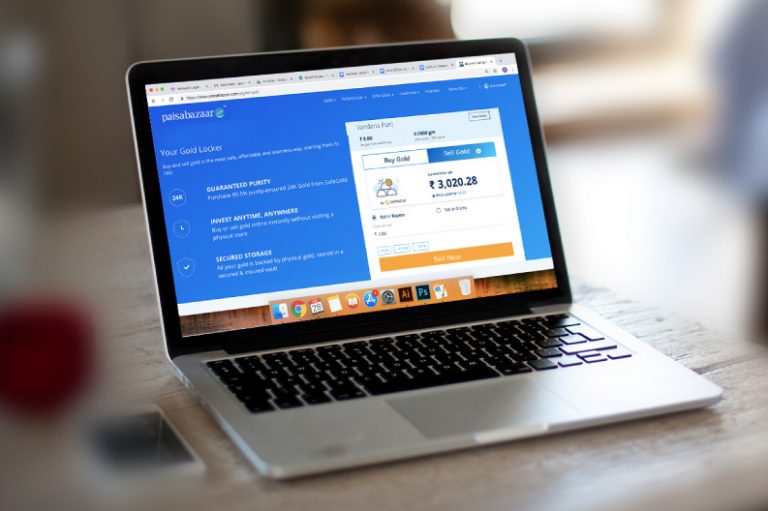
Earlier only physical holding of gold was possible. But now there is a plethora of options available for people to invest in gold. The newest addition in the list of gold buying options is Digital Gold. It is a simple and convenient way to buy, sell and hold 24-karat gold anytime and anywhere. It is backed by an equal amount of physical gold, which is safely stored in a central vault. So, instead of buying gold jewellery at a shop and keeping it in an almirah, you are allowing someone else to keep it in a central vault. This eliminates two of the major drawbacks attached with purchasing of physical gold such as high making charges and storage issues. Its advantages extend further by offering you the facility to either sell the accumulated gold at live market rates or get it delivered in the form of gold coins anytime you want.
If you have bought Digital Gold at Paisabazaar.com and want to sell but don’t know how, we are here to help. In this article, we will guide you step-by-step on how to sell Digital Gold at Paisabazaar.com. Read further.
Step 1: Go to Digital Gold web page at Paisabazaar.com and click the Sell Gold tab.+
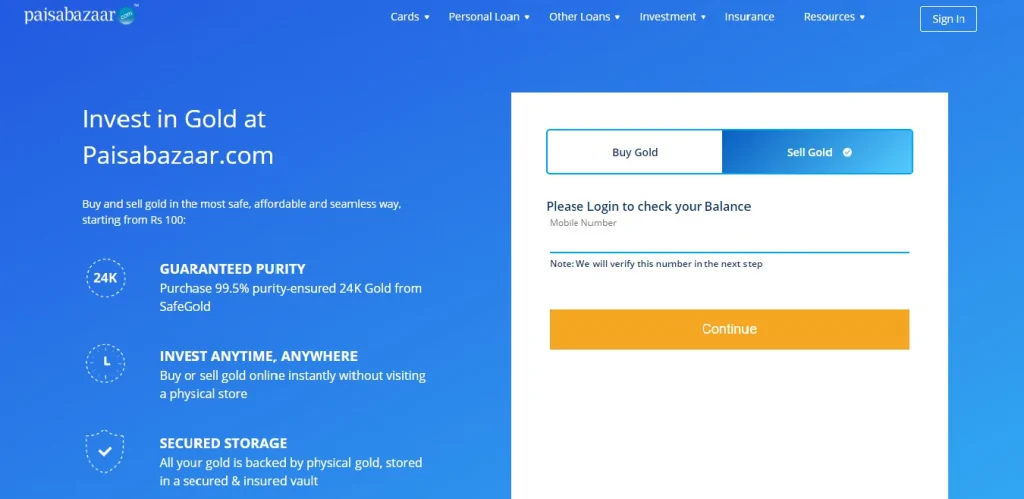
Step 2: Enter your mobile number and click Continue to login and check your gold balance.
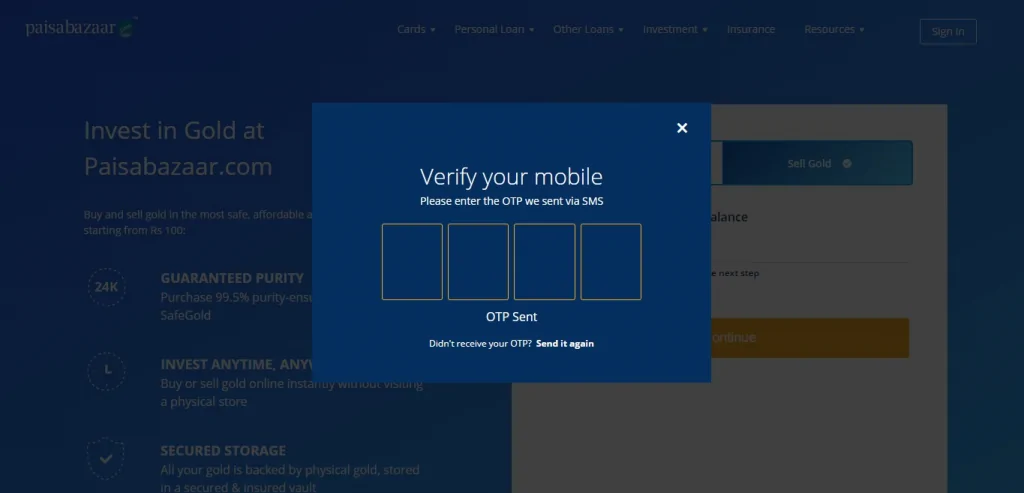
Step 3: You will receive an OTP via SMS. Enter it to verify your mobile details.
Once your mobile details are verified, you will be able to see your Gold Balance in Rupees (₹) and in Grams (gms).
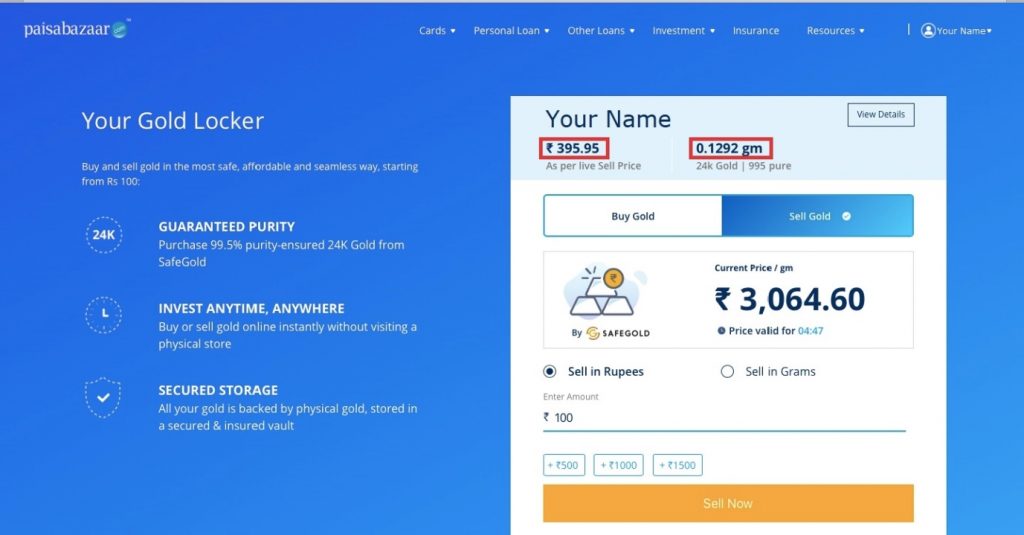
Step 4: You can sell gold either in Rupees or in Grams. Select one as per your preference.
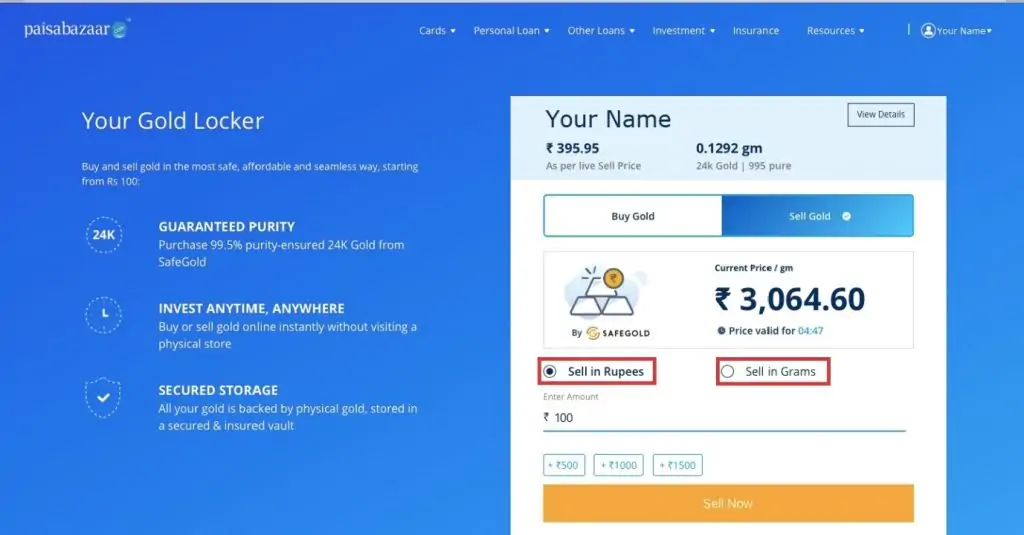
Step 5: Depending on the option you select, enter the corresponding details and click on Sell Now.
Note: There is no minimum limit on the amount of gold you can sell at Paisabazaar.com.
Step 6: Enter your bank account details such as account number, IFS Code, etc. and click on Continue to proceed further.
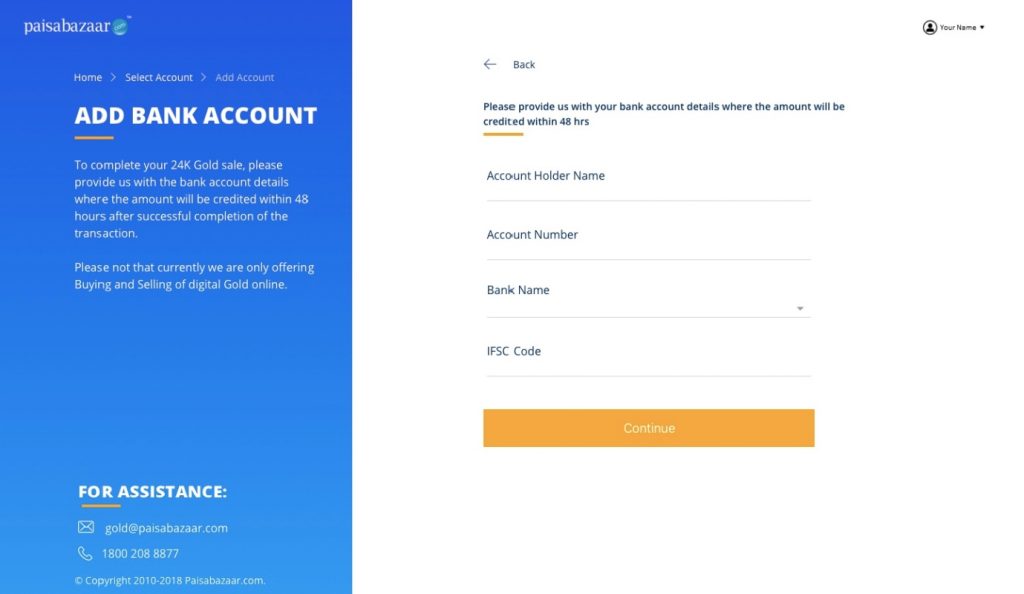
Note: Provide bank account details where you want the amount to be credited after successful completion of the sale transaction.
Step 7: Check the details of gold sale and click on Sell Now to proceed.
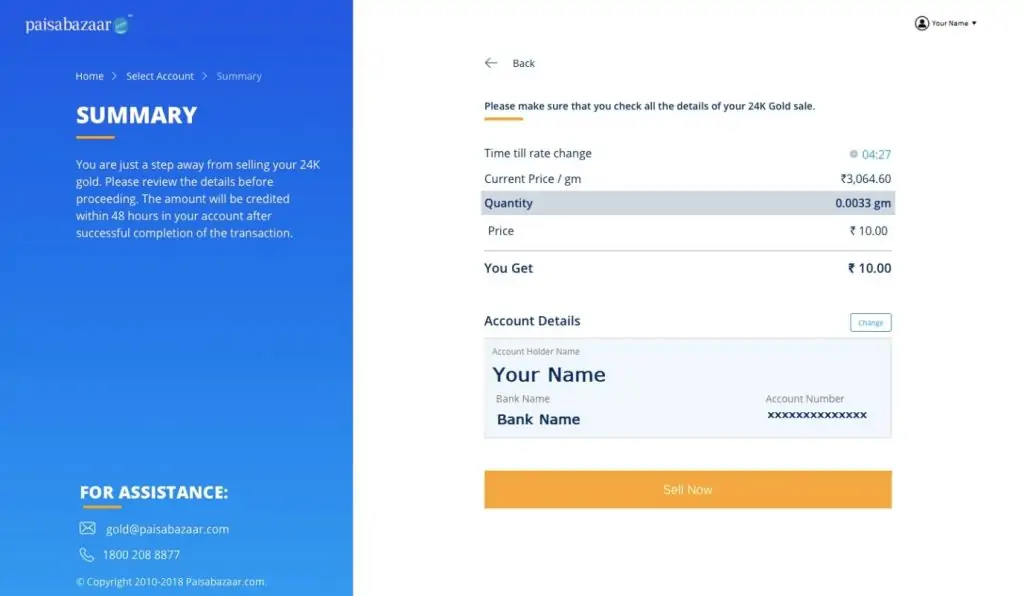
Step 8: On successful initiation of the selling process, you will see your gold sale summary along with a transaction ID, which you can download anytime.
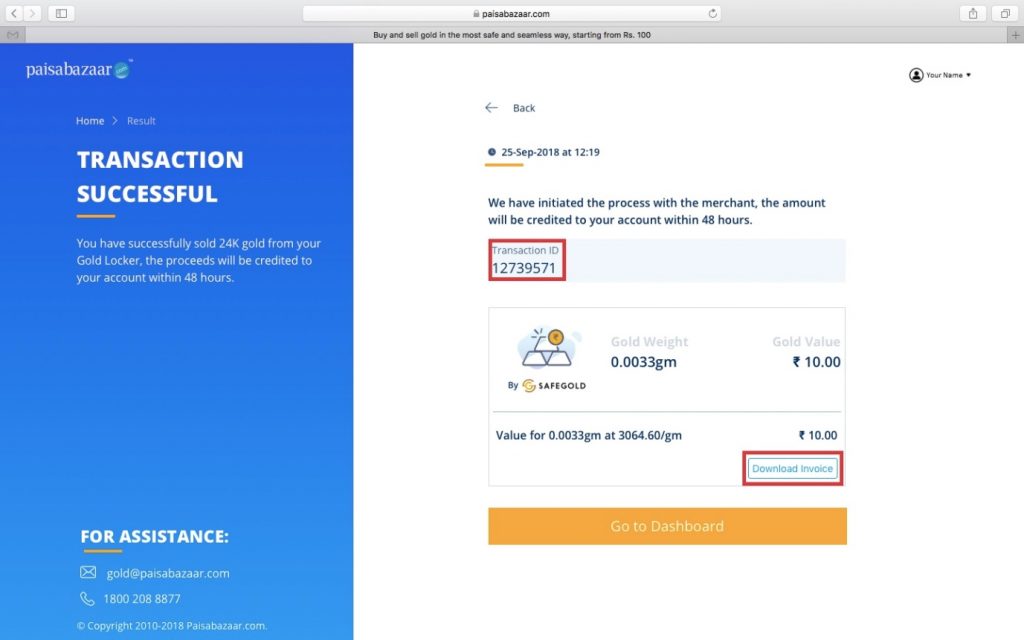
Note: On successful selling of digital gold, the amount will be credited in your account in the next 48 hours.
If you find yourself stuck at any point during the gold selling process, call our customer care representatives at 1800 208 8877 or send an email at gold@paisabazaar.com.