Download the
Paisabazaar app Today!
Paisabazaar app Today!
Get instant access to loans, credit cards, and financial tools — all in one place

Win Assured Cashback

Our Advisors are available 7 days a week, 9:30 am - 6:30 pm to assist you with the best offers or help resolve any queries.


Get instant access to loans, credit cards, and financial tools — all in one place

Scan to download on



 Personal Loan
 Business Loan
 Home Loan
 Other Loans


Our Advisors are available 7 days a week, 9:30 am - 6:30 pm to assist you with the best offers or help resolve any queries.
Gold jewellery is an important segment globally. We Indians, particularly, are famous for being “gold crazy” as it carries a great sentimental value. But, it comes with a few drawbacks, such as:
Due to the above points, gold jewellery has become a costly option for many. But now it isn’t as Paisabazaar.com in collaboration with SafeGold offers Digital Gold. It is a cost-effective and convenient way to buy physical gold.
Buying Digital Gold eliminates:
Moreover, it is absolutely inexpensive as you can buy it at price as low as ₹100. For those who want it in a physical form can get it delivered anytime at their doorstep in the form of certified gold coins. Even if you are always on the move, you can save in gold with just a few taps. Yes, you can buy Digital Gold not only at Paisabazaar.com website but also at Paisabazaar mobile app.
That’s so easy! Isn’t it? So, what are you waiting for? Buy Digital Gold Now!
Having trouble in getting started? Follow these steps:
Step 1: Download and install Paisabazaar mobile application on your mobile device.
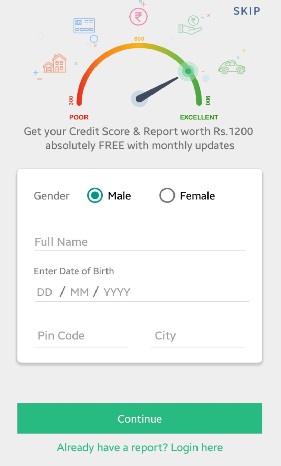
Step 2: Open the app. A form to view your credit score will appear. You can either fill it to view your credit score for free or ’Skip’ the part.
Step 3: Enter the mobile number to receive an OTP for verification.

The OTP is auto filled and verified by the application.
Note: This is a one-time step for those who have never installed Paisabazaar app on their mobile devices.
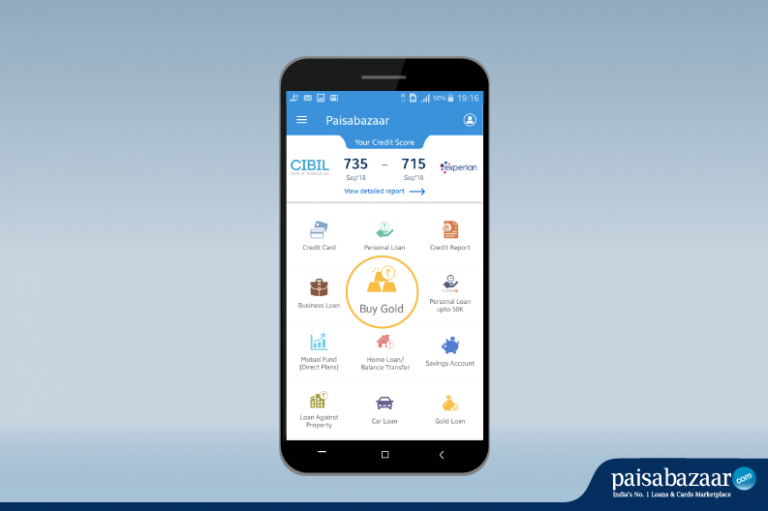
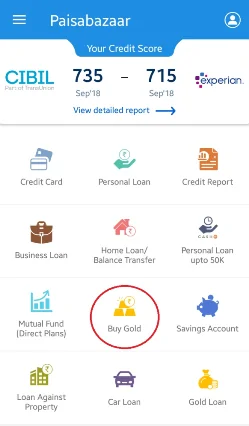
Step 4: Tap on Buy Gold.
Step 5: Tap on Start Buying.

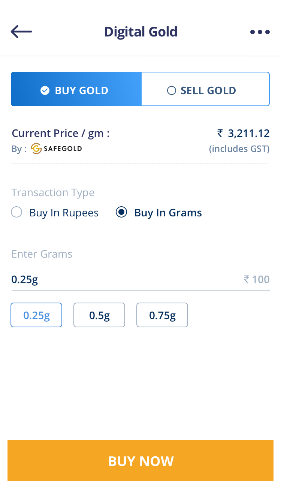
Step 6: You can buy gold either in Rupees or in Grams. Select one as per your preference.
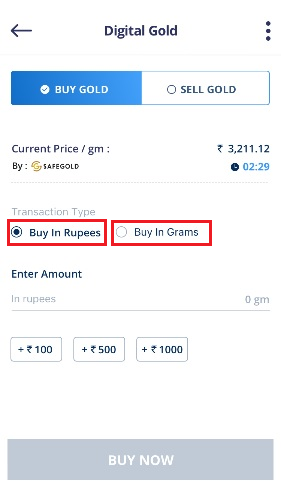
Step 7: Depending on the option you select, enter the corresponding details and tap on Buy Now.
Note:
Step 8: Enter your personal details to create your Digital Gold Account and tap on Continue.

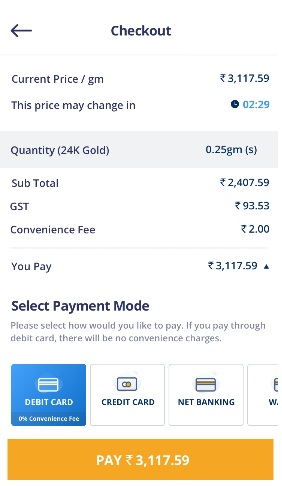
Step 9: Check the purchase details. Select the payment mode and tap on Pay to proceed for payment.
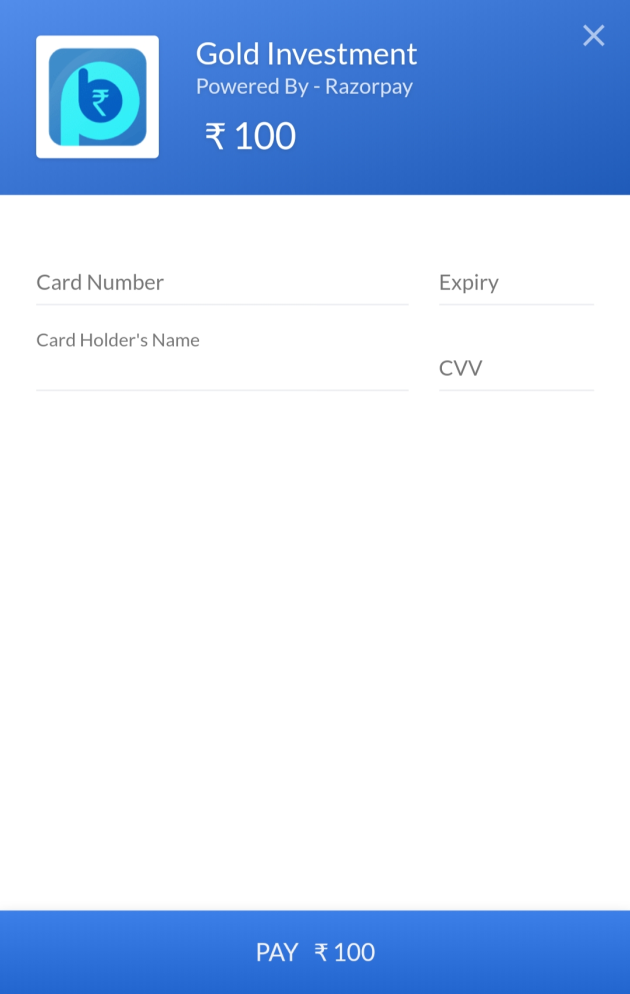
Step 10: Enter the details of the mode through which you wish to buy Digital Gold.
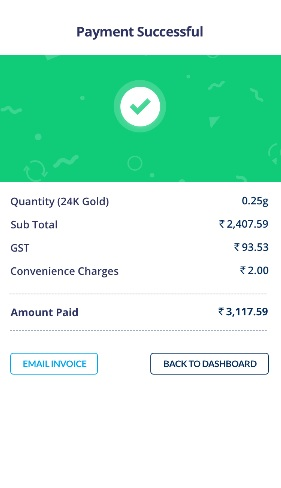
On successful payment, you will have your gold in your account.
If you find yourself stuck at any point during the gold purchase process, call our customer representatives at 1800 208 8877 or send an email at gold@paisabazaar.com.