Download the
Paisabazaar app Today!
Paisabazaar app Today!
Get instant access to loans, credit cards, and financial tools — all in one place

Win Assured Cashback

Our Advisors are available 7 days a week, 9:30 am - 6:30 pm to assist you with the best offers or help resolve any queries.


Get instant access to loans, credit cards, and financial tools — all in one place

Scan to download on



 Personal Loan
 Business Loan
 Home Loan
 Other Loans


Our Advisors are available 7 days a week, 9:30 am - 6:30 pm to assist you with the best offers or help resolve any queries.
600 or 750? What's your credit
score? Check for FREE.


Let’s Get Started
 +91
+91
The entered number doesn't seem to be correct
In order to complete e-filing of Income Tax Returns, you are required to complete the process registration and log into the Income Tax e-filing website. By completing the income tax login process, you can access the e-filing portal and access a range of tax-related services. The following is a step-by-step guide to completing the income tax e-filing portal login.
Step 1: Go to the Income Tax e-filing website and click on the “Login Here” link located at the right hand top corner of the page.
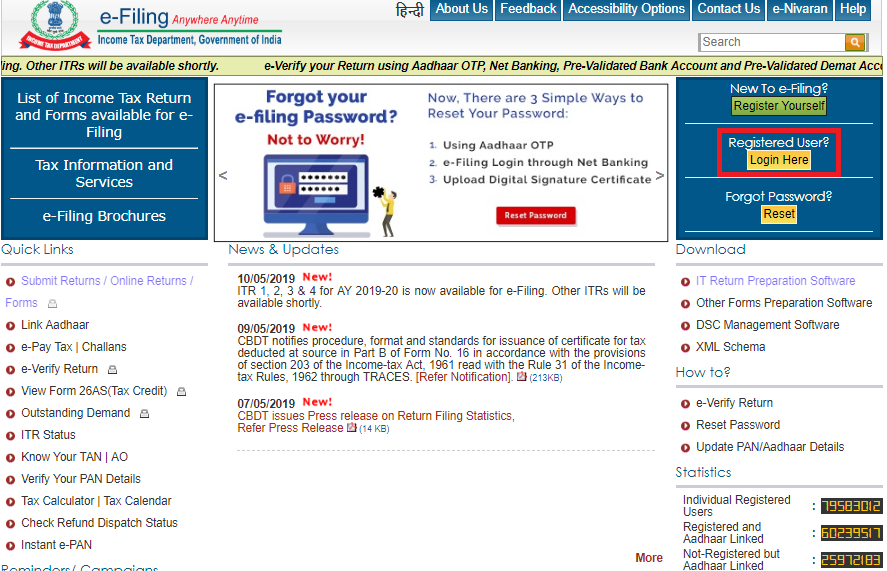
Step 2: Once you have clicked on the “Login Here” button, you will be redirected to the Income Tax Login page.
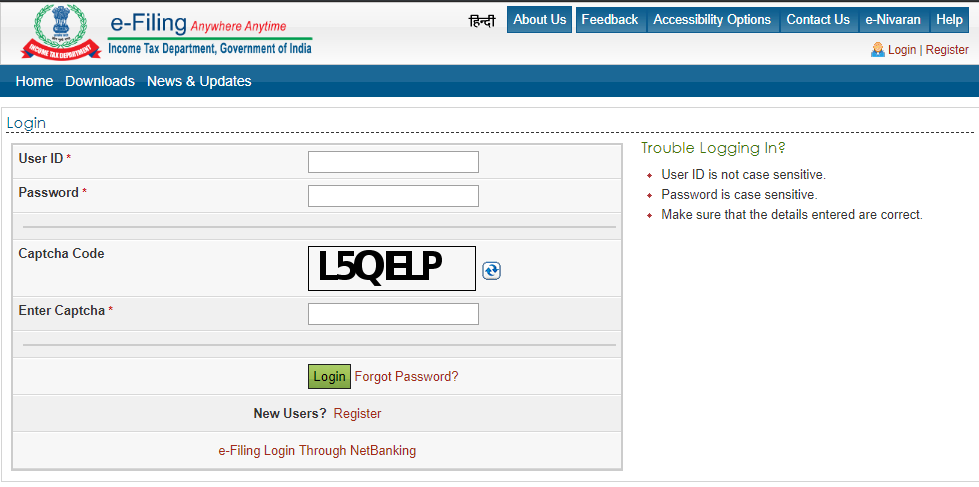
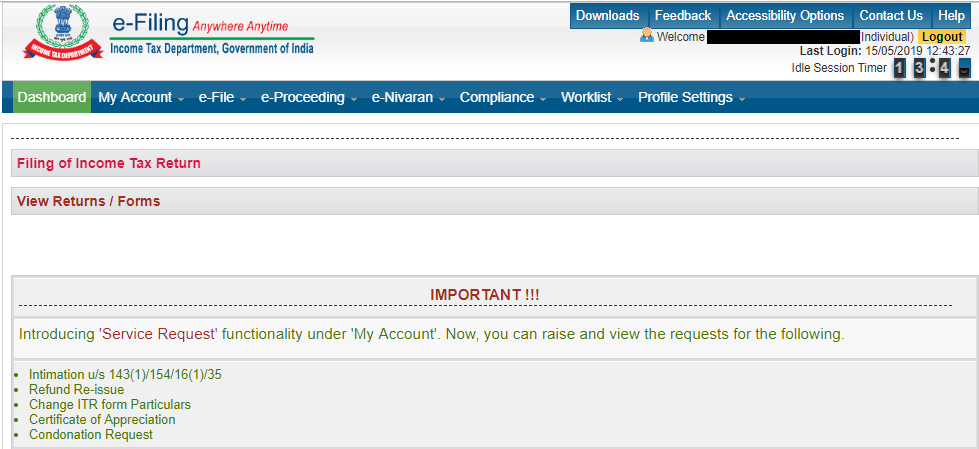
Step 3: On the login page, you have to provide your User ID i.e. PAN (Permanent Account Number) and the password you have set for your income tax e-filing account at the time of registration. Once you have provided these details along with the captcha code, click on “Login” to complete the income tax login of you e-filing account.

Get FREE Credit Report from Multiple Credit Bureaus Check Now
The Income Tax e-filing portal allows individual tax assessees to log into the e-filing portal through the Internet banking interface of most major banks in India. Currently this facility is only available to those who have updated their PAN details with their respective banks.
Step 1: Go to the e-filing logon through Internet banking page. This page contains a complete list of the banks that offer income tax login through their Internet banking portal.
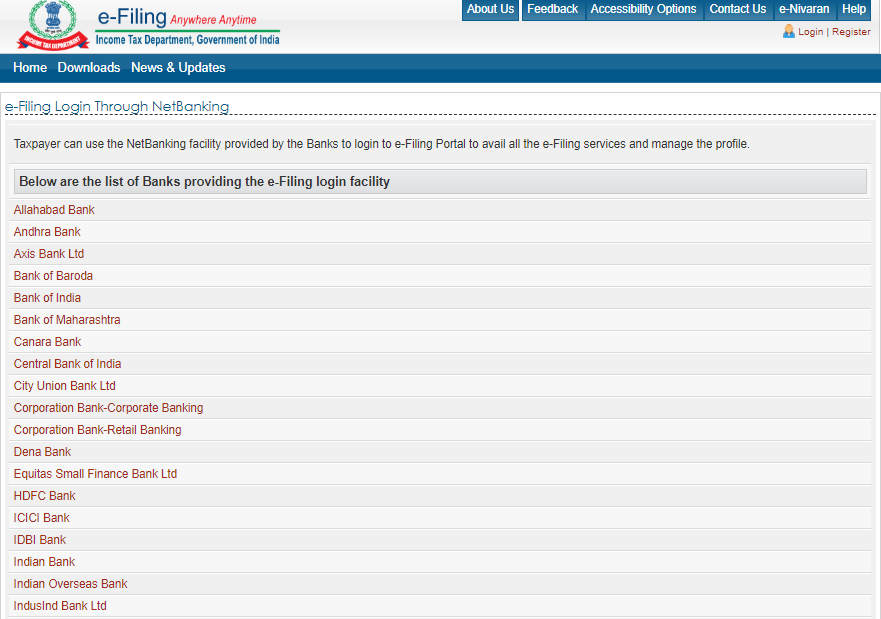
Step 2: Click on the applicable bank name to get redirected to the Internet banking login page of your chosen bank.
Step 3: Use you Netbanking ID and Password to log into the banking portal and access a range of services available after completing login on the e-filing portal. (Ensure that PAN details are updated with your bank otherwise income tax login by netbanking will not work).
You can easily recover your Income tax e-filing account password in case you have forgotten it.. The following are the key steps of the process:
Step 1: Go to the Income Tax e-filing website home page and click on the “Reset” button located at the top right hand corner of the page.
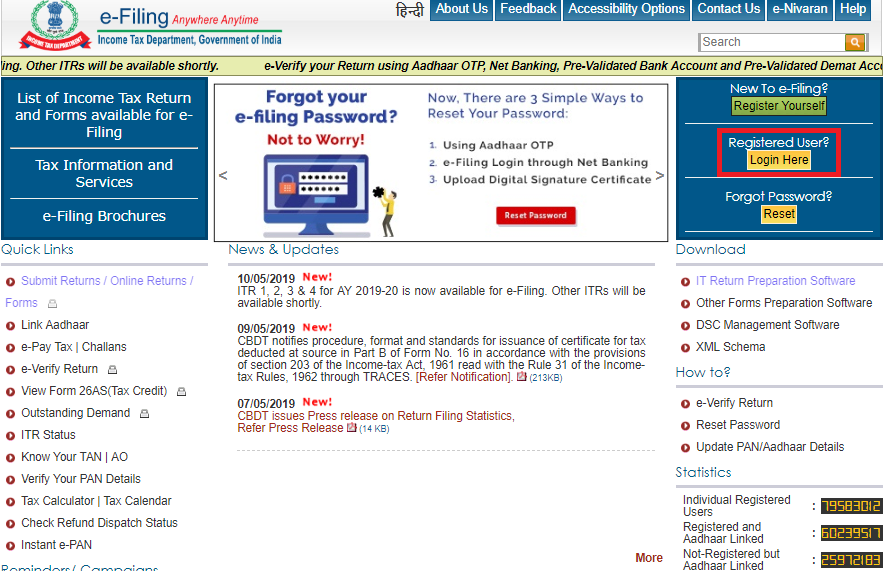
Step 2: On the subsequent page, you have to provide your income tax e-filing portal User ID which is your PAN. After providing the captcha code on this page, click “Continue” to start the income tax login password reset process.
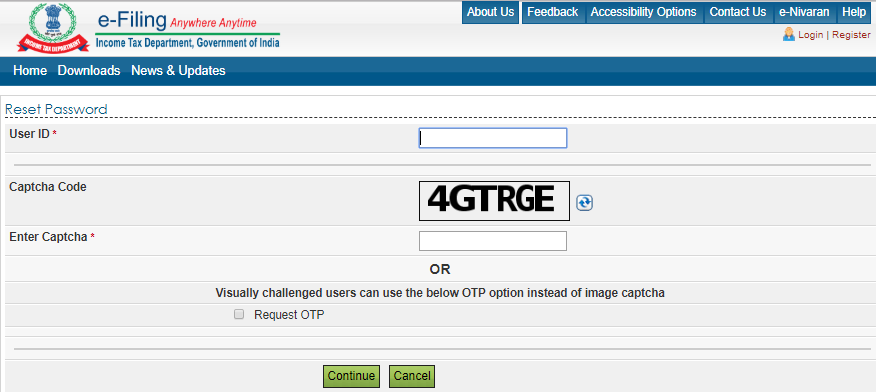
Step 3: Reset your income tax e-filing ID password using any of the 4 available options:
Answer secret question (as set at the time of Income Tax e-filing portal registration)
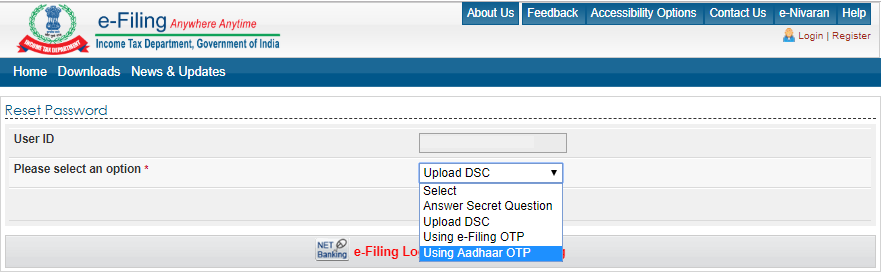
Step 4: Provide applicable OTP or upload applicable file and input new password to complete the process of resetting of income tax login password.
Get FREE Credit Report from Multiple Credit Bureaus Check Now
The Income Tax e-Filing portal provides you with a single unified platform to access a wide range of income tax-related services. Some of the key services that are available include:
Ans. To efile income ta return through the income tax portal, follow these steps:
Ans. If you have skipped the due date for filing ITR, you can file a belated return. A belated return can be filed either before the completion of the assessment year or before the assessment is made , whichever is earlier. For instance, for the assessment year 2019 – 20, you can file a belated return before 31st August 2019 or, at the most, by 31st March 2020.However penalty will be charged for belated return of Rs. 10,000.
Ans. In case the taxpayer wants to revise the original return due to some amendments , the same can be done using revised return u/s 139 (5).Previous to Budget 2021, revised return or belated returns were allowed to be filed either before the completion of the assessment year or before the assessment is made , whichever is earlier. However Budget 2021 has reduced this limit by 3 months, i,e an assessee can revise or file a later return by 31st December of the assessment year.
Ans. A digital signature is a digital proof of the identity of an individual. The certificates are issued by licensed certifying authorities approved by the government of India. To get a DSC, please approach these licensed certified authorities.
Ans. Log on to income tax filing portal https://www.incometaxindiaefiling.gov.in/ , please go to profile settings > contact details. Click on the edit button on the top right hand corner and change the email address as required.
Ans. Your PAN card number is the user ID for income tax efiling.
Ans. Yes, you can file return of income voluntarily even if your income is less than basic exemption limit.
Ans. There is no need to enclose any documents with the return of income. However, one should retain the documents to produce before any competent authority as and when required in future.