Download the
Paisabazaar app Today!
Paisabazaar app Today!
Get instant access to loans, credit cards, and financial tools — all in one place

Win Assured Cashback

Our Advisors are available 7 days a week, 9:30 am - 6:30 pm to assist you with the best offers or help resolve any queries.


Get instant access to loans, credit cards, and financial tools — all in one place

Scan to download on


 Personal Loan
 Business Loan
 Home Loan
 Other Loans


Our Advisors are available 7 days a week, 9:30 am - 6:30 pm to assist you with the best offers or help resolve any queries.


Contactless payments on credit cards are a faster alternative to traditional credit card payments at POS terminals. Instead of a card swipe or insert, such payments allow successful transactions with just a ‘tap.’ You can make direct payments by tapping the card or the mobile device at the terminal. These work on the near-field communication (NFC) technology that enables the exchange of data between devices via wireless communication. Such transactions are especially a suitable choice for consumers who frequently use their card for in-store or offline transactions.
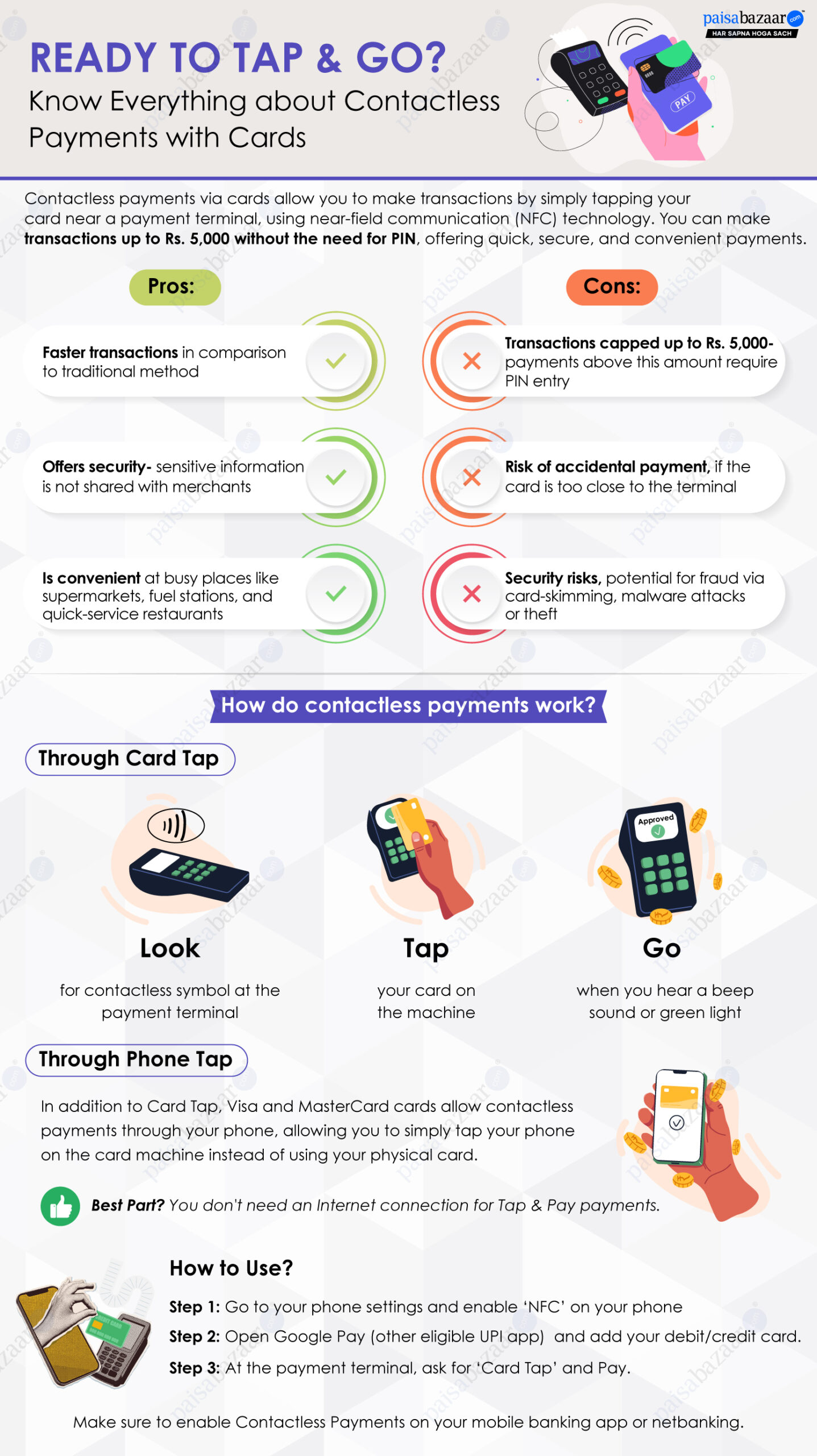
Contactless payments on credit cards work through the near-field communication (NFC) technology that allows payments in a short range of about a 10-centimeter distance. You can make a payment of up to Rs. 5,000 per transaction if you have enabled contactless payments on your card via the phone banking app or net banking. Contactless payments work through both ‘Card Tap’ and ‘Device Tap,’ as detailed below:
A ‘Card Tap’ contactless transaction allows a payment when you tap a card at the POS machine for an offline transaction.
How to ‘Tap and Pay’ with a Card:
Step 1: Look
Identify the contactless symbol on your credit card and enable ‘Contactless Payments’ via phone banking/net banking.
Step 2: Tap
To make a payment, tap your card on the POS machine.
Step 3: Go
Transactions are successful when you hear a beep sound or see a green light.
A ‘Device Tap’ contactless transaction allows a payment when you tap your mobile phone on the POS machine instead of the card. For such transactions, you can make a payment even without an internet connection.
How to Tap and Pay with your mobile:
Step 1: Open ‘Settings’ on your mobile phone and enable ‘NFC.’
Step 2: Now open the eligible UPI app (Google Pay for Visa Tap & Pay and Google Pay, Samsung Pay, and Apple for MasterCard cards).
Step 3: Add your card details in the ‘My Cards’ section under your profile.
Step 4: At the payment terminal, ask for ‘Card Tap’ and pay.
Other Contactless Payment-enabled Devices: Smart watches, wristbands, fobs and stickers.
| Type of Contactless Transaction | ||
| Card Network | Card Tap | Device Tap |
| Visa | Yes | Yes |
| MasterCard | Yes | Yes |
| RuPay | Yes | – |
Undoubtedly contactless transactions via cards are an easy and convenient option for offline shoppers. But it is important to be vigilant of the potential risks associated with these, such as fraudulent transactions and duplicate payments. For this, always ensure you are using your card at trustworthy and authorized POS terminals. Plus, while ‘Tap’ makes the day-to-day payments hassle-free and handy, it is better to stay within your limits to avoid overspending.