Download the
Paisabazaar app Today!
Paisabazaar app Today!
Get instant access to loans, credit cards, and financial tools — all in one place

Get the app — instant card and loan offers!

Our Advisors are available 7 days a week, 9:30 am - 6:30 pm to assist you with the best offers or help resolve any queries.


Get instant access to loans, credit cards, and financial tools — all in one place

Scan to download on


 Personal Loan
 Business Loan
 Home Loan
 Other Loans


Our Advisors are available 7 days a week, 9:30 am - 6:30 pm to assist you with the best offers or help resolve any queries.
This assessment year (AY 2019-20), the income tax department has introduced the new e-Filing Lite Portal for the convenience of income tax return (ITR) filers. With a focus on just helping new ITR filers, the Lite portal contains only a few of the functionalities available through the full e-filing portal. In the following sections, we will discuss key features of this newly introduced portal from the Income Tax Department of India.
Currently the “e-Filing Lite” portal can be accessed by all income tax assessees with valid PAN (Permanent Account Number) who are registered on the Income Tax e-filing portal. In case you have not yet registered for e-filing on the income tax e-filing website, you can access the e-Filing Lite portal only after registering for e-filing through the website.
If you are already registered for e-filing on the Income Tax efiling website, you can use you PAN and password to log on to the e-Filing Lite portal with the following steps:
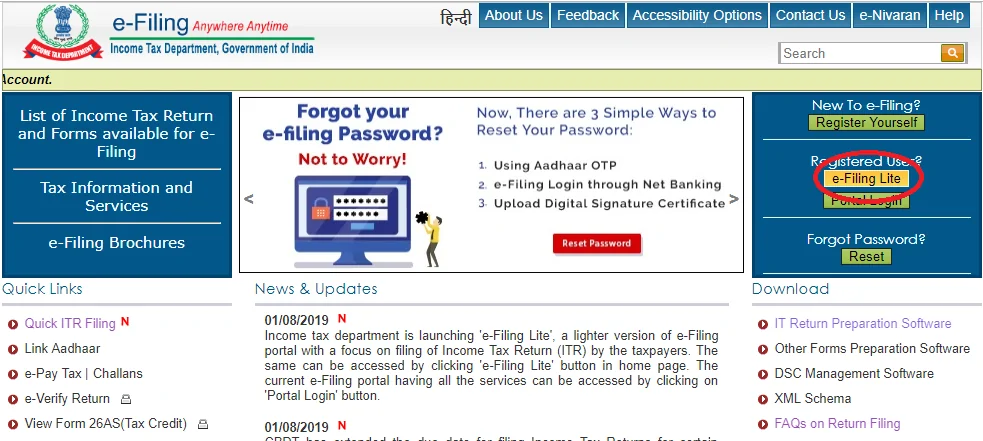
Step 1. Go to the Income Tax e-Filing Website and click on “e-Filing Lite” button on the right side of the page just below the register button.
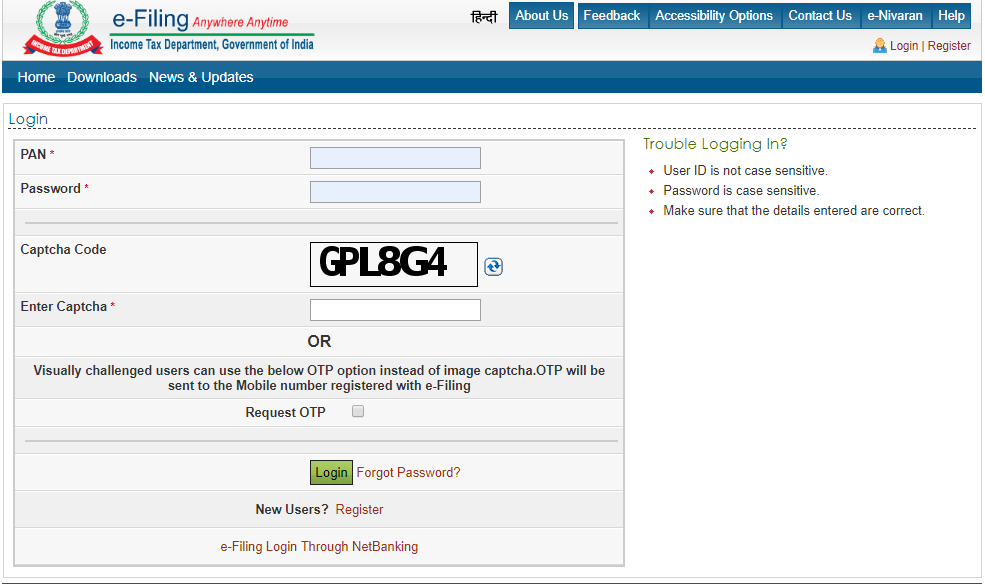
Step 2. Subsequently you get directed to the log in page where you need to provide your PAN and ITR e-filing account password to log on to the e-Filing Lite portal.
Step 3. Once you have logged into the e-Filing Lite portal, the following page will be displayed, where you can start the process of filing your AY 2019-20 ITR online:
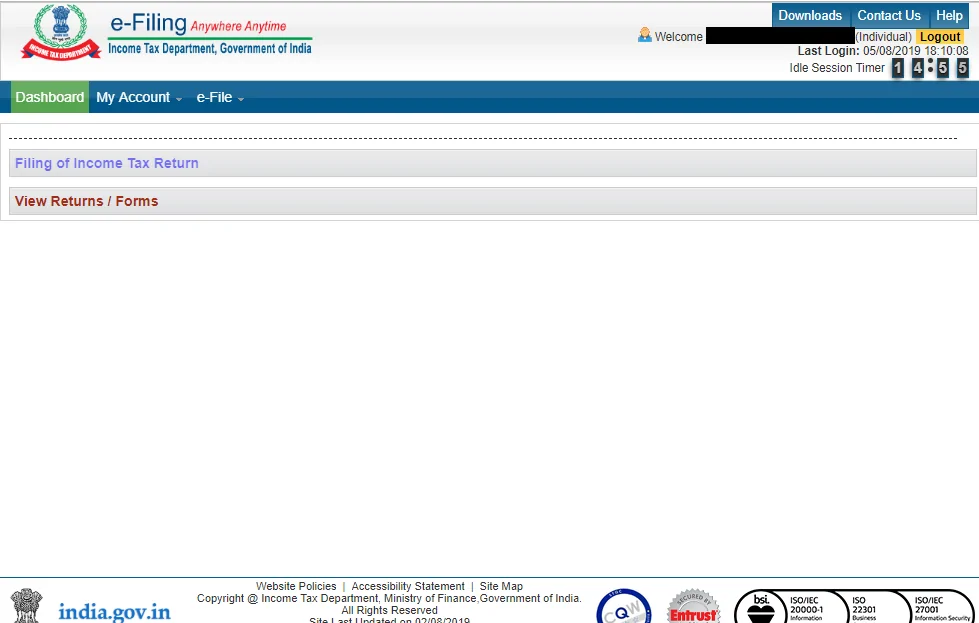
Being the “lite” version of the full service Income Tax e-filing portal, the features you can access are relatively limited and they are as follows:
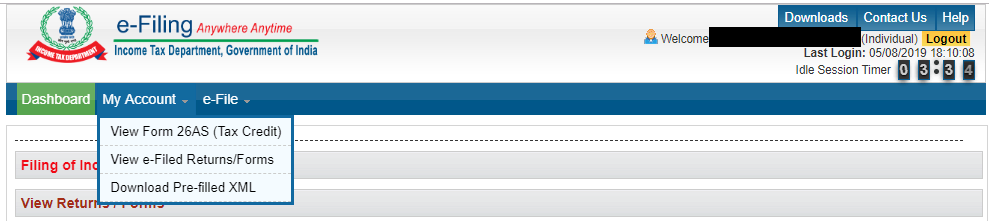
Those who have logged on to full ITR e-filing portal earlier will point out that quite a few of the links otherwise available through the e-filing dashboard are missing if you are using the e-filing lite portal. The following is what the full e-Filing account dashboard view looks like:
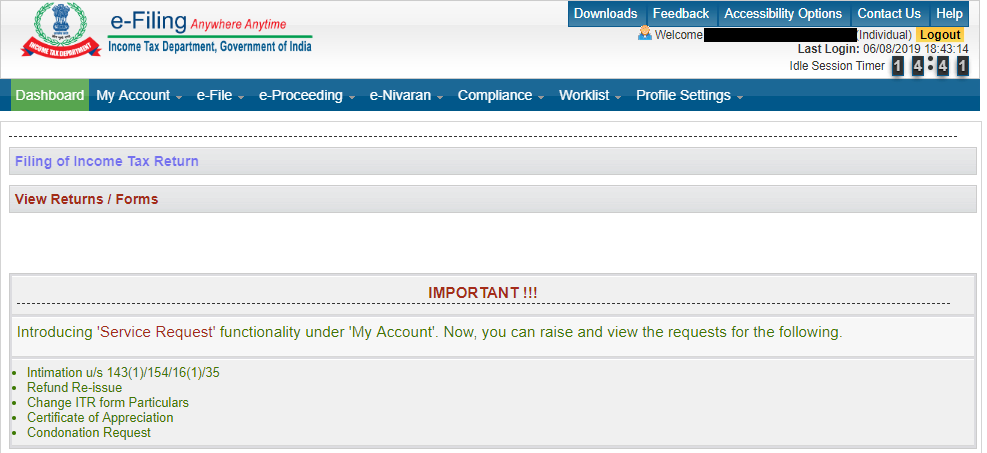
You can easily see that a few of the dashboard menu items and related sub-menu items are missing. These are as follows:
This is in line with the IT Department’s release that the “e-Filing Lite” portal is designed to only help tax assessees submit their returns easily. Thus various income tax-allied activities including grievance redress, compliance, etc. will only be available through the full income tax e-filing portal.